

We all know that life is unpredictable. Don’t. know when a situation comes that may cause a sudden financial emergency. Or maybe after a preset deadline, you want to discontinue or reach your savings goal and want to cash out. So, whatever the reason, knowing exactly how to close SIP becomes the core work for you at that time. As we can see, many beginners get panicked when they need their money, assuming it is locked away forever. But the good news is that you can redeem or cancel the units of Mutual funds easily and get a cash return in your bank account.
Can I Withdraw SIP Anytime?
Before we get into the steps of how to close SIP, let’s answer the most common worry investors have: Can I withdraw from SIP anytime?
Yes, for the vast majority of open-ended mutual funds, you can withdraw your money whenever you want. Your money is highly liquid. The only exception is if you invested in an ELSS (Equity Linked Savings Scheme) or a specific tax-saving fund, which usually comes with a strict 3-year lock-in period. For regular mutual funds, you are free to pull your money out today. However, you should always check if your fund charges an “exit load” (a small penalty fee, usually around 1%) if you withdraw your money before completing one full year of investing.
How to Stop Mutual Fund SIP Deductions
It is really important to understand that stopping your monthly payments and withdrawing your money are two totally different things. If you just lost your job or need a break from investing, you need to know how to stop mutual fund SIP payments without actually selling your current investments.
Here is the step-by-step process to pause or stop the deductions:
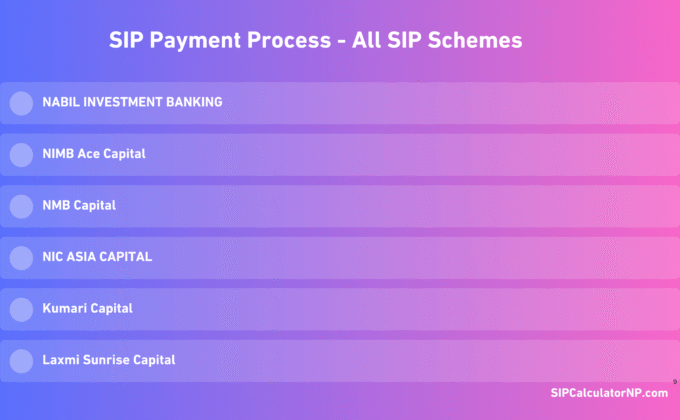
- Log in to your Mutual Fund Portal: Go to the website of the capital management company where you started the investment (e.g., Nabil Invest, Siddhartha Capital).
- Find the SIP Menu: Navigate to your dashboard and look for the active “Systematic Investment Plan” section.
- Select ‘Redeem’, ‘Cancel’ or ‘Stop’: Click on your active mandate and select the option to cancel.
- Cancel the Bank Mandate: This is the most crucial step. If you set up an automatic deduction through Connect IPS or a standing instruction at your bank, you must log into your banking app or Connect IPS and cancel the e-Mandate there as well. If you don’t do this, the bank might still try to deduct the money.
Once you do this, you have successfully figured out how to stop SIP. Your current money stays invested and continues to grow in the market, but no new money will be taken from your bank account next month.
Stop SIP in NIBL Sahabhagita Fund from NIMB Ace Capital
Method 1
- Login to the NIMB Ace Capital’s Mutual Fund Portal, click here.
- Tap on Unit Redemption>Unit Redemption Request,
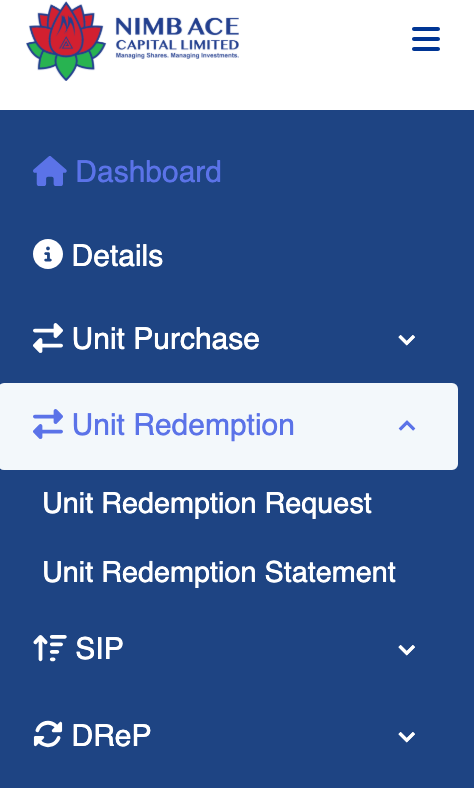
- That’s it.
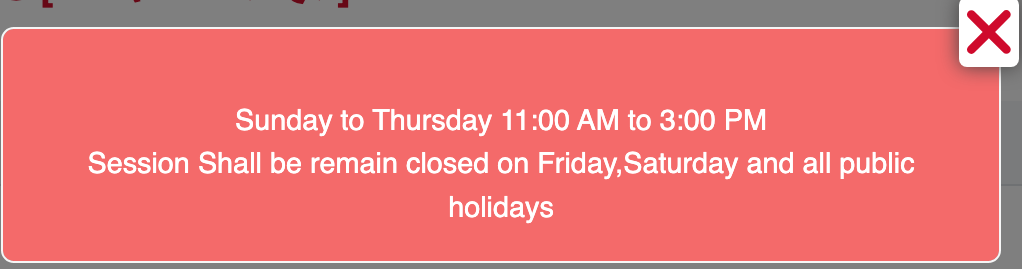
Note: Unit Redemption and SIP Purchase features are only unlock during NEPSE Hours,
Method 2
Most of the issue managers don’t allow the user (investors) to redeem just by requesting from the client user. Also, some issue managers lock the SIP Units by default on their client page. So, in this case, you can send the mail directly to the NIMB Ace Capital (formerly NIBL Ace Capital) with these forms filled out to their mutual fund department via your registered mail.
Here’s the Screenshot of the forms that you need to fill out and send to me for scanning with this simple format.
- Visit the Downloads page of NIMB Ace Capital,
- Now download the total 2 forms from there (SIP Cancellation Letter and Unit Redemption Request Form),
- Fill out the form by printing with all your SIP Details, Email, and BOID, including the total redemption unit as shown in the image,
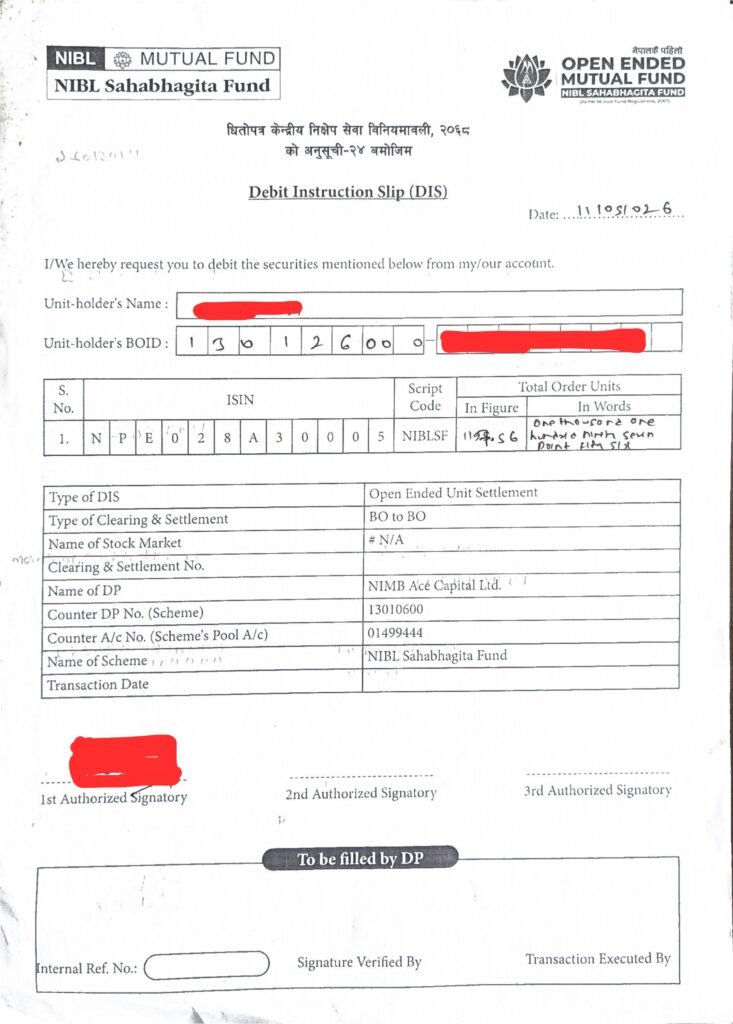
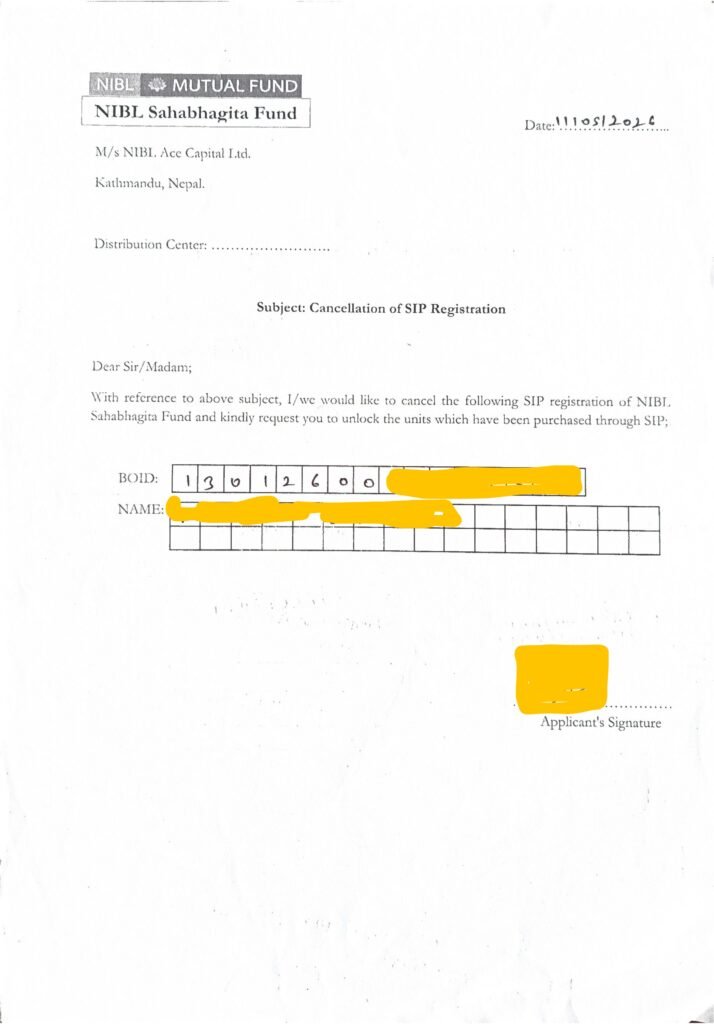
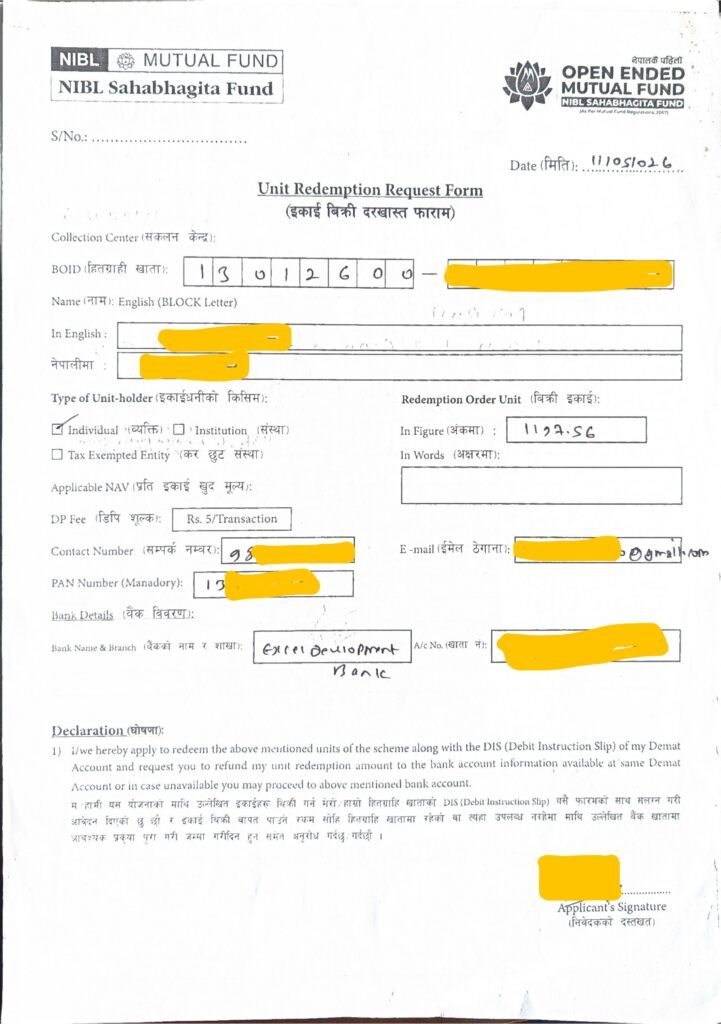
- Scan all these forms and send the mail to: info.mutualfund@nimbacecapital.com with Subject ‘SIP Cancellation’,
- That’s all.
Simple Email Format:
SIP Cancellation Authorization
Greetings,
I, Basanta Limbu, am the SIP Unit holder at NIMB Ace Capital for the NIBL Sahabhagita Fund. I hereby authorize the complete redemption and cancellation of all my purchased/subscribed SIP Units. Please proceed with the necessary actions utilizing the profile details and documentation provided below.
How to Withdraw SIP Amount to Your Bank
What if you actually need the cash in your hands right now? If you want to exit the market completely, here is how to withdraw sip amount directly to your linked bank account.
- Log into Issue Manager / Capital Portal: You can usually initiate a withdrawal directly from the asset management company’s website.
- Choose the ‘Redemption’ Option: In mutual fund terms, selling your units is called “Redemption.” Click this option.
- Enter the Number of Units: You don’t usually type in a rupee amount. Instead, you enter the number of mutual fund units you want to sell. You can sell a few units (partial withdrawal) or all of them (full withdrawal).
- Confirm and Wait: Submit your request. The mutual fund company will sell your units on that day’s closing NAV (Net Asset Value).
The money doesn’t appear instantly. It usually takes around 3 to 5 business days for the cash to be deposited directly into the bank account linked to your Demat profile.
Conclusion on How to Close SIP
Managing your own investments doesn’t have to be stressful. Now that you know exactly how to close SIP, you have complete control over your finances. Whether you need to learn how to stop sip for a few months to catch your breath on bills, or you need to do a full redemption to buy a house, the process is entirely digital and straightforward. Just remember to check for any exit load fees before you sell, cancel your bank mandates properly, and you will have your money back in your hands in no time.

💬 1 Comment