
Building a steady savings habit is one of the best ways to grow your wealth. Recurring deposits make it completely effortless. If you’re setting aside a fixed portion of your income every month, our Recurring Deposit Calculator is the perfect tool to map out your money’s growth. Just plug in your monthly contribution, interest rate, and timeframe. This handy RD Calculator will instantly show you your total interest earned and the final payout you can expect. Some financial expert also says RD is like SIP in FD. Usually, we only understand and do SIP in Mutual Fund only.
RD Calculator Nepal
Recurring Deposit with NRB quarterly compounding · Nepal banks & finance companies
🏦 Nepal commercial banks: 7–10% p.a. | Development banks: 8–11% | Finance cos: 9–12%
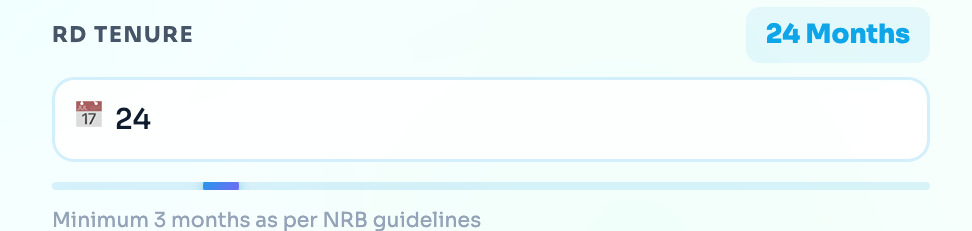
Minimum 3 months as per NRB guidelines
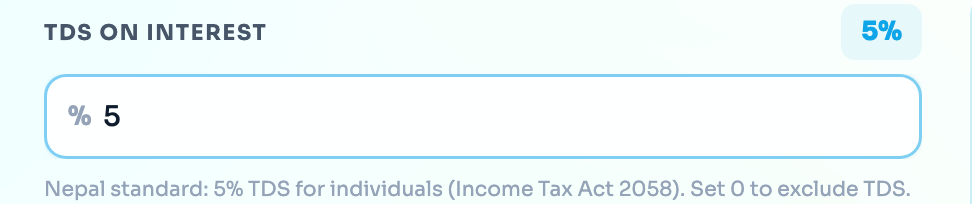
Nepal standard: 5% TDS for individuals (Income Tax Act 2058). Set 0 to exclude TDS.
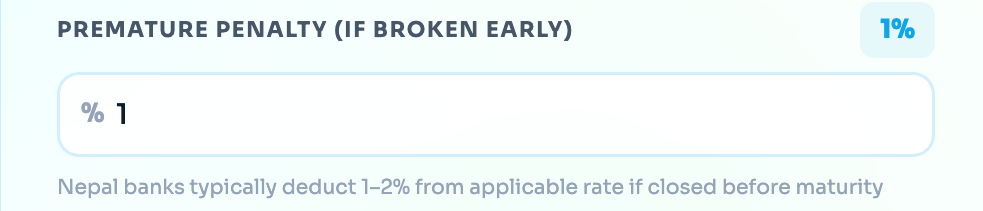
Nepal banks typically deduct 1–2% from applicable rate if closed before maturity
| Period | Deposit (रू) | Interest (रू) | TDS (रू) | Balance (रू) |
|---|---|---|---|---|
| Click Calculate to see breakdown | ||||
📖 RD Calculator Assumptions
- Compounding assumption: This calculator uses quarterly compounding for its illustration. An individual bank may use different crediting dates or calculation rules for a particular RD product.
- Tenure and interest rate: Available tenures and interest rates vary between financial institutions and may change. Check the selected bank’s current product information before entering a rate.
- Tax estimate: Any tax percentage entered in the calculator is used only to estimate a possible deduction. Applicable tax treatment depends on current law, the depositor’s status and the financial institution’s implementation.
- Premature withdrawal: Closing an RD before maturity may reduce the applicable interest, introduce a penalty or change the final amount. Review the bank’s premature-withdrawal terms before opening the account.
- RD versus FD: An RD normally uses recurring contributions, while an FD normally begins with a one-time deposit. Exact product terms vary by institution.
⚠️ Calculator results are estimates and do not guarantee a maturity value, interest rate or protection from institutional risk. Verify the applicable terms with the selected financial institution.
How to use the Recurring Deposit (RD) Calculator
A Recurring Deposit (RD) is one of the safest ways to build a habit of saving while earning interest that compounds quarterly. This is in line with Nepal Rastra Bank (NRB) guidelines. It’s just like doing SIP in your Fixed Deposit. Additionally, calculating your returns is straightforward with an RD Calculator. As with SIP, here the preset amount will be deducted from your account. But in SIP, you have to pay it manually or e-mandate for an auto transfer. Anyway, here is how to use this calculator to figure out exactly how much your monthly savings will grow over time:
Step 1: Set Your Monthly Deposit
- Monthly Deposit (NPR): Enter the fixed sum of money that you want to place in the RD account every single month. As per your requirement, you have to preset the amount. This amount can be deducted from your saving account automatically. For accurate planning, an RD Calculator can assist here.

Step 2: Enter the Interest Rate
- Annual Interest Rate: Now you have to enter the expected interest that you will get from your RD Plan. For a clear and actual return, you can check the current RD Interest rate of each BFI where you are planning to do RD. So, find the current interest rate of RD and enter it here. An RD Calculator gives you instant results.

Step 3: Choose Your Tenure
- RD Tenure: Now you have to enter the total no. of months upto you want to lock your deposit of upto you want to deposit. Keep in mind that per NRB guidelines, the minimum tenure for a Recurring Deposit is 3 months. Most people choose terms between 12 and 60 months to maximize compounding. An RD Calculator can help compare different tenures easily.
Step 4: Factor in the Taxes
- TDS on Interest: In Nepal, the standard Tax Deducted at Source (TDS) on interest earned by individuals is 5% (as per the Income Tax Act 2058). In this RD Calculator, the 5% TDS is shown by default/ automatically, so you don’t need to touch this part for the calculation. But if you want to calculate without TDS, then you can set it as ‘0’ too. Also, for some non-taxable entities, this 5% TDS may not be applicable.
Step 5: Check the Premature Penalty (Optional)
- Premature Penalty: Life happens, and sometimes you need to break your RD before it matures. In Nepal, the banks generally deduct a 1% to 2% penalty from the applicable interest rate if you close the account or break the RD early. You can adjust this slider to see how breaking your RD early would affect your final payout. If you are not that one, then please set it as ZERO ‘0’. For more precise calculation, simply use an RD Calculator for premature withdrawal impacts.
Step 6: See Your Returns
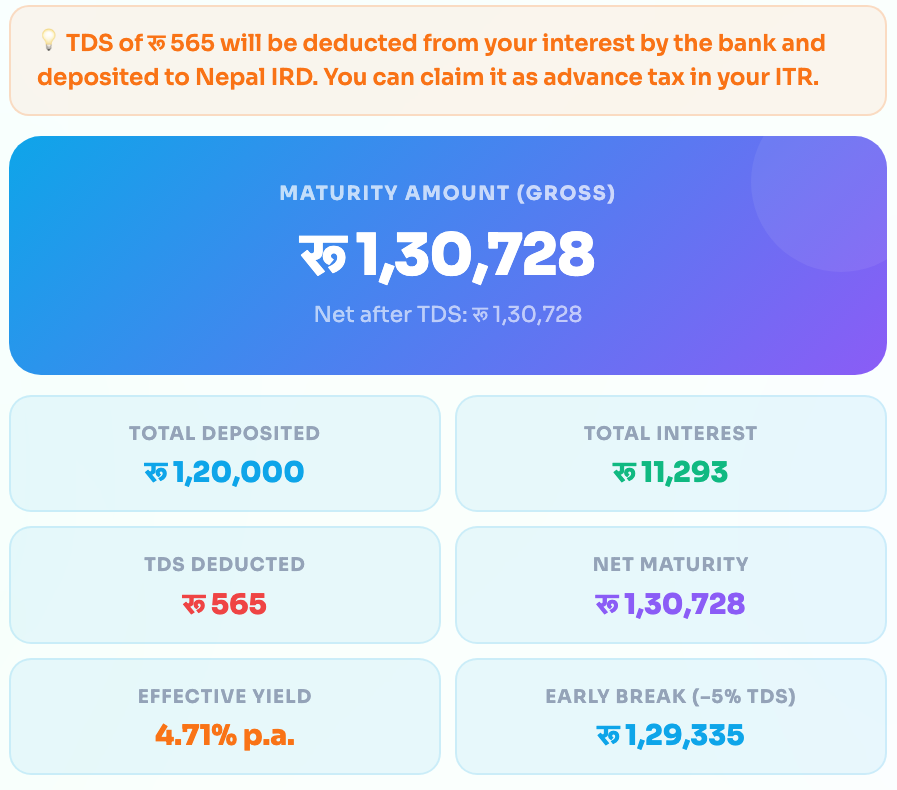
So, after adding all inputs, you can simply tap/click on the Calculate RD Returns button! Here you will get instant results showing the complete details by factoring all the details, including Total Deposit, Total Interest, Total Deduction, Net Maturity and many more. All these are made convenient through the RD Calculator tool.
Also, in the right-side widget (on desktop) or below the calculate button, you will see the complete breakdown of your investment with the total Maturity Amount (Gross). This includes the total amount of Deposit, Total Interest, Total Deduction (if 5%TDS is applied), Net Maturity value, and Effective Yield. The RD Calculator breaks down each component clearly for your understanding.
“These are estimates only. Consult a SEBON-registered advisor before investing.”