So, you did the hard work. You researched the market, opened your Demat account, and successfully registered for an open-ended mutual fund. Congratulations, you are officially an investor! But right after you get that confirmation email, a very practical problem hits you: exactly how to pay SIP installments every month?
In the past, investing meant standing in long, frustrating lines at the bank to deposit physical cash or clear cheques. Thankfully, the Nepalese capital market has gone completely digital. Whether you are using a mobile wallet or directly linking your bank account, funding your financial future takes less than two minutes. If you want to make sure you never miss a monthly installment, let’s walk through the exact step-by-step process of using the top three digital payment gateways in Nepal.
Method 1: How to Pay SIP From Connect IPS (Best for Automation)
Relying on your memory to manually pay the SIP Installment every month is a bad idea because life gets busy, and you will eventually forget. That is exactly why figuring out how to pay SIP from Connect IPs is the absolute smartest move you can make.
Connect IPS allows you to set up an “e-Mandate” (an automatic standing instruction). Once you set this up, the exact SIP amount is automatically pulled from your bank account on your chosen date every single month. You never have to lift a finger again.
Step-by-Step Setup:
- Log in to the Capital’s Manager Portal: Visit your SIP Manager website (like Nabil Invest, NIMB Ace Capital, or Siddhartha Capital) from where you have started investing in SIP.
- Access Your Dashboard: Log in using your SIP Registration Number or BOID.
- Select ‘e-Mandate’ or ‘Auto Pay’: Navigate to the payment section and select the Connect IPS Auto-Pay option.
- Link Your Connect IPS: You will be redirected to the Connect IPS login page. Enter the username and password of your ConnectIPS account, and select the bank account you want to link.
- Authorize the Mandate: Enter the OTP sent to your registered mobile number to confirm the mandate. From next month onward, your bank will automatically send the money to your mutual fund without you opening the app.
Method 2: How to Pay SIP Through eSewa (Quick & Easy)
If you prefer the easiest way to pay your SIP Installment then eSewa offers that feature (but super limited). Here I mean, here you can see only a few capital manager participations. So, you can only make a payment of few SIP Schemes. Millions of people already use it daily for top-ups and utility bills, so learning how to pay SIP through esewa feels incredibly familiar.
Step-by-Step Payment:
- Open the eSewa App on your phone/or eSewa web login, and get logged in.
- Search for ‘SIP’ in the search bar, and it will now show all available Capital Manager lists supported/provided by eSewa.
- Choose your SIP Capital Manager like NIC Capital SIP Payment to pay the SIP of ‘NIC Asia Dynamic Debt Fund’, Laxmi Capital SIP Payment to pay the SIP of ‘Subha Laxmi Kosh’,
- After tapping/clicking on as required, it will open that particular Capital Manager Dashboard, like we are doing for Subha Laxmi Kosh, so here we tap on Laxmi Capital SIP Payment.
- Under Investment Type, choose ‘SIP’ or ‘Unit Purchase’; by default, it will be ‘SIP’.
- Now select your Depository Participants from the dropdown, select the DP where you opened your DEMAT Account (If you have opened the DEMAT in Nabil Bank, then it’s Nabil Investment Banking, in Bangladesh Bank before Merger, then your DP is Nabil Bank).
- Enter your Client ID, it’s the last Eight Digit (8 Digit) of your DEMAT Account No.
- Tap on Proceed, here you will see the details of the the Installment to be paid.
- Tap Confirm & Pay, that’s it.
Method 3: How to Pay SIP Through Khalti (Smooth & Simple)
Khalti is another massive player in the digital wallet space, heavily favored by younger investors for its smooth user interface and occasional cashback rewards. The process of figuring out how to pay sip through khalti is nearly identical to eSewa, making it a breeze if you are already a Khalti user.
Step-by-Step Payment:
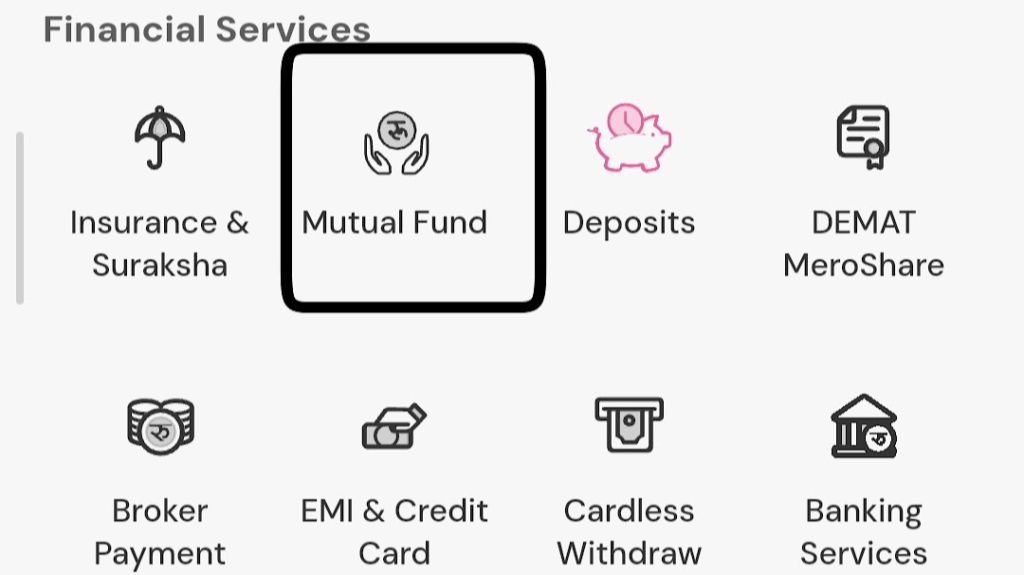
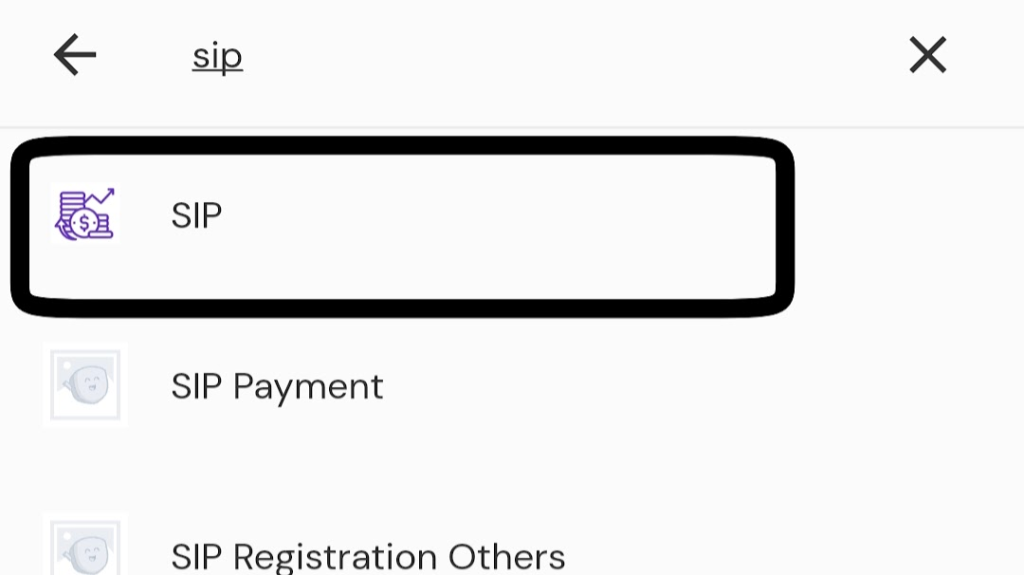
- Open the Khalti App and go to Financial Services and find the Mutual Fund widget there, or search ‘SIP’ in the Khalti Search Bar.
- Now choose the SIP Manager (Like for Siddhartha SIP, choose Siddhartha Capital or NIC Asia for NIC Asia Dynamic Debt Fund),
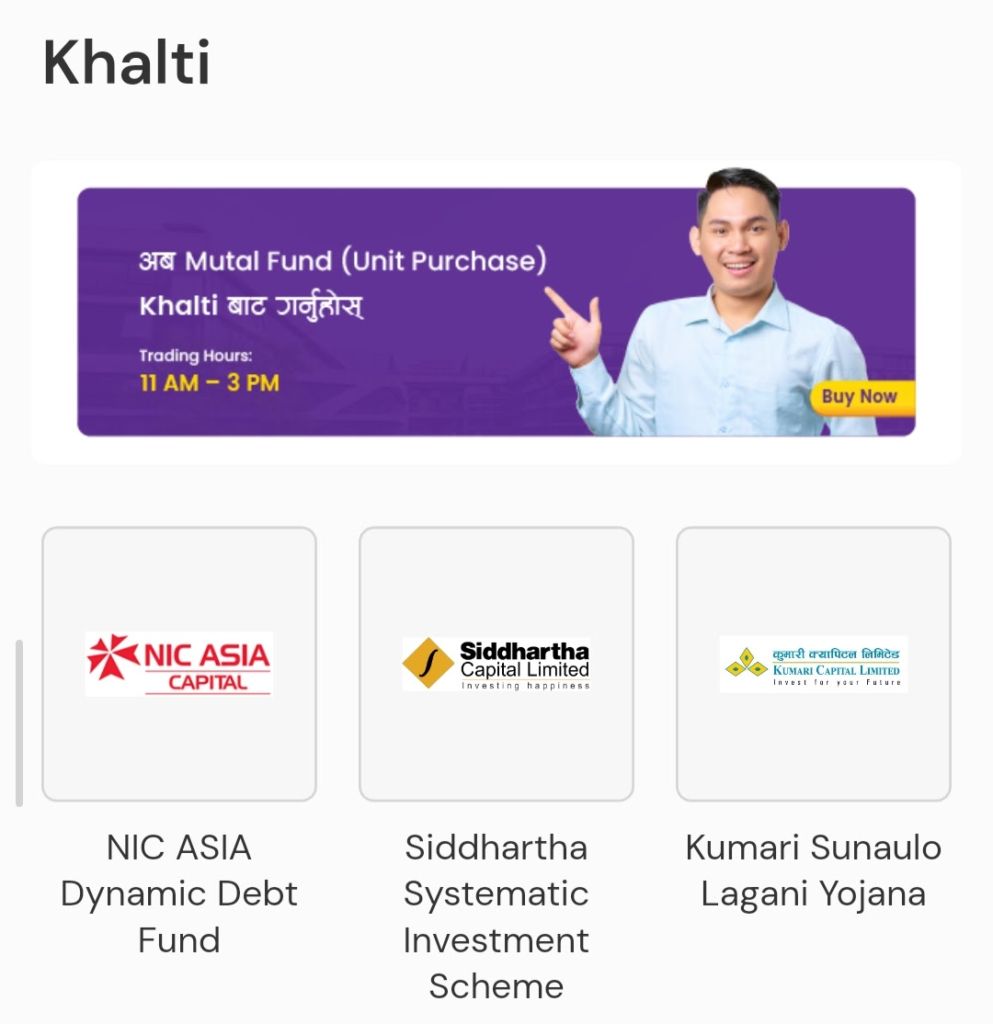
- Here we are choosing NIC Asia, now tap on ‘Please Select’ to open the dropdown menu and select “SIP Payment” there,
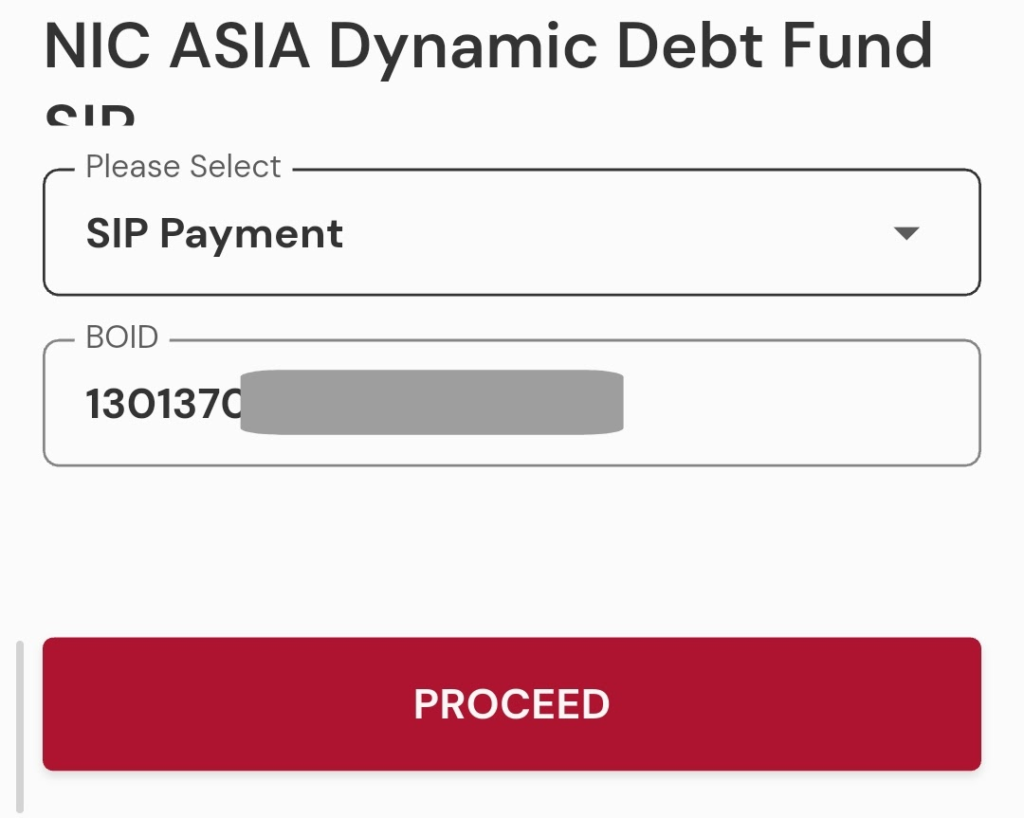
- Enter your BOID (Your 16 Digit Demat Account No.) and then tap on PROCEED.
- Here you will get all the SIP Details, including the Installments,
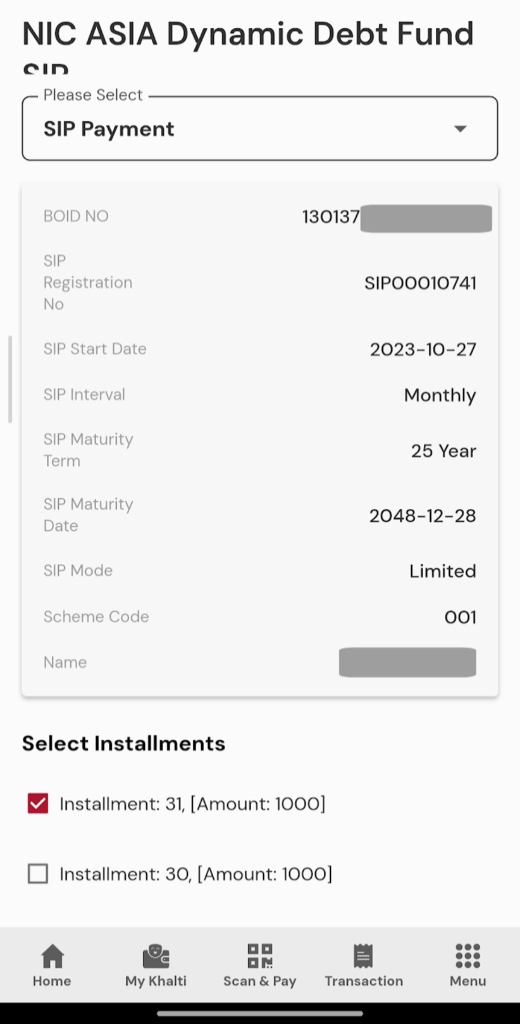
- So select the Installments one by one and go to down of the page and then tap on Next,
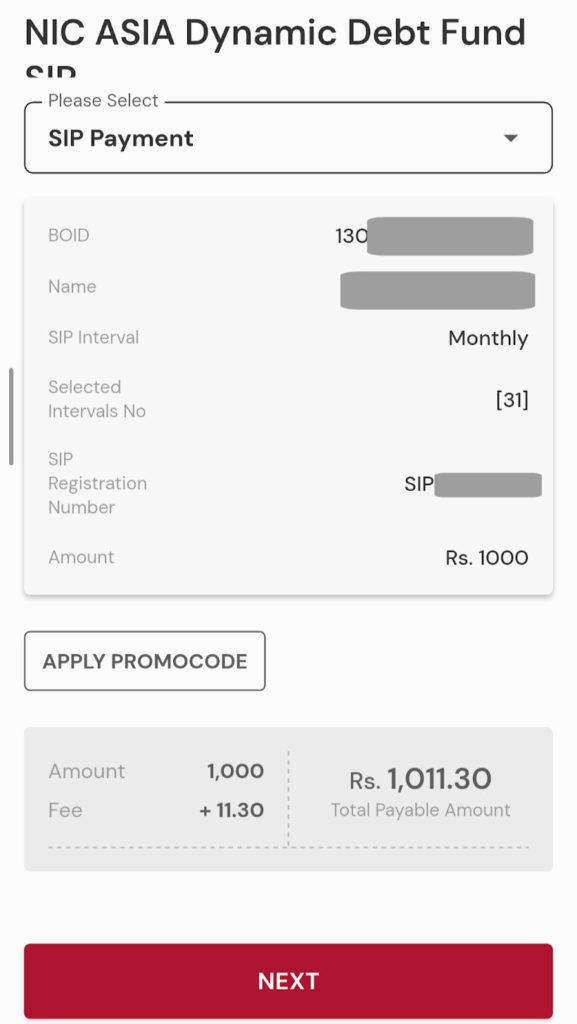
- Confirm the details and the paying amount there and then again tap on Next,
- Choose the payment method (Using Khalti or Linked Bank Account),
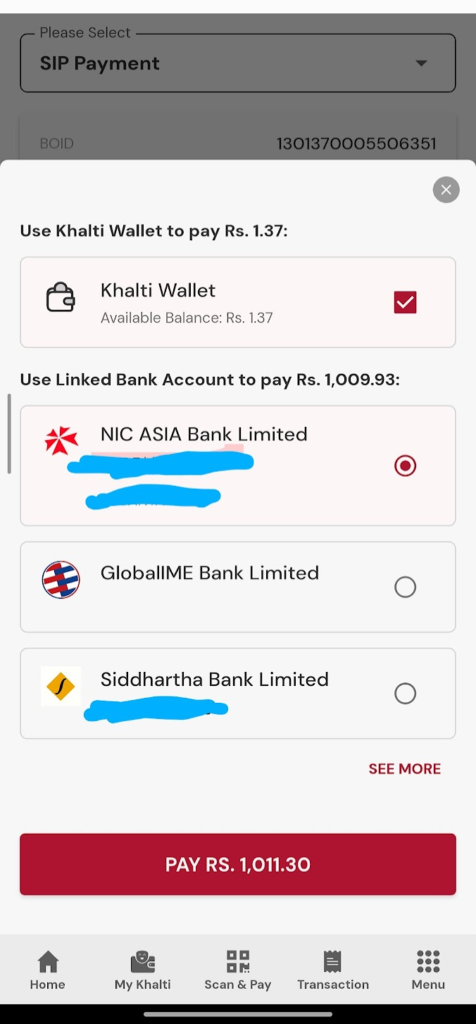
- That’s it.
Process to Pay SIP in Nabil Investment Banking
So, besides the above Platform wise process on how to pay SIP in nepal let’s get a clear understanding on the process for NI31 and Nabil Flexi Cap fund from Nabil Investment site. Nowadays, the NI31 and Nabil Flexi Cap fund SIP are in attention of most of the rising investors like you. That’s the reason you need to be get the tact steps to pay SIP in Nabil Investment Banking portal.
- At first Visit the Nabil Invest Mutual Fund Page, click here.
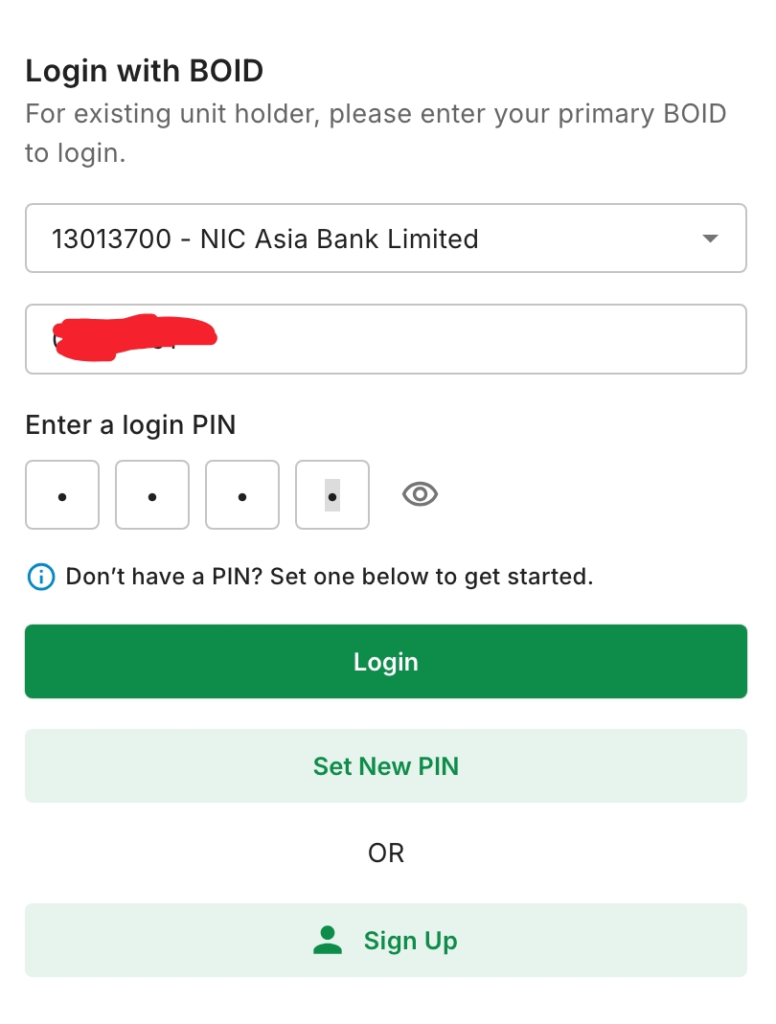
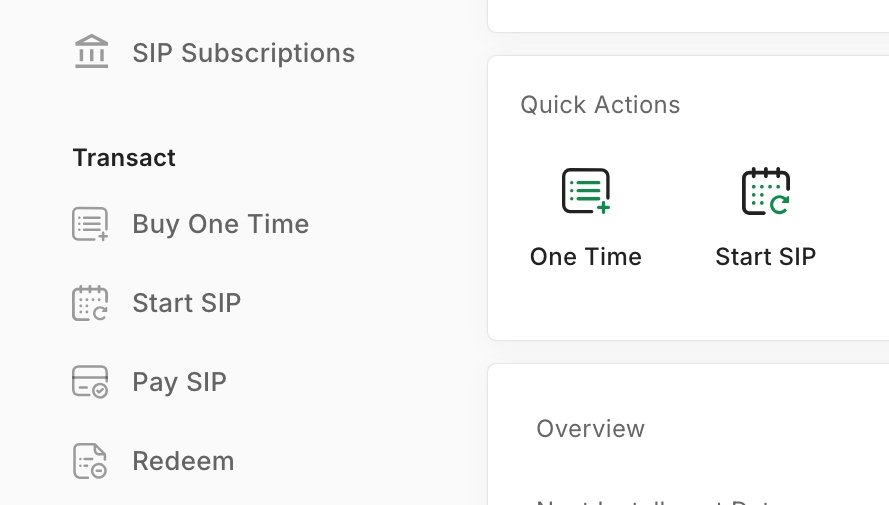
- After successful login, tap/click on Pay SIP,
- From Right Side Dropdown Choose your SIP Subscription (Here, in my case i am choosing NI31).
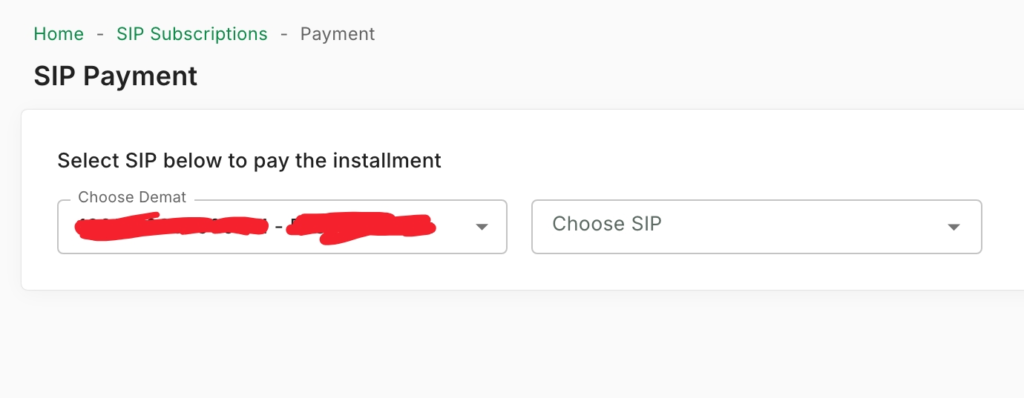
- After choosing or tapping on your SIP plan (Like NI31 or Flexi Cap), it will show all the pending Installments that need to be Paid with Amount, showing Count, Due Date, Due Days, Amount and No of Installments.
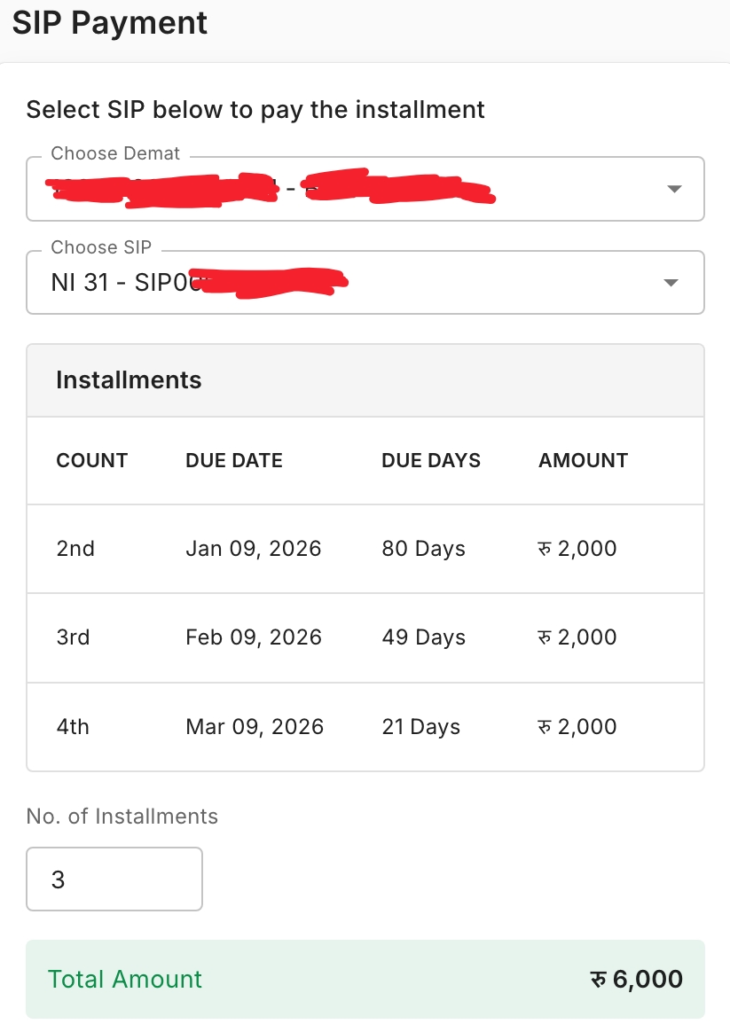
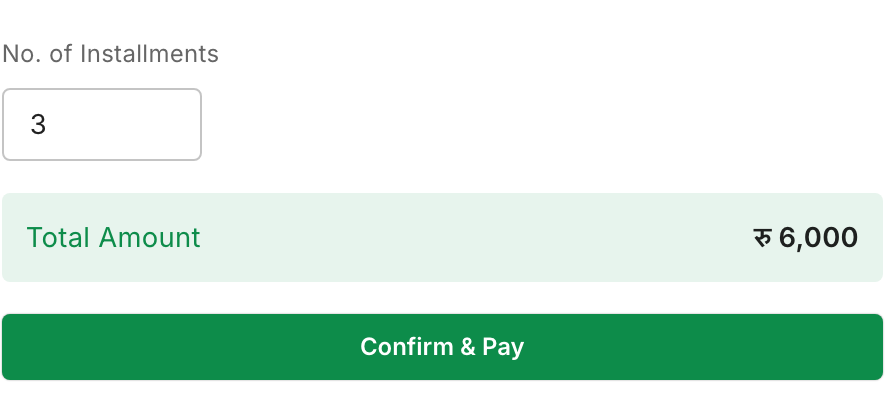
- Now tap/click on Confirm & Pay, or you can also customize the No. of Installments, like if you want to pay 2 installments out of 3, then type 2 in No. of Installments and Confirm & Pay,
- After redirecting to it will show the Payment Confirmation showing the SIP Details, Amount to be Paid,
- Now choose the Payment method there (eSewa, Khalti by IME, or ConnectIPS),
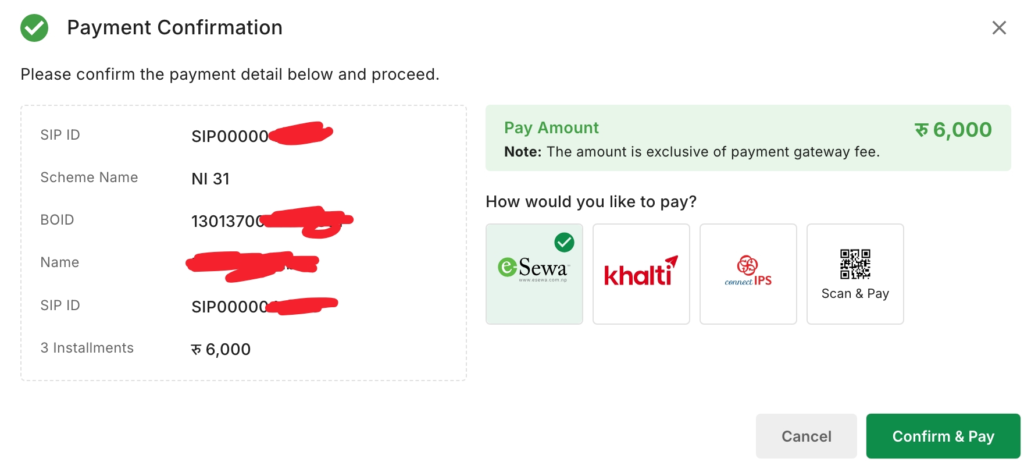
- Choose any payment method and proceed to enter the login credentials (Login Details) for the payment method you are using.
- After payment, wait for the confirmation email. That’s it.
Note: Depending upon the Payment Method (Gateway) you used, the Service charges may be different like from Rs 5 to Rs 10.
Still Don’t Have Opened the SIP? Here’s the Complete Process to Open/Register/Start SIP in Nepal.
Conclusion
Building a massive financial portfolio shouldn’t be held back by confusing payment systems. Now that you know exactly how to pay SIP using the best digital platforms in the country, there are zero excuses left. If you want a totally stress-free life, take five minutes to set up the auto-deduction via Connect IPS. If you prefer manual control, load up your eSewa or Khalti app every month. Pick the method that fits your lifestyle, stick to your monthly schedule, and watch your wealth grow.