

To check your SIP portfolio in Nepal, start with your fund manager’s official statement or investor portal. Compare the units allotted with your payment records and the latest published NAV. MeroShare can help with holdings recorded in your DEMAT account, but it may not show every open-ended fund or the full cash-flow history.
This guide explains where to find units, payment history and NAV, and why a displayed portfolio value is only an estimate until a redemption is processed.
Method 1: Using the Capital Manager’s Dedicated Portal
Start with the official statement or investor portal offered by your fund manager. Match each payment with its allotment date, units issued and applicable NAV. Portal features differ: some show a gain/loss estimate, while others show only transactions or a unit balance. Keep the payment receipt for any installment that has not yet appeared.
Look for transaction statements, units allotted, NAV date and any payment or redemption records. A displayed profit percentage may use a simple calculation and is not necessarily your annualised return.
Check NI31 & Nabil Flexi Cap Fund SIP using Nabil Investment Portal
Here’s the Process used in Nabil Investment Banking for NI31 and Nabil Flexi Cap Fund,
Desktop View:
- Visit the Nabil Investment Banking mutual fund portal, click here,
- Find the Portfolio Menu and tap on Holdings,
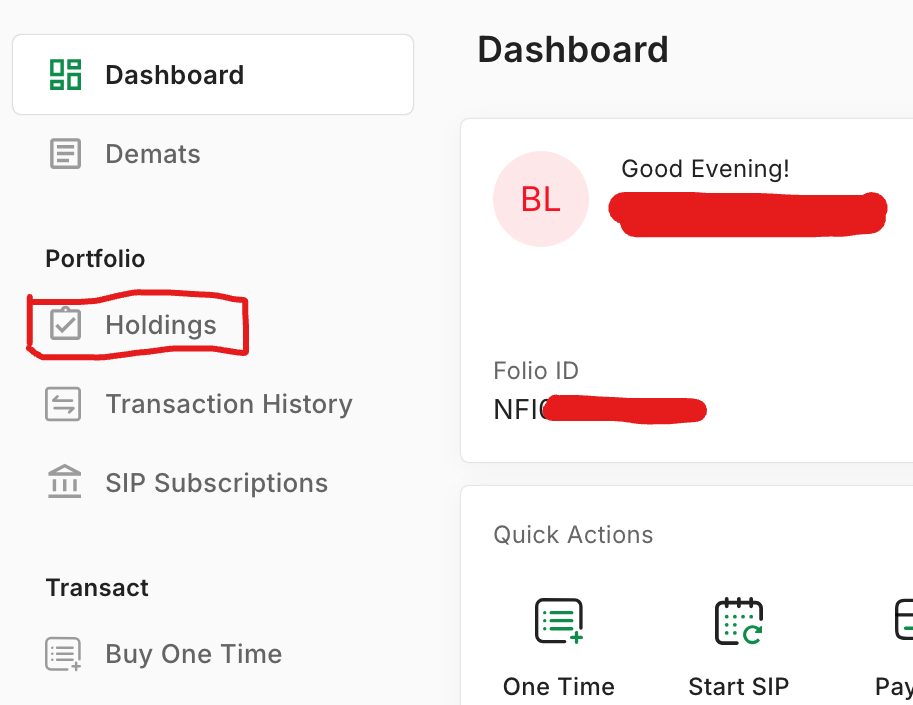
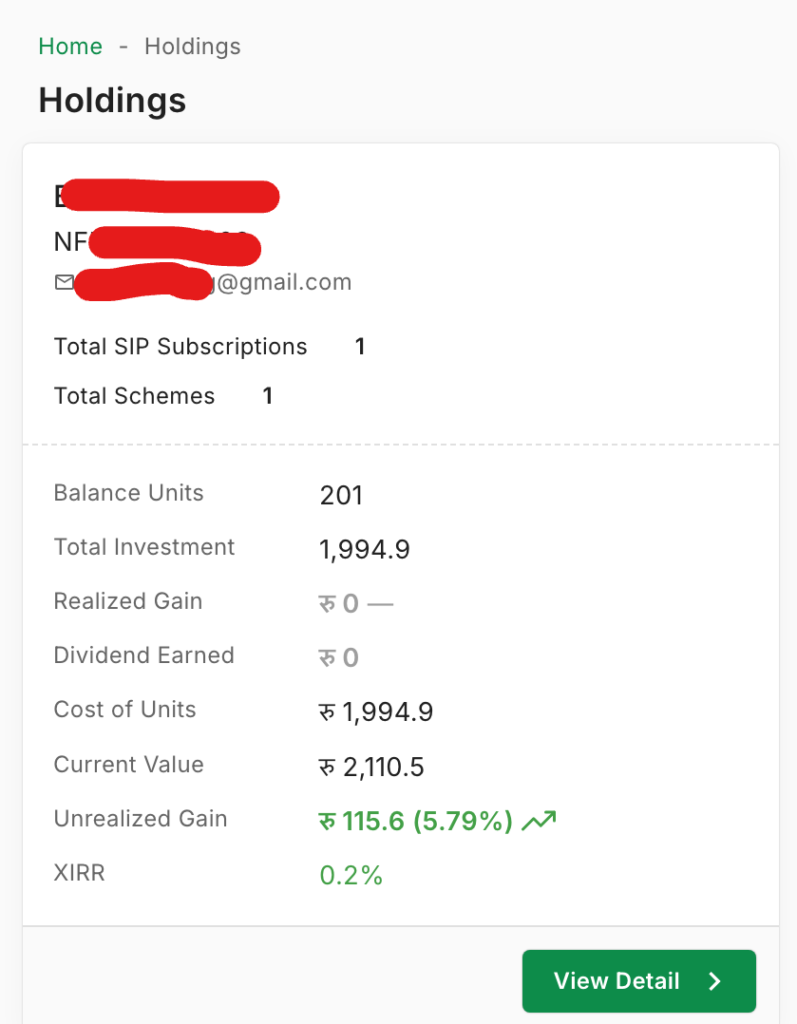
- Here you will see all the SIP Holdings of all purchased Units (Paid SIP),

- That’s all.
Mobile View:
- Visit the Nabil Investment Banking mutual fund portal, click here,
- From the dashboard/home screen of the page tap on Option (Three lines showing in left side),
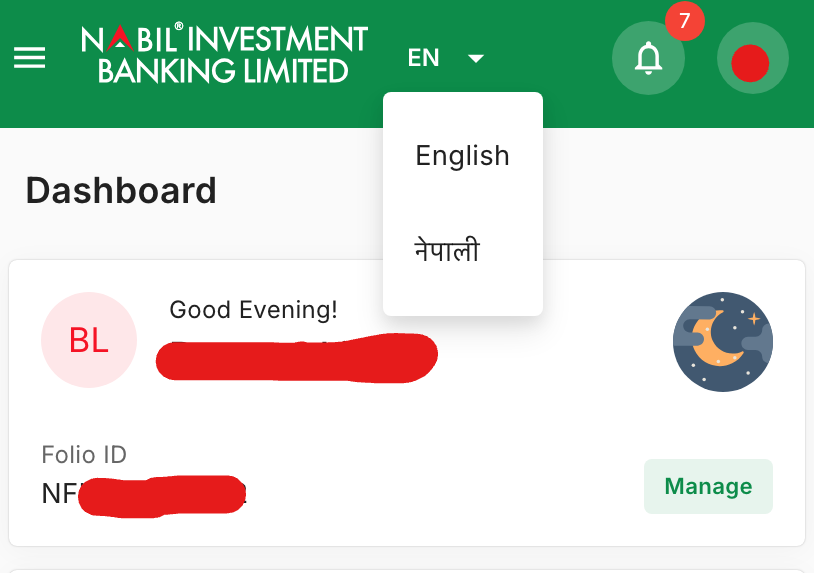
- Now tap on Holdings showing under Portfolio section,
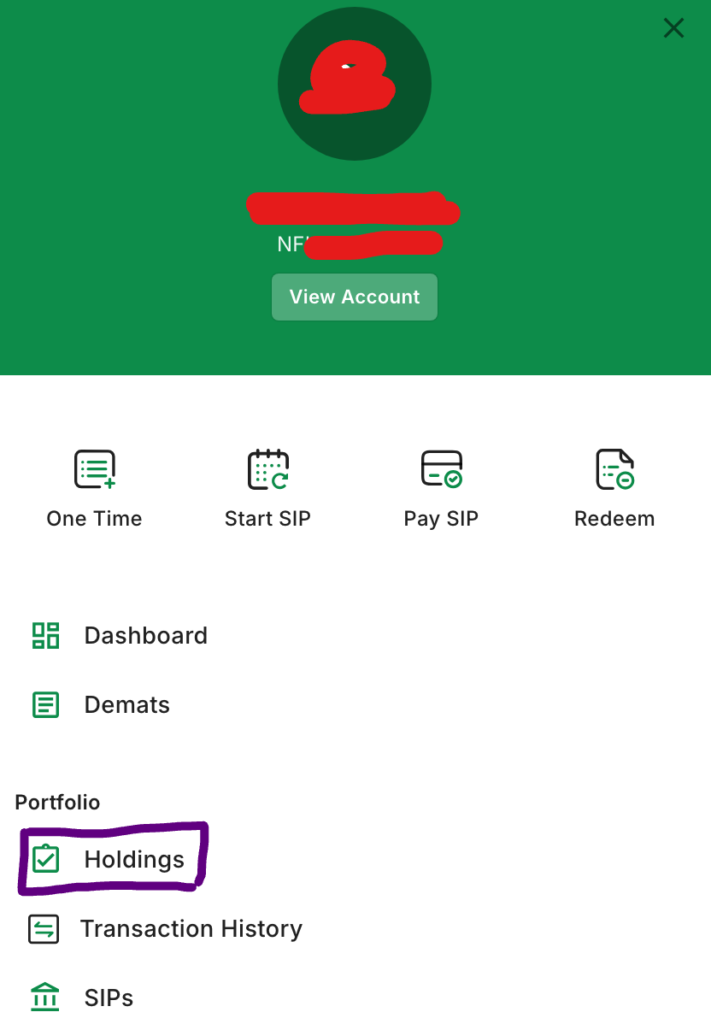
- That’s here you will get your all subscribed SIP Plan details.
NMB Saral Bachat Fund-E SIP using NMB Capital
- Visit the NMB Capital’s Mutual Fund site, click here,
- Tap/click on Login, and enter the username and password that you set and then tap on LOG IN, (if not then you have to create a login account from NMB Capital’s site),
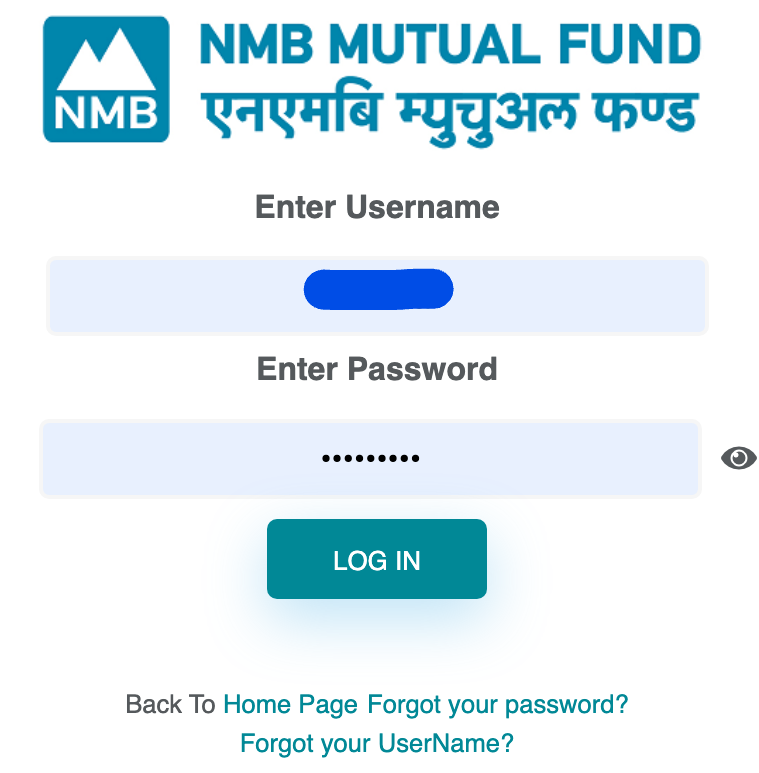
- Look for holdings, allotment details or transaction history in the official NMB Capital portal. Some older screens may show a balance under a redemption section; viewing it does not require submitting a redemption request.
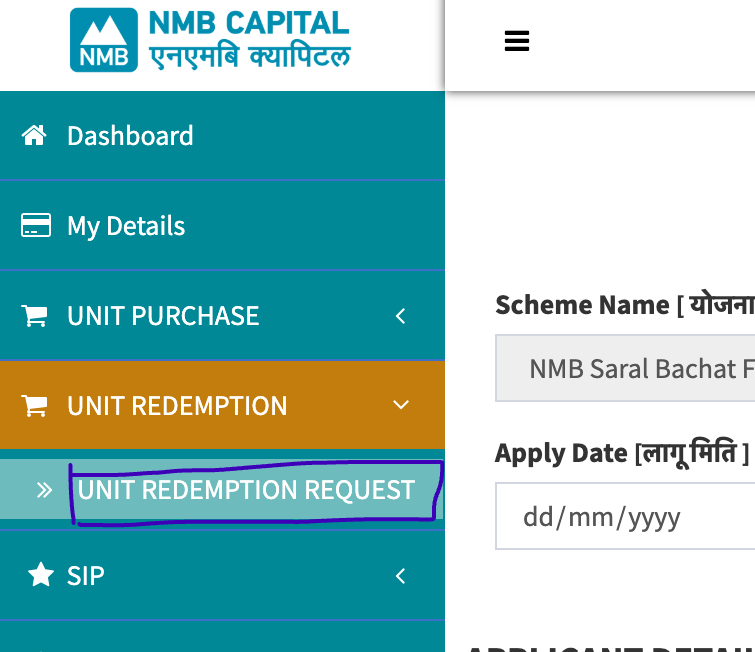
- If a balance-unit field is available, note its date and compare it with your statement. Do not confirm or submit a redemption unless you actually intend to sell units.
- Use the displayed balance as a cross-check and contact the fund manager if it does not match your allotment records.

- That’s all.
Why start with the fund manager: Its records can show units and transactions for your scheme, subject to the portal’s features and reporting delay. Compare any displayed value with the dated official NAV. Ask the manager for a statement if a debit is missing or figures do not reconcile.
Method 2: Checking Through MeroShare
MeroShare may show mutual fund units held in your DEMAT account. Availability and display differ by scheme and transaction status, so use the fund manager’s statement when a holding is absent or you need to reconcile a SIP payment.
If your scheme appears in MeroShare, use these steps to inspect the recorded holding:
- Open the MeroShare App or Website: Log in using your DP (Depository Participant), username, and password.
- Go to ‘My Portfolio’: Click on the portfolio tab on the main menu.
- Find Your Scheme: Scroll down until you see the ticker symbol for your mutual fund (for example, NFCF for Nabil Flexi Cap Fund or NIBLSF for NIBL Sahabhagita Fund).
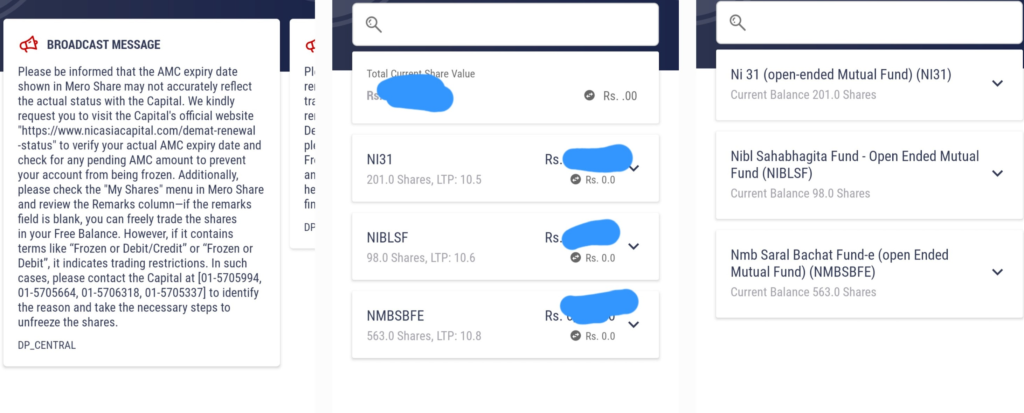
MeroShare is a useful cross-check when the scheme’s units appear in your DEMAT account, but it may not contain every open-ended holding or a complete SIP cash-flow record. Its displayed market value may use a different price basis from the fund manager’s NAV. Use the official fund statement and dated NAV to estimate value, and the full payment history to assess returns.
What Numbers Should You Actually Care About?
Focus on three figures, and note the date and source for each:
- Units held: The number of mutual-fund units allotted and still held. Reconcile this with your manager statement, especially after a recent payment or redemption.
- Latest published NAV: This is the scheme’s dated net asset value per unit. It may not be today’s NAV; check the valuation date and the fund manager’s notice.
- Estimated value: Multiply eligible units by the relevant NAV for a rough gross figure. A redemption can differ because of the applicable NAV date, charges, taxes and processing rules in the offer document.
Worked example: 100 units at a published NAV of Rs 10 have an estimated gross value of Rs 1,000. If those particular units are subject to a 1.5% exit load, the amount is Rs 985 before any other applicable deductions. NIMB Ace Capital’s NIBL Sahabhagita Fund fee schedule lists a 1.5% exit load for units redeemed within six months of purchase, lower rates later, and no exit load after 24 months. This is an illustration for that scheme, not the fee schedule for every fund. Check the current terms for your own units.
A Warning About Checking Too Often
Check each payment soon enough to catch a missing allotment. Basanta Limbu, who invests in more than 10 Nepal SIP schemes, has personally seen NIBL Sahabhagita Fund and NMB Saral Bachat Fund–E allotments take about 3–4 business days after payment, while his Nabil Investment portal allotments have appeared in about 2 business days. Nabil Invest separately says units generally take 4–5 working days to appear in Demat/MeroShare. These are personal observations and published display guidance, not a promise that every transaction will follow the same timing.
You do not need to react to every NAV change. Check each installment soon after its due date to confirm the debit and unit allotment, then review investment performance at an interval that suits your goal. A failed mandate left unnoticed for months can interrupt the plan.
Conclusion
Match each SIP payment with its allotment in the fund manager’s dated statement, use the official NAV for a gross value estimate, and check the scheme’s redemption charges before estimating cash proceeds. MeroShare is a supplementary cross-check where the units appear. If a payment has cleared but its units remain missing beyond the manager’s stated processing period, contact the manager with your transaction reference. Never post your BOID, account number or full payment receipt in a public comment.



💬 2 Comments