If you searched ‘Siddhartha SIP payment’, ‘Siddhartha SIP login’, or ‘SSIS SIP payment’, you usually need one of three things: fix a rejected registration, get back into the capital portal, or pay this month’s installment before the due date passes.
Your Siddhartha Systematic Investment Scheme is managed by Siddhartha Capital — not by Siddhartha Bank’s branch counter. The bank often moves money; the capital company holds the scheme, units, and statements.
This guide covers registration, login, and payment for *Siddhartha Capital SIP (including Siddhartha SIP / SSIS* searches)—educational only — not personalised advice.
Before you start — details that cause rejections
Siddhartha Capital registrations often bounce on *paperwork match*, not portal bugs.
Have ready:
- **16-digit BOID** — preserve leading zeros; count digits before submit
- **Full name exactly as on citizenship** — no shortened middle names
- **Date of birth** in the format the form asks (Gregorian vs BS — convert carefully)
- **Citizenship number** (+ district if asked)
- **Email you actually open** (OTP / recovery)
- **Mobile + bank details** for payment
Stack: Demat → MeroShare/C-ASBA → Siddhartha Capital account → SIP → pay.
Learn: How to open a SIP account.
Siddhartha Capital SIP schemes: Siddhartha Systematic Investment Scheme
As of now, Siddhartha Capital holds a single open-ended mutual fund scheme. Besides, you can also explore its other closed-ended mutual fund schemes, which are openly traded in NEPSE. Siddhartha Capital manages Siddhartha Systematic Investment Scheme (SSIS) with funds sponsored by Siddhartha Bank.
Recently, Siddhartha Capital has distributed the 3% dividend as a return on their SIP Scheme. Here you will learn in detail and a practical guide on Siddhartha SIP Registration, Siddhartha SIP Login, and Siddhartha SIP Payment.
Siddhartha SIP login
After user creation and payment of your first SIP payment, you will get an email from Siddhartha Capital mentioning ‘Creation of Login Account in Siddhartha Systematic Investment Scheme’. Here you will get all your login details, including username and one-time password,
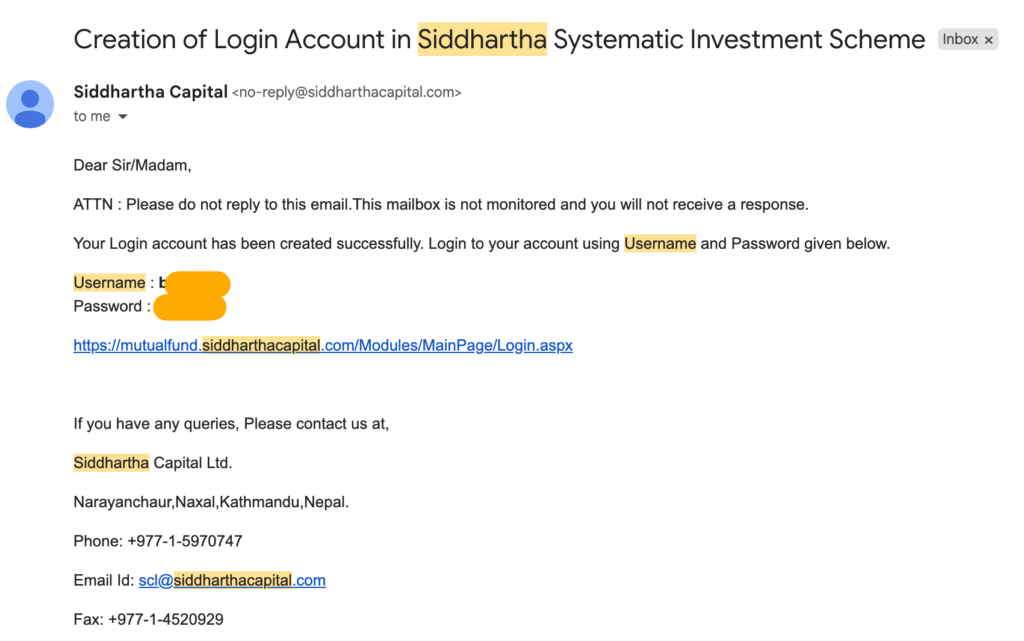
Here are the steps to be followed further for Siddhartha SIP Login,
- Go to the Login page of Siddhartha Capital,
- Enter the given username and password, provided in your email,
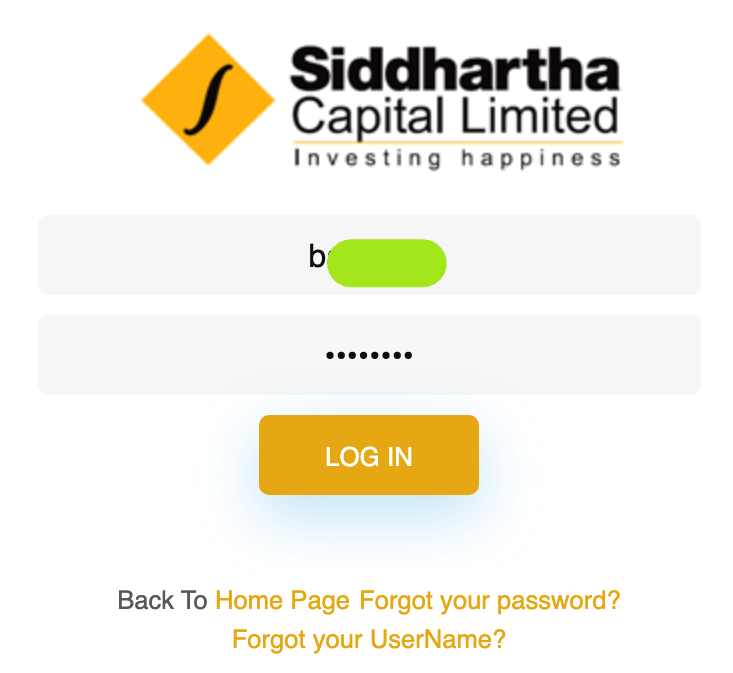
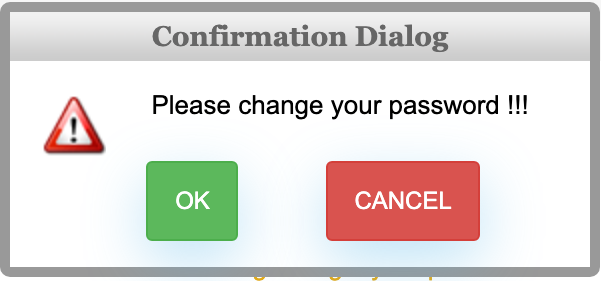
- Tap/click on Login; it shows teh confirmation dialogue mentioning to change the password,
- Tap on OK to change the password,
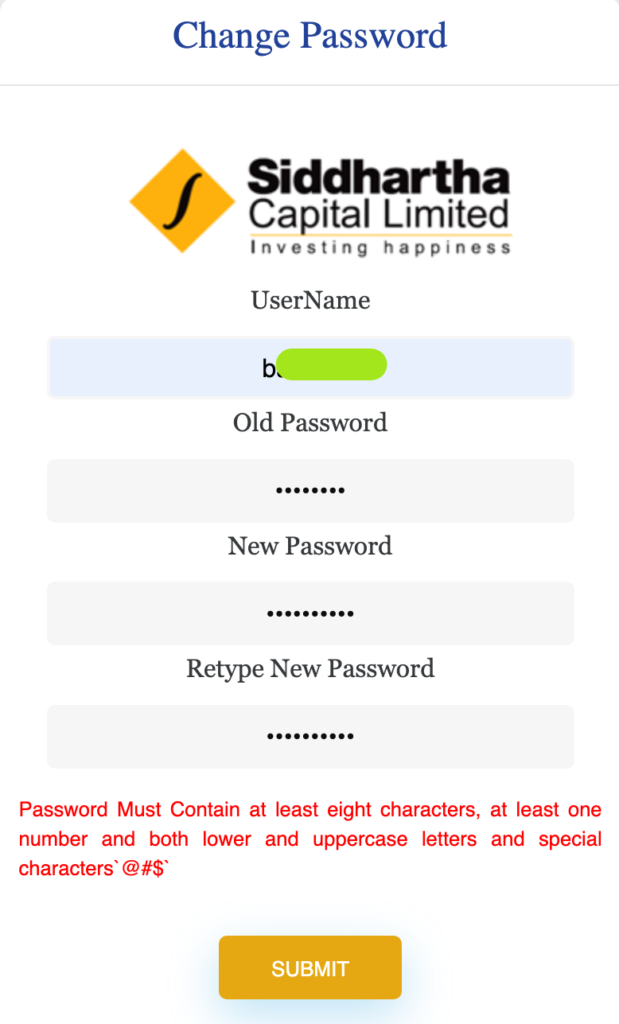
- Now change the password by entering your username, old password, and new password,
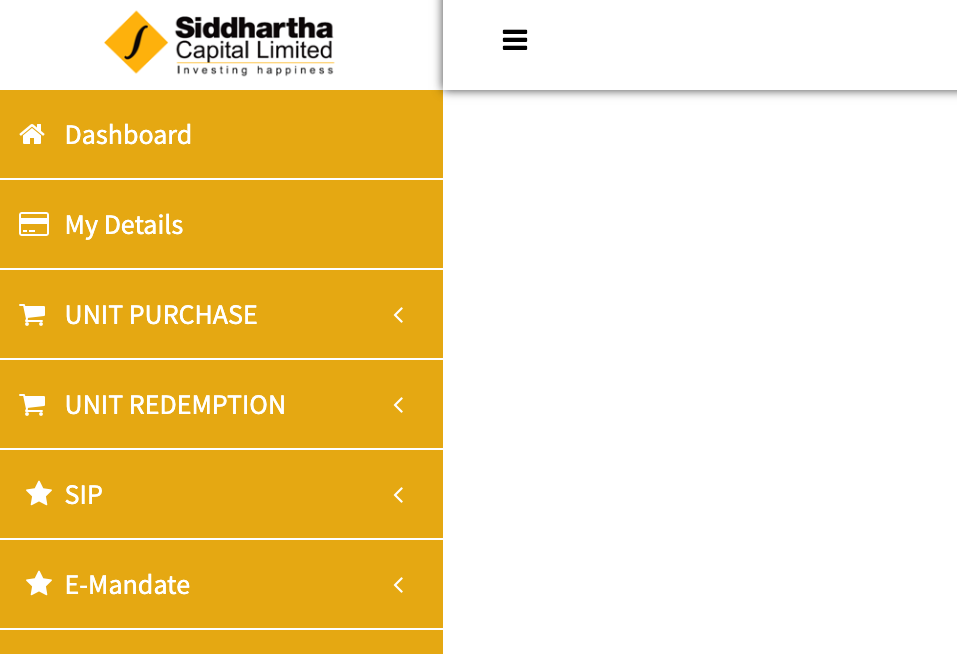
- Log in again with your newly set password; you will be redirected to the user dashboard of your SIP,
Siddhartha Bank app (if you bank with Siddhartha)
Many of us are using mobile devices rather than PC and laptops. Accessing the non-mobile-friendly website login is not as smooth as the mobile banking app payment method. So, if you are not okay with your issue manager login portal, then you can easily pay and schedule the SIP Payment from Siddhartha Bank’s mobile banking app.
SIP Payment Process
- Log in to your Siddhartha BankXP app (Siddhartha Bank Mobile Banking App) and then search for SIP,
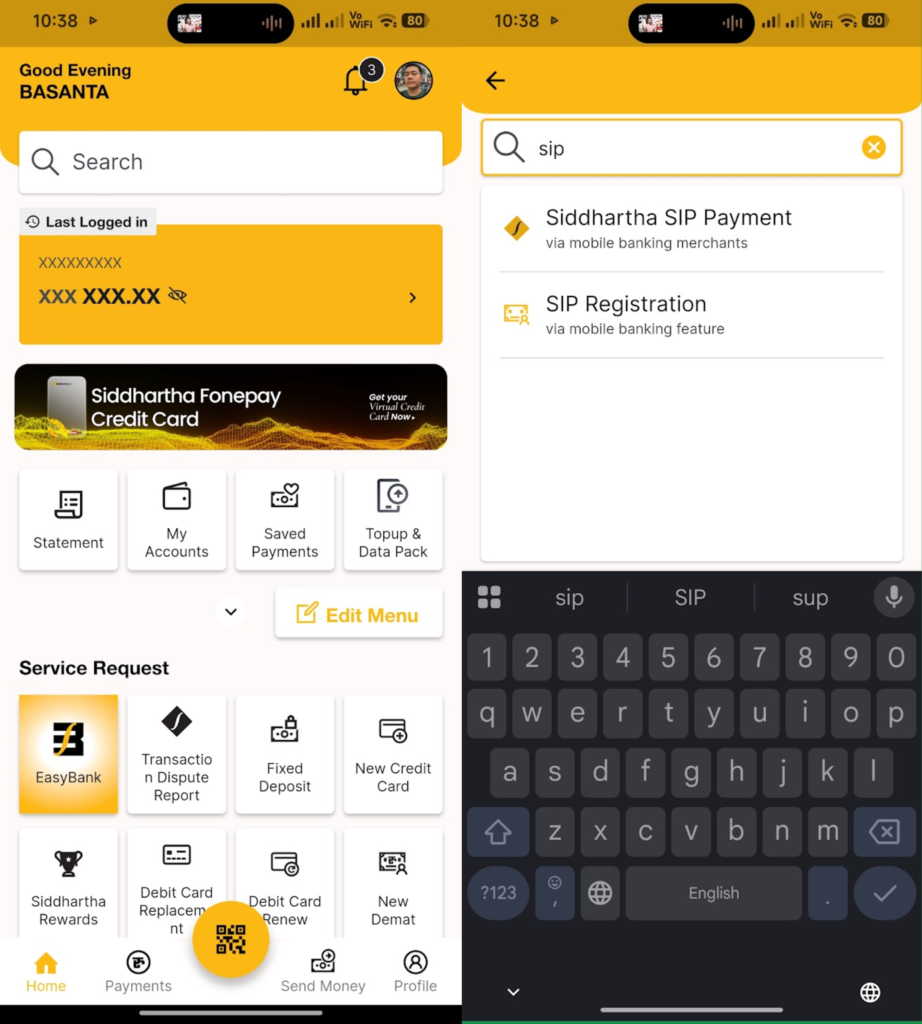
- Choose Siddhartha SIP Payment,
- Now fill out your BOID (Demat Account Number), SIP Number provided by Siddhartha Capital, Name, Remarks, and tap on Continue,
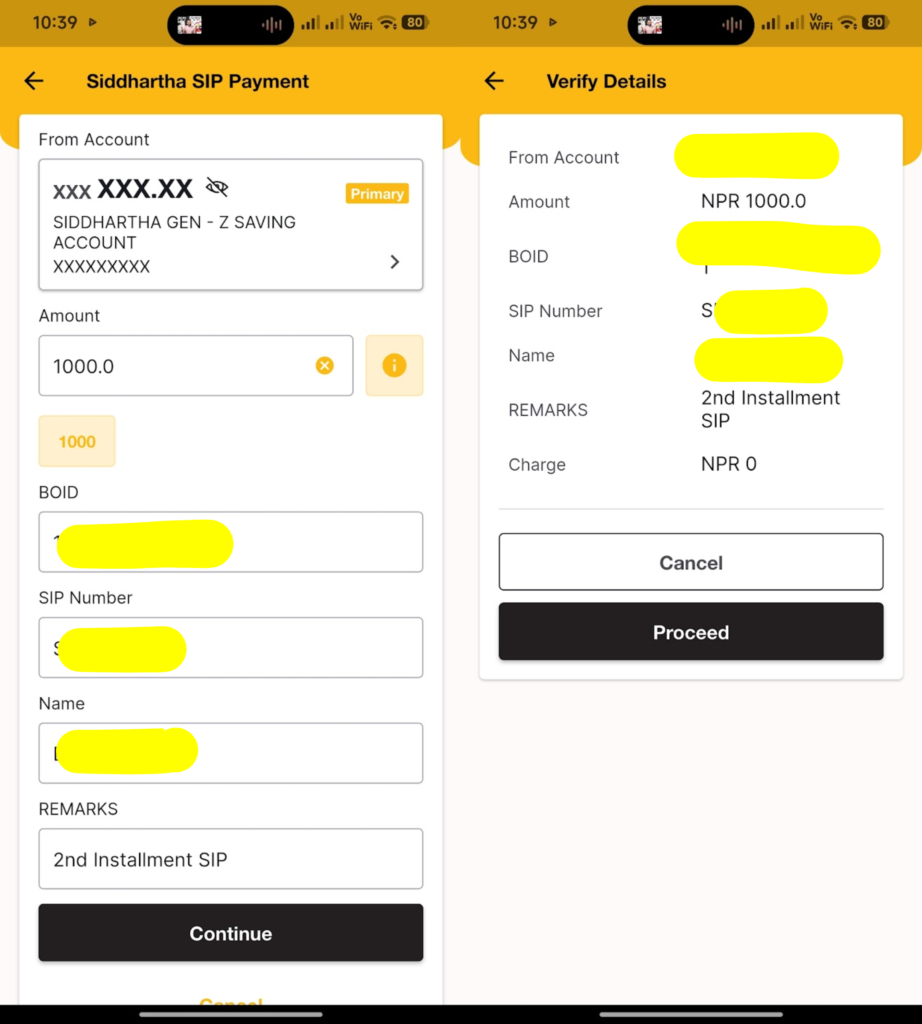
- Verify the Details you entered and tap on Proceed,
- Enter your Transaction PIN or use the biometric set by you and proceed with the payment.
- That’s all.
SIP Automation: Scheduled Payment
Siddhartha SIP Payment can be scheduled easily from the mobile banking of Siddhartha Bank. Here are the simple steps for it,
- Log in to your mobile banking and go to the Payments section,
- Select/choose the Saved/Schedule Payments,
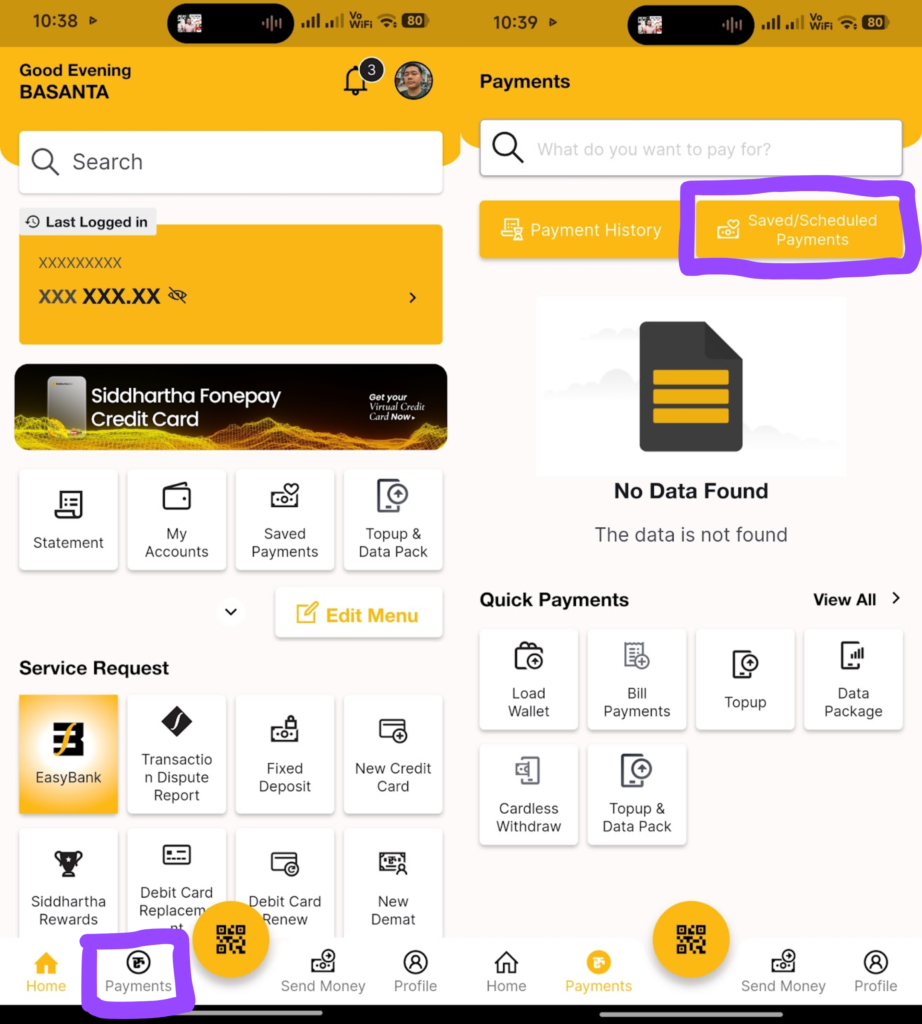
- Under Schedule Payment, enter your BOID, SIP Number, Name, and Remarks, and then scroll down,
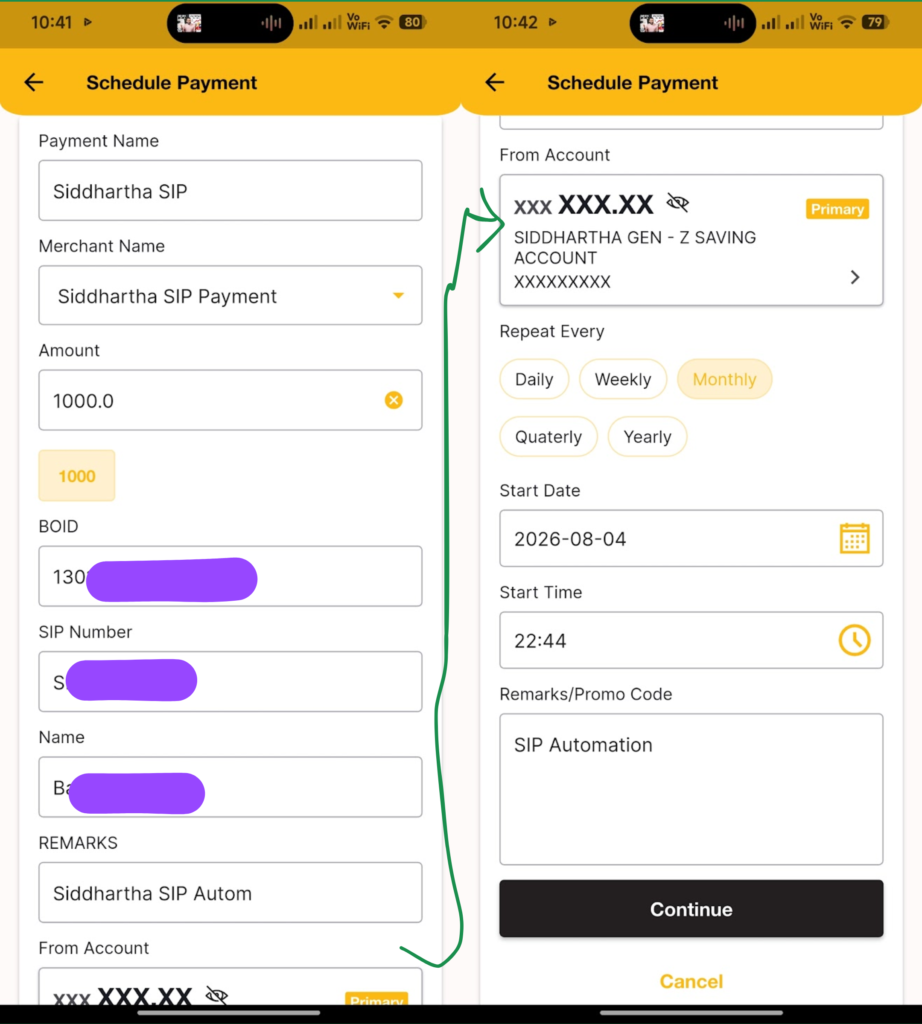
- Now choose Repeat Every as Monthly if your SIP installments are set as monthly or as per your installment frequency,
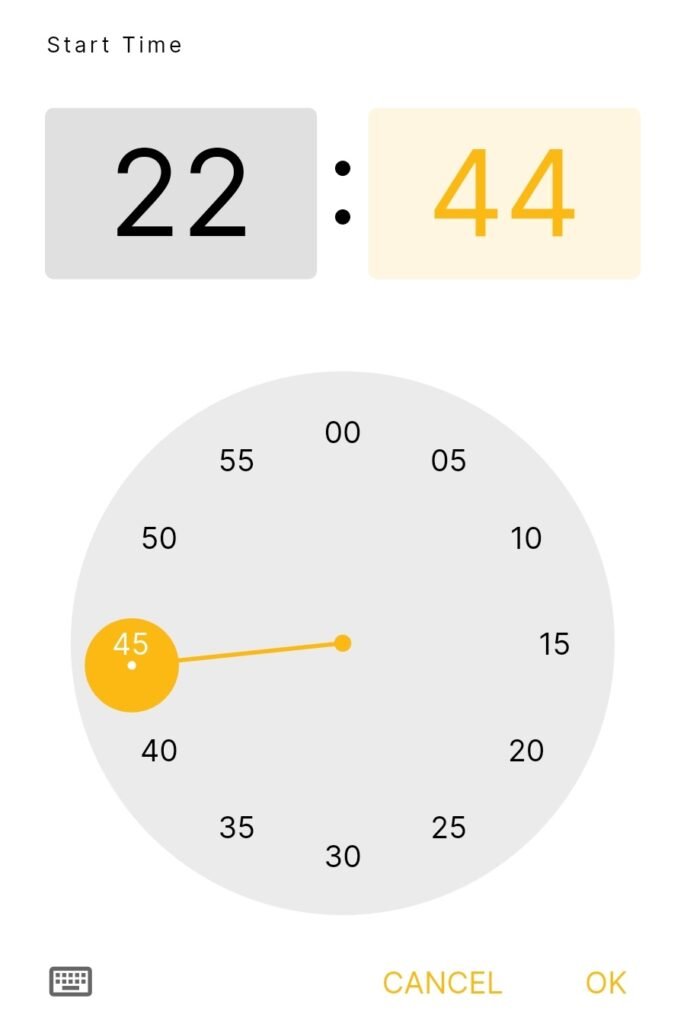
- Set the Start Date and Start Time (must be at least 2-3 minutes ahead of the current time),
- Enter the Remarks/Promo Code, and tap on Continue,
- Now Verify Details with all your input and tap on Proceed,
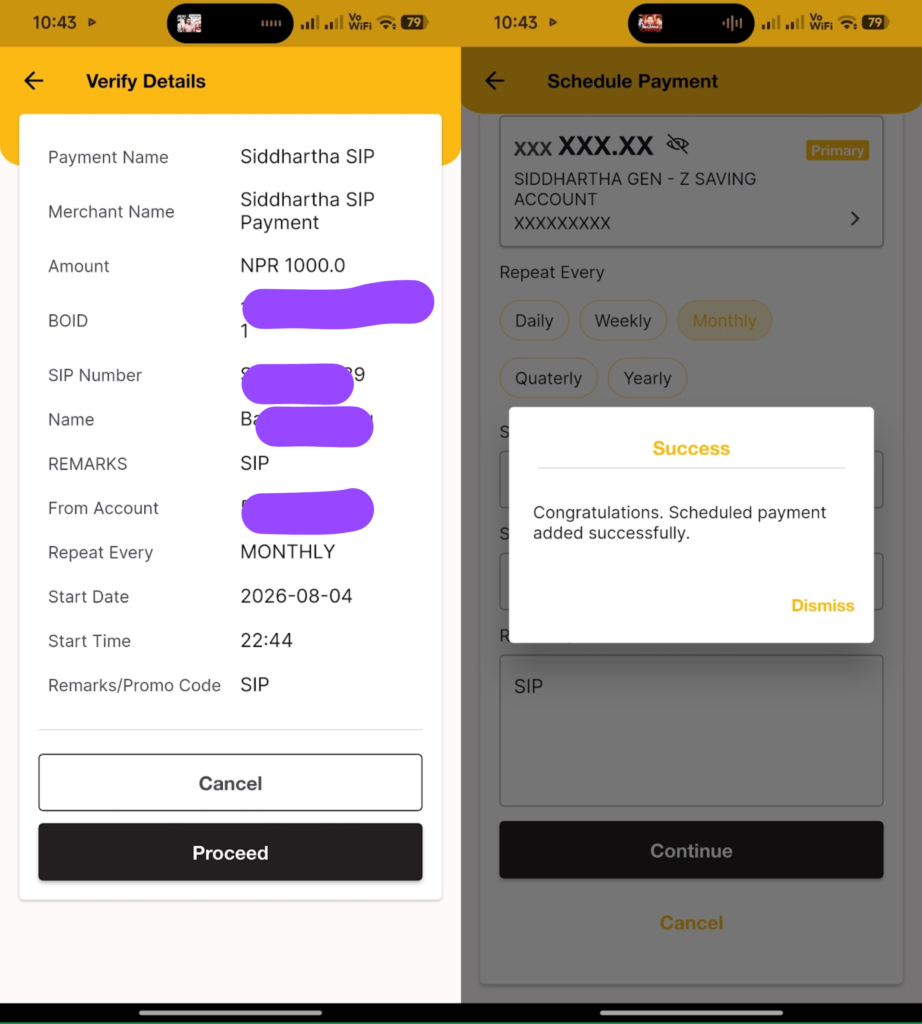
- Perform the transaction using your mobile banking transaction PIN or using biometric,
- That’s all.
SIP Payment Siddhartha from Siddhartha Capital Portal
Siddhartha SIP Calculator helps to estimate your expected returns on SIP based on your given input calculations. Here, if you don’t hold a Siddhartha Bank account and it’sits mobile banking, then you can easily make a SIP Payment from the Siddhartha Capital Portal. It allows the user to pay their SIP installments easily and also enables the e-mandate process for SIP Automation.
SIP Payment Process
- Log in to your Siddhartha Capital SIP Portal,
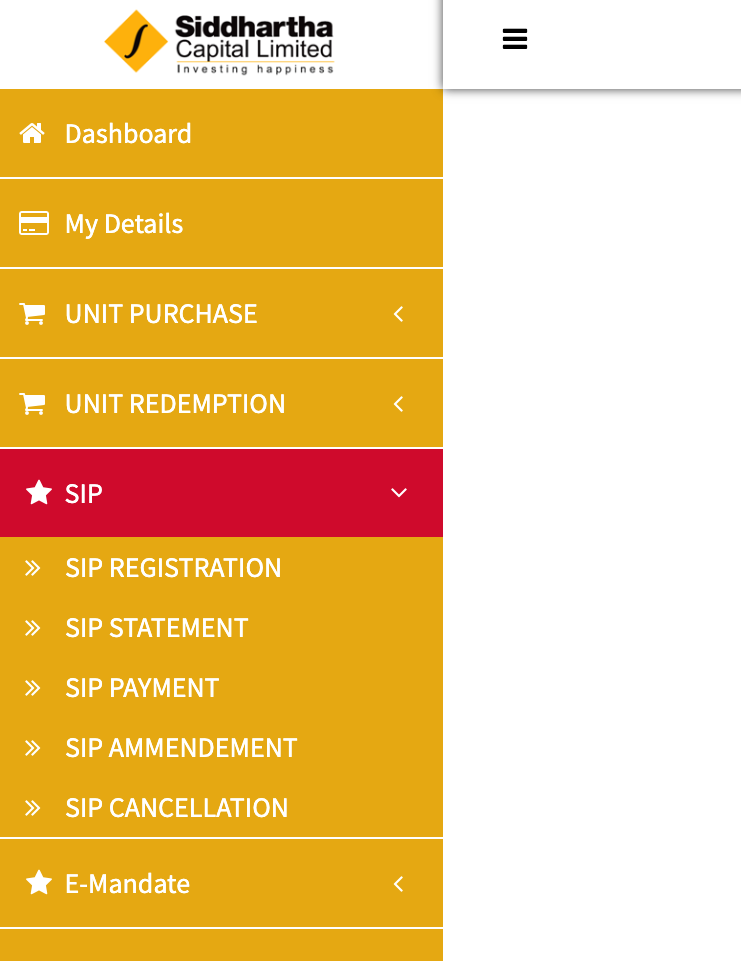
- Tap on SIP and then select SIP PAYMENT,
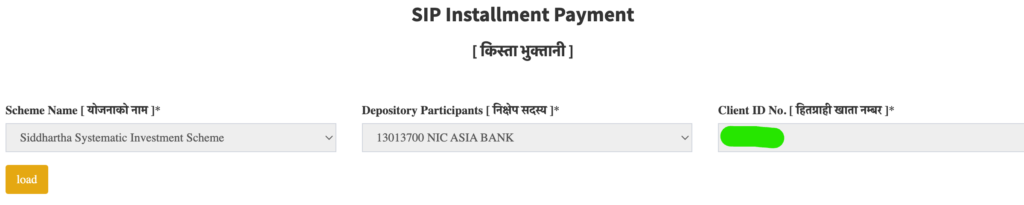
- Tap on Load to fetch all remaining/pending installments to be paid; it will show all pending installments,
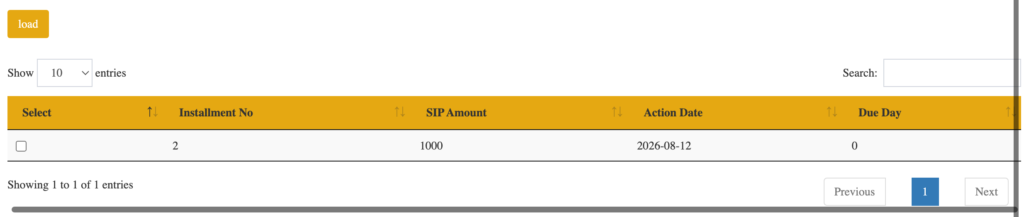
- Now tap/tick/click as shown in the blue tick the installment which you want to pay. Based on the installments you select, it shows the Total Amount to be paid,
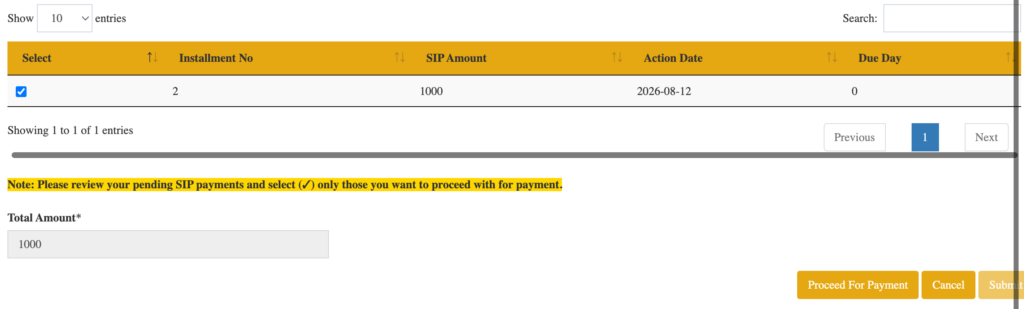
- Tap on Proceed For Payment,
- Now choose any payment method you have,
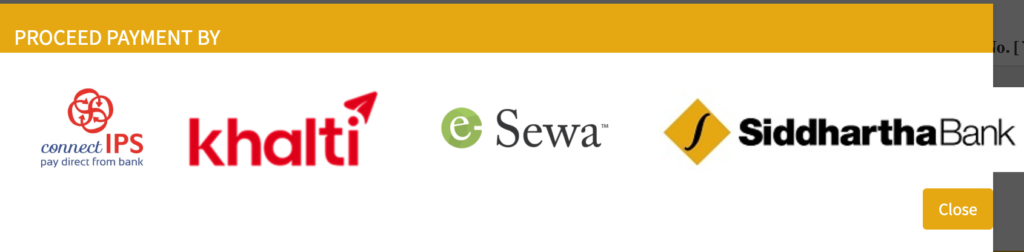
- Log in to your payment portal and make the payment,
- That’s it.
SIP Automation: e-mandate using connectIPS
- Go to Dashboard and tap on E-Mandate>E-Mandate,
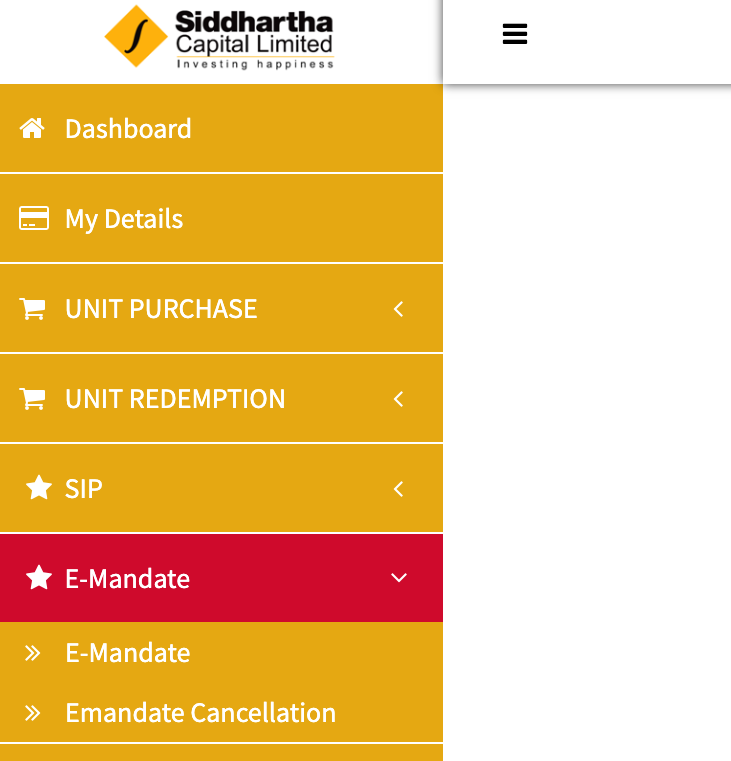
- Now set the mandate start date, enable auto-renewal, and then tap on GET OTP. The OTP will be delivered to your registered email at Siddhartha Capital SIP,

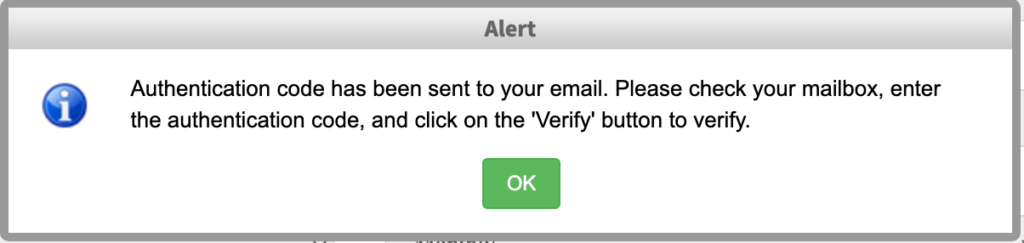
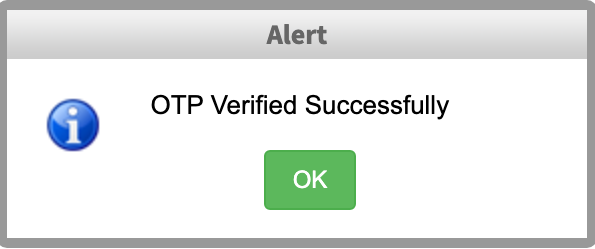
- Enter the OTP Sent in your email, and tap on Verify OTP. It says OTP Verified Successfully,

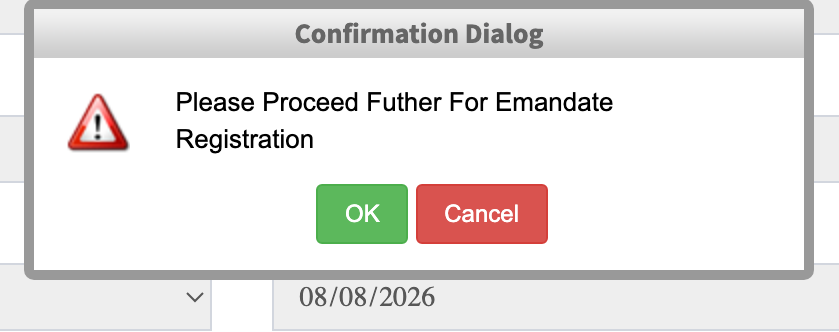
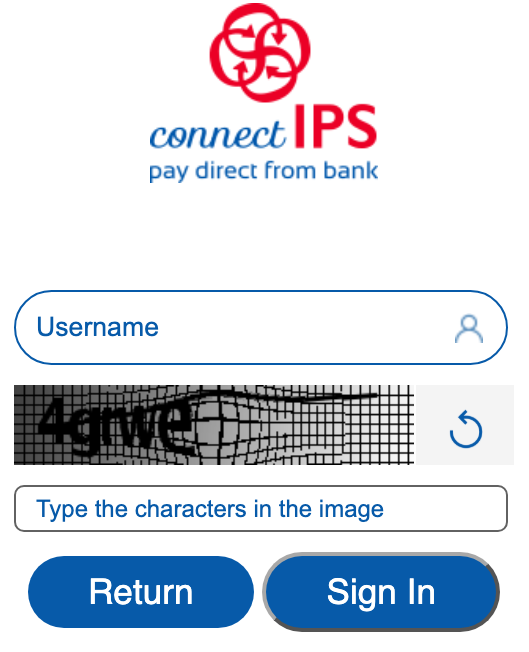
- Now tap on Submit and then OK; it will redirect to the ConnectIPS Login page,

- Log in to your ConnectIPS account and enable the e-mandate,
- That’s all.
Learn in Detail: Process to enable e-mande using ConnectIPS.
To enable e-mandate for Siddhartha SIP Payment, you need to have a ConnectIPS user (ConnectIPS account). Also make sure the registered mobile number in both ConnectIPS and Siddhartha Capital must be the same.
Common problems
- **Name/DOB mismatch** — most common registration fail
- **Leading zero dropped from BOID** — login/payment mismatch
- **Paid but no units** — check debit; wait allotment window
- **Wrong portal** — bank app ≠ capital portal full record
Exit path: How to close SIP online
FAQ
In conversation, people say “bank.” Formally, *Siddhartha Capital* manages units; the bank is often the payment channel.
No for investing; yes for the shortest in-app payment path if supported.
Siddhartha Capital portal — portfolio guide.
Siddhartha Systematic Investment Scheme is a market-related product issued by Siddhartha Capital, while the Goal Saver is the Advanced Goal-Based recurring deposit provided by Siddhartha Bank.
Conclusion
Siddhartha SIP Payment is easy by following the above-mentioned steps. Here I have detailed the steps to make SIP payment to Siddhartha using mobile banking and from the issue manager portal. Also, here you will learn to automate your Siddhartha SIP Payment. You can also access the Siddhartha SIP Login portal to easily manage your SIP units and take control over your SIP. For SIP results, you can use Siddhartha SIP Calculator or use our free SIP Calculator.
Mutual fund investments are subject to market risk. Educational content only — not personalised financial advice.