Subha Laxmi Kosh (SLK) is one of the most-searched open-ended SIP names in Nepal — after it’slast year’s dividend print hit the news cycle. Like NIBL SIP, this Subha Laxmi Kosh SIP is also getting a larger turnover and positive interest from investors. Here you will get a clear idea related to: Subha Laxmi Kosh SIP Payment, Subha Laxmi Kosh SIP Login, Laxmi Capital SIP Payment, and everything related to Laxmi SIP.
The scheme is managed under *Laxmi Sunrise Capital*, where the fund is organized by the Laxmi Sunrise Bank (A parent company of Laxmi Sunrise Capital). So, this article is going to be useful for every Laxmi SIP investor who wants to make their SIP payment easy, fast, and also know more about their investment from closer.
Educational content only — not a recommendation to buy SLK because of any single dividend year.
What Subha Laxmi Kosh SIP is
SLK is an *open-ended* mutual fund SIP that is managed by the fund manager/capital company, unlike openly trading closed-ended mutual funds. In SIP, as we said, it’s an open-ended mutual fund, so you have to buy units from the manager at NAV on a schedule. Also, it is not a fixed deposit and not a guaranteed-return product, but it is also important to be clear that it’s different from close-ended mutual funds, which can be bought from NEPSE using the TMS Account.
From the the start,, we have been using theusing the wrong calculation figure to getfor better results and have been hoping forhave been relying on the calculations we made using the the SIP Calculator. People often land here after seeing a strong cash dividend headline. So, treat that as *one data point* just as an assumption rather than considering it as your exact future return.
So, before and after investing, you have to score the scheme with mandate, multi-year dividends, charges, and overlap — method here. You can read our Best SIP in Nepal guides where you learn— how to compare the SIP and choose the best as per your future goals.
Subha Laxmi Kosh SIP Dividend History

Shubha Laxmi Kosh (SLK)
Dividend history for this SIP mutual fund scheme
Dividend History
FY 2081/82
| Fiscal Year | Dividend Date | Dividend | Div % | Bonus | NAV | Remark |
|---|---|---|---|---|---|---|
| FY 2081/82 | August 3, 2025 | — | 16.00% | — | रू 11.55 | — |
FY 2080/81
| Fiscal Year | Dividend Date | Dividend | Div % | Bonus | NAV | Remark |
|---|---|---|---|---|---|---|
| FY 2080/81 | May 30, 2026 | — | — | — | रू 10.53 | — |
FY 2079/80
| Fiscal Year | Dividend Date | Dividend | Div % | Bonus | NAV | Remark |
|---|---|---|---|---|---|---|
| FY 2079/80 | August 6, 2023 | — | 10.50% | — | रू 10.54 | — |
Capital SIP has only distributed the dividend in 2 fiscal years out of 3 years of the fund issued. Here, the last year’s dividend payout of Subha Laxmi Kosh SIP is the highest among all SIP Schemes in Nepal. All dividend distribution records are mentioned above in the table. From there, you can get one key comparison factor for choosing the Best SIP in Nepal.
Before you register
- Your 16-digit BOID (DEMAT Account Number)
- Citizenship name/DOB exact match and Copy Citizenship to upload
- Working email for OTP
- Mobile + bank details
- DEMAT Confirmation letter
You can also learn how to open a SIP Account for other SIP Schemes, here.
SLK SIP registration
Laxmi Capital allows the new easy and powerful dashboard to easily onboard SIP Registration in Nepal. You can easily register the SIP and create a SIP User in Laxmi Sunrise Capital to easily manage the SIP units and take control over it.
- Visit the Laxmi Sunrise SIP Registration Portal, click here,
- Click/tap on the Sign UP button shown there,

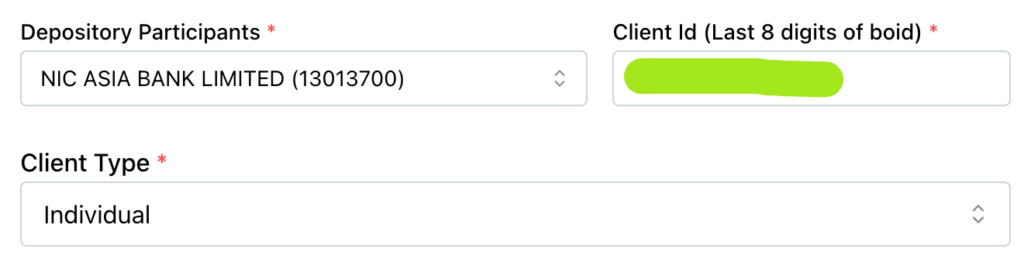
- Select/choose your Depository Participant and enter the Client ID,
- Select client type as an Individual,
- Now enter your First Name, Middle Name (if any), and Last Name, Email address, and Phone number,
Enter and confirm the Password,
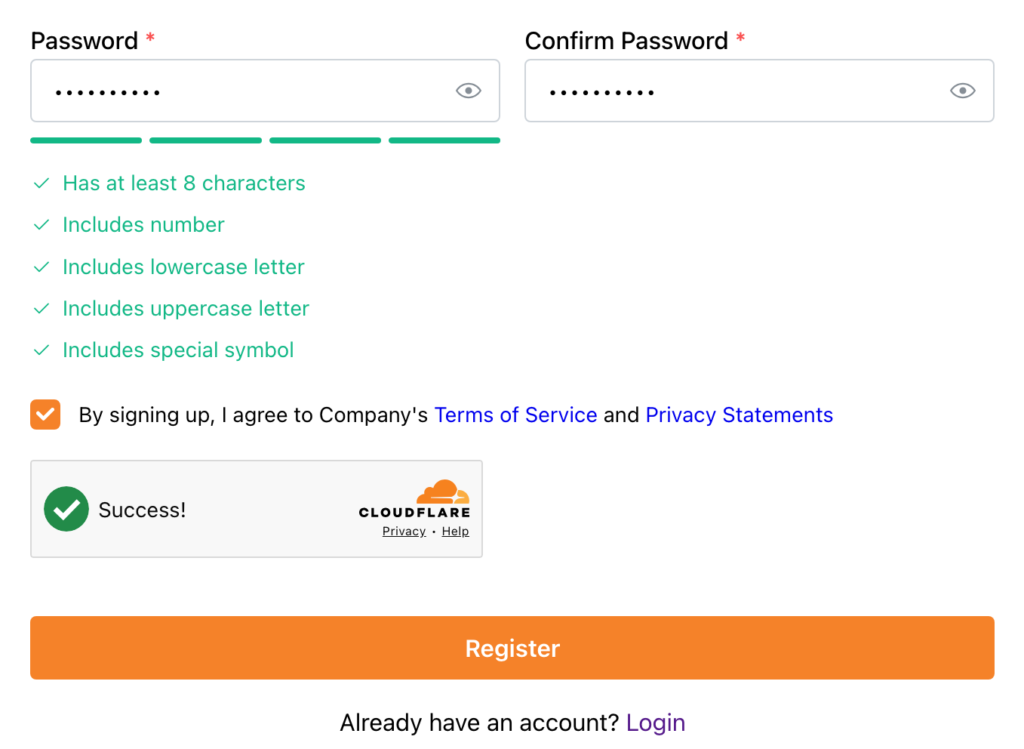
- Check/tick the Terms and Conditions, showing By signing up, I agree to Company’s Terms of Service, and tap on Register,
- That’s all; the user is created successfully,
Note: Laxmi Sunrise Capital has changed the UI of their SIP registration portal. This tutorial is based on the latest UI of their new SIP management portal.
Easy Guides
Depository Participants (DP): The capital company where you open your DEMAT Account number, like the DEMAT Account Opened at NIC ASIA Bank is NIC ASIA Bank, but the DEMAT Account Opened at Nabil Bank is ‘Nabil Investment Banking’. So, make sure you choose the right DP. Also, for easy understanding of your DP, type the first ‘8-digit’ number of your DEMAT Account Number.
Client ID: It’s the last 8-digit number of your DEMAT Account number. For example, if your DEMAT Account number is ‘1234567891011121 ’, then the first 8-digit ‘12345678’ is your client ID, and the last 8-digit ‘91011121’ is your client ID.
File Size and Format: Laxmi Sunrise Capital SIP Registration only supports the PP Size Photo, Citizenship Photo (Must be combined front and back in the same image), BOID/DEMAT Confirmation, and every uploadable file in photo file like .jpeg, .jpg, or .png within a size below 5MB.
Subha Laxmi Kosh SIP Login
SLK SIP Login – Isse Manager Link,

After creating a user with Laxmi Sunrise Capital, you can easily log in to your Dashboard to take proper control, manage your SIP Units, and also amend and get a complete overview of your SIP Portfolio of Subha Laxmi Kosh.
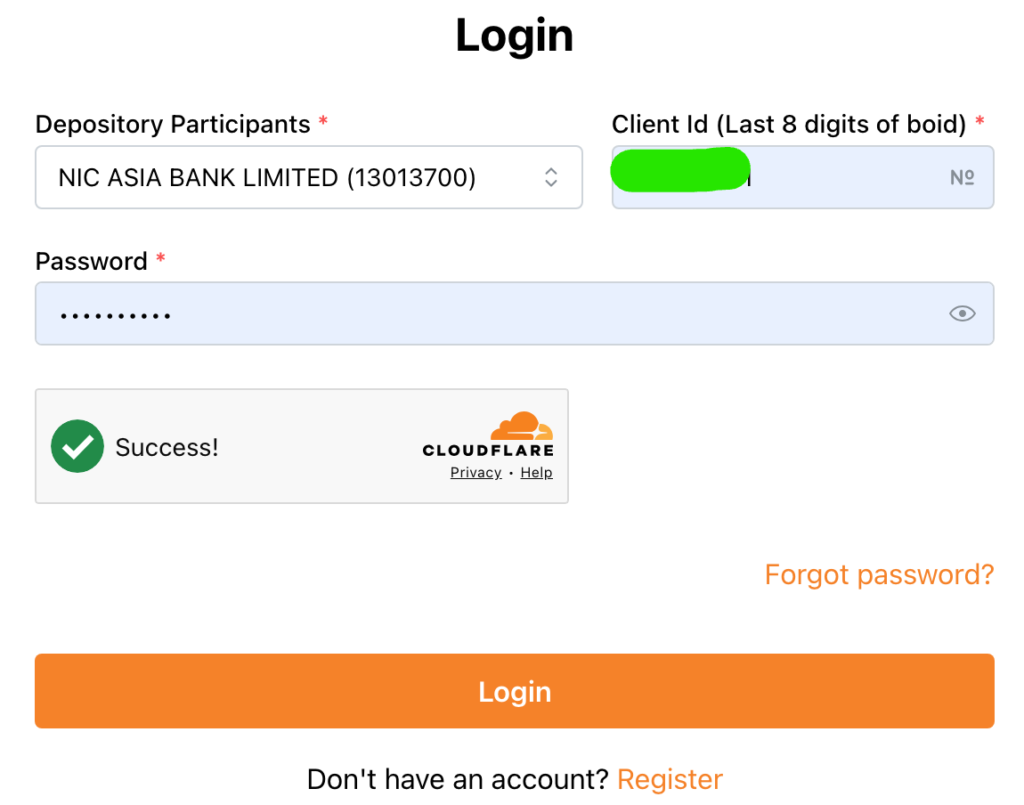
After registering and making the SIP Payment of your first installment, Laxmi Sunrise Capital will provide the SIP Allotment mail with the invoice and also another mail regarding the user creation of your SIP Login. So, log in to the account and start managing your SIP Portfolio.
Laxmi Capital SIP payment — Subha Laxmi Kosh SIP Payment & Automation
Using Laxmi Sunrise Mobile Money
If you have Laxmi Sunrise Mobile Money for banking, then it’s one of the convenient methods for Subha Laxmi Kosh SIP Payment. Yes, using the mobile banking app of Laxmi Sunrise Bank Limited, you can easily pay the SIP installment without paying an extra fee and also without worrying about missing the installments in an easy process. Also, you can schedule the SIP Payment for automation using the mobile money app.
SIP Payment Process
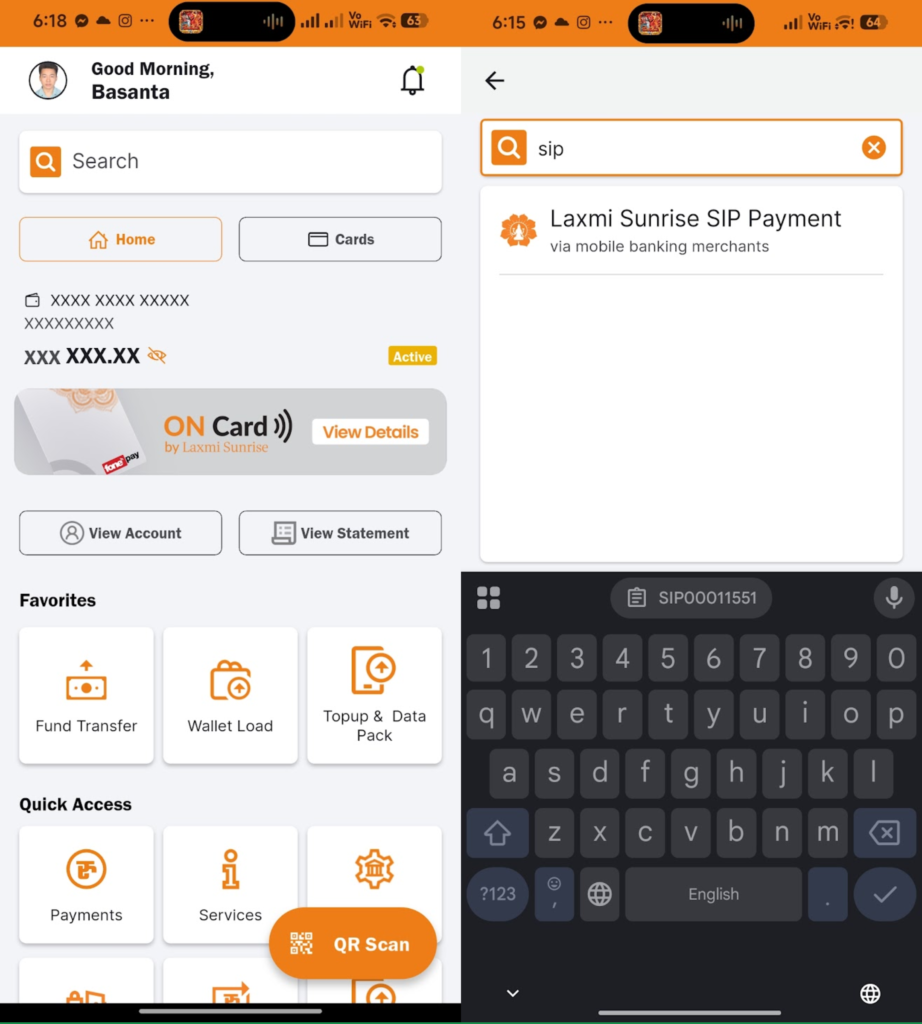
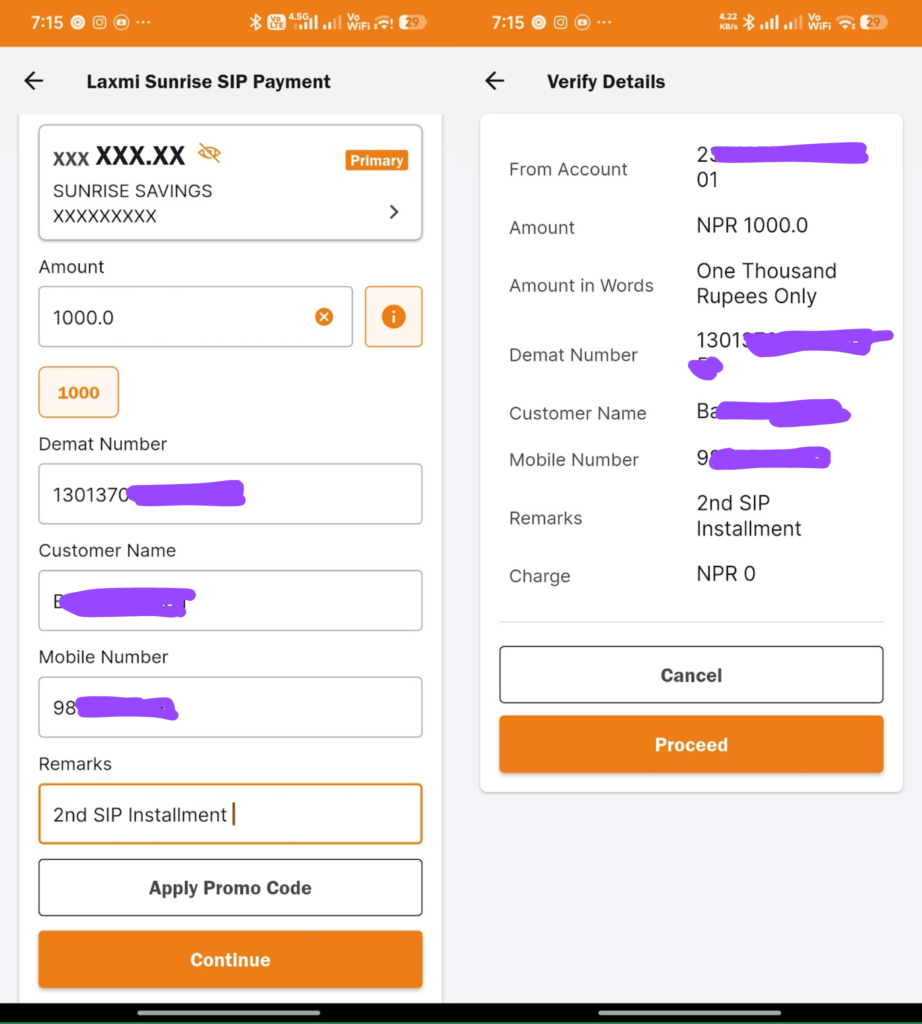
- Open the Laxmi Sunrise Mobile Money App and go to the Payments section from the homepage, or simply search for ‘SIP’ on the home screen,
- Now choose ‘Laxmi Sunrise SIP Payment‘,
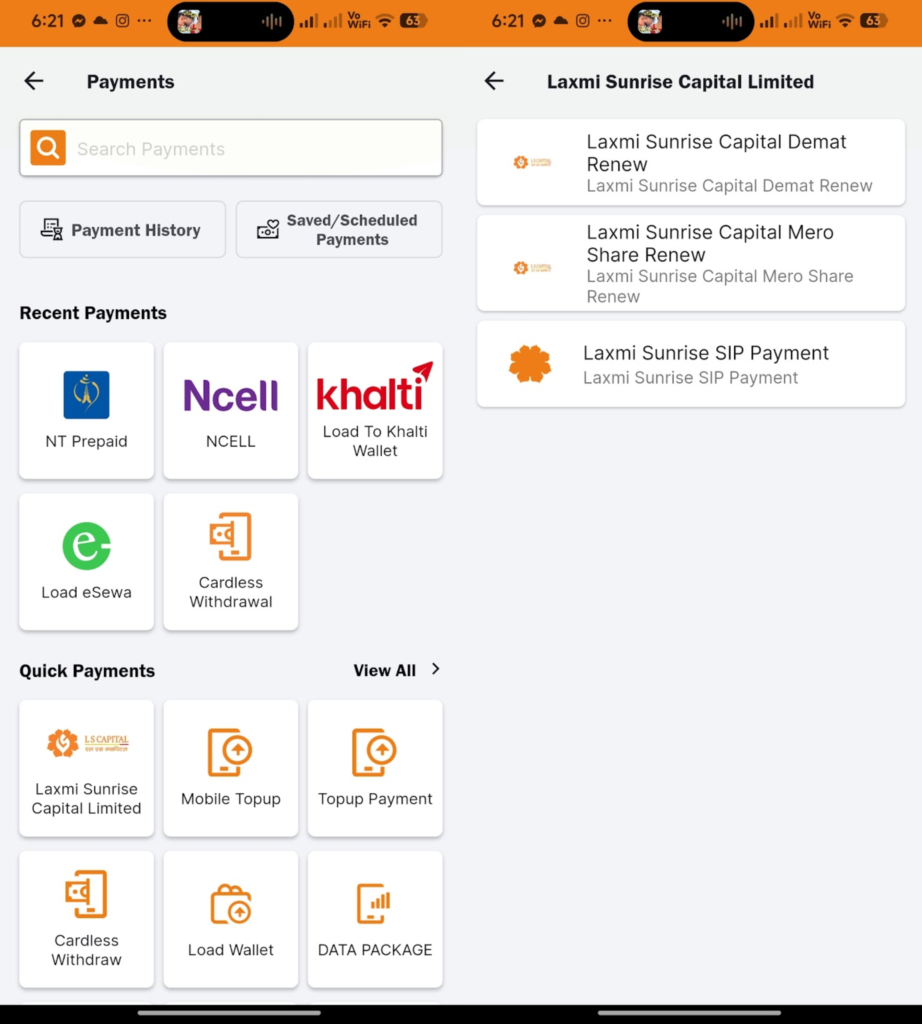
- Fill out the DEMAT Account number, customer name, mobile number and remarks,
- Tap on Continue, confirm and proceed with the payment by tapping on Proceed,
- That’s all.
SIP Automation – Schedule Method
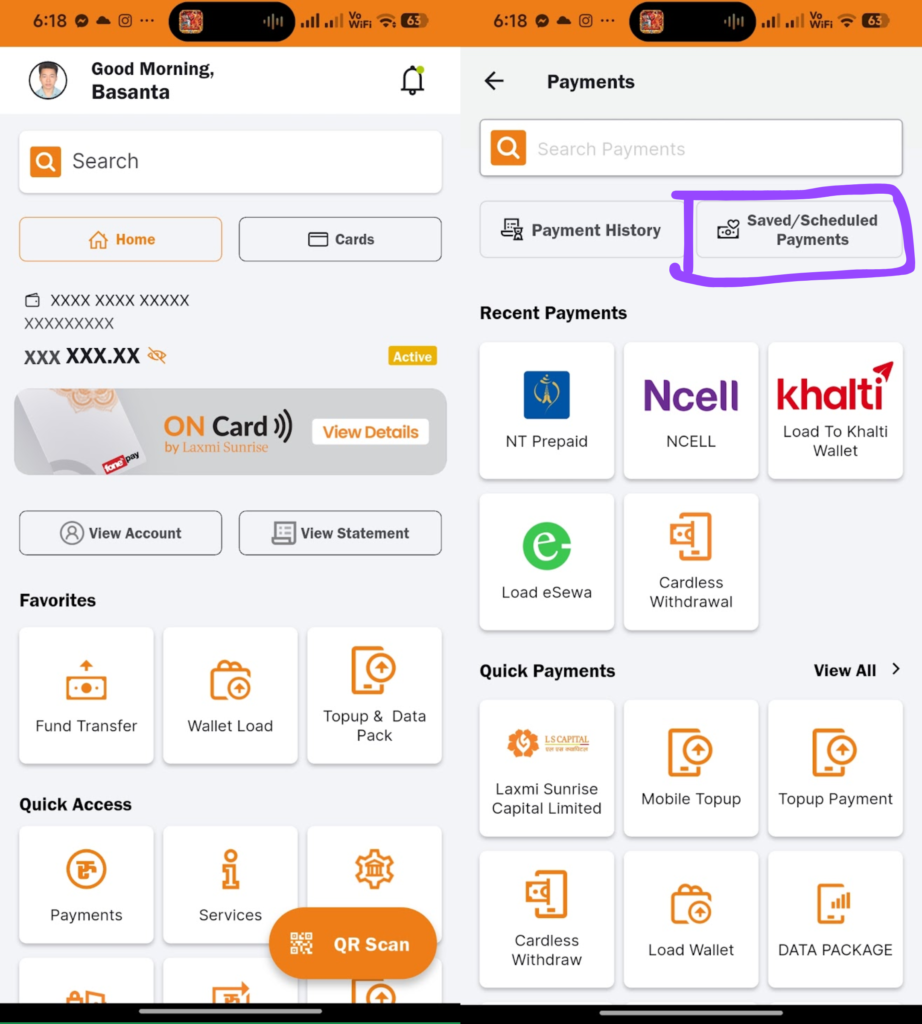
- Open the Laxmi Sunrise Mobile Money app and go to the Payments section,
- Tap on Saved/Scheduled Payments,
- Go to Scheduled section and Enter the Payment Name as your wish, like here i entered/type ‘Subha Laxmi Kosh SIP‘,
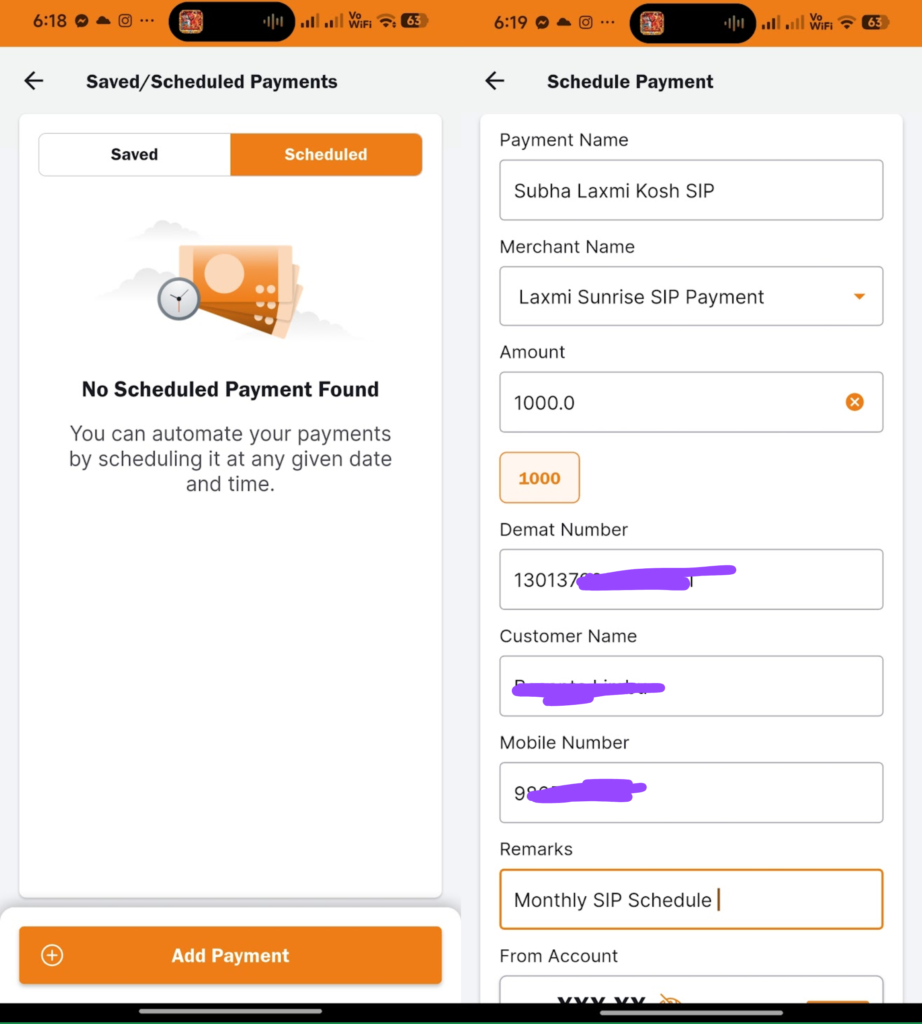
- Now choose the Merchant Name as Laxmi Sunrise SIP Payment from the given dropdown,
- Enter the Amount, DEMAT Number, Your Name, Mobile number, and remarks,
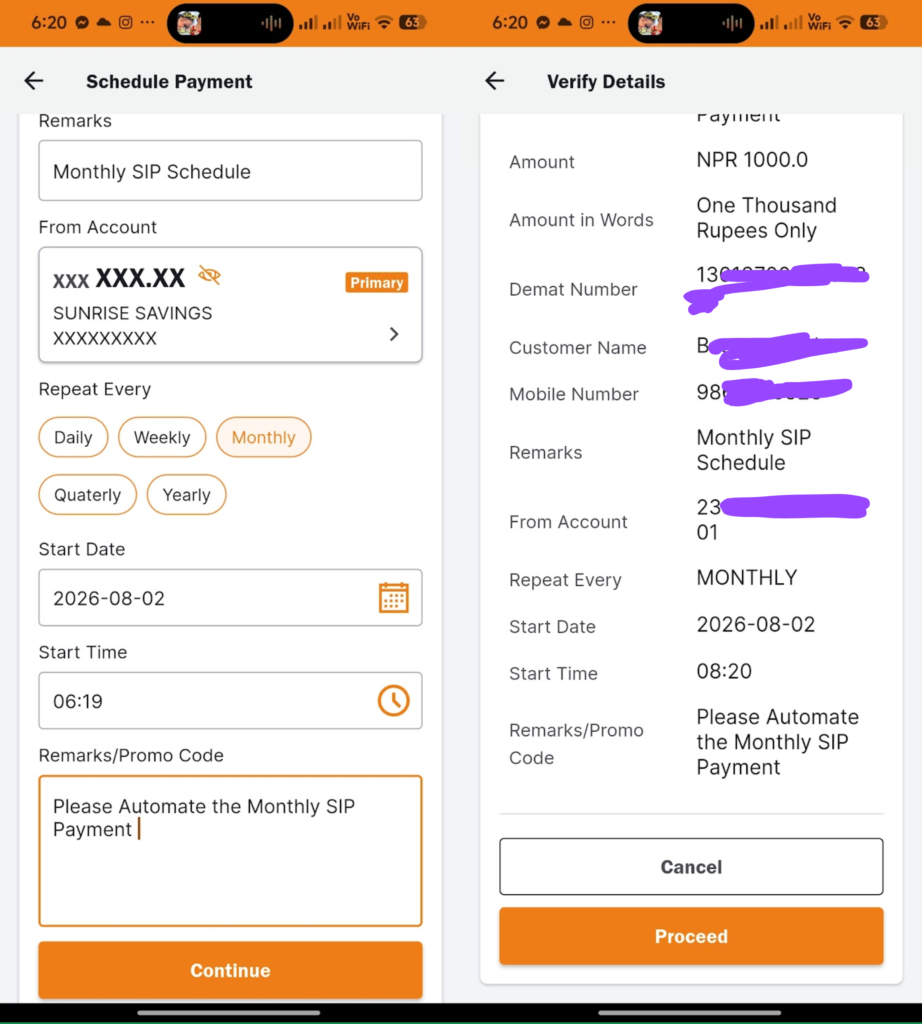
- Scroll down and set the Repeat Every (Repeat frequency) to Monthly (if your SIP contribution is monthly),
- Set the Start Date, Start Time and Remarks (write remarks again),
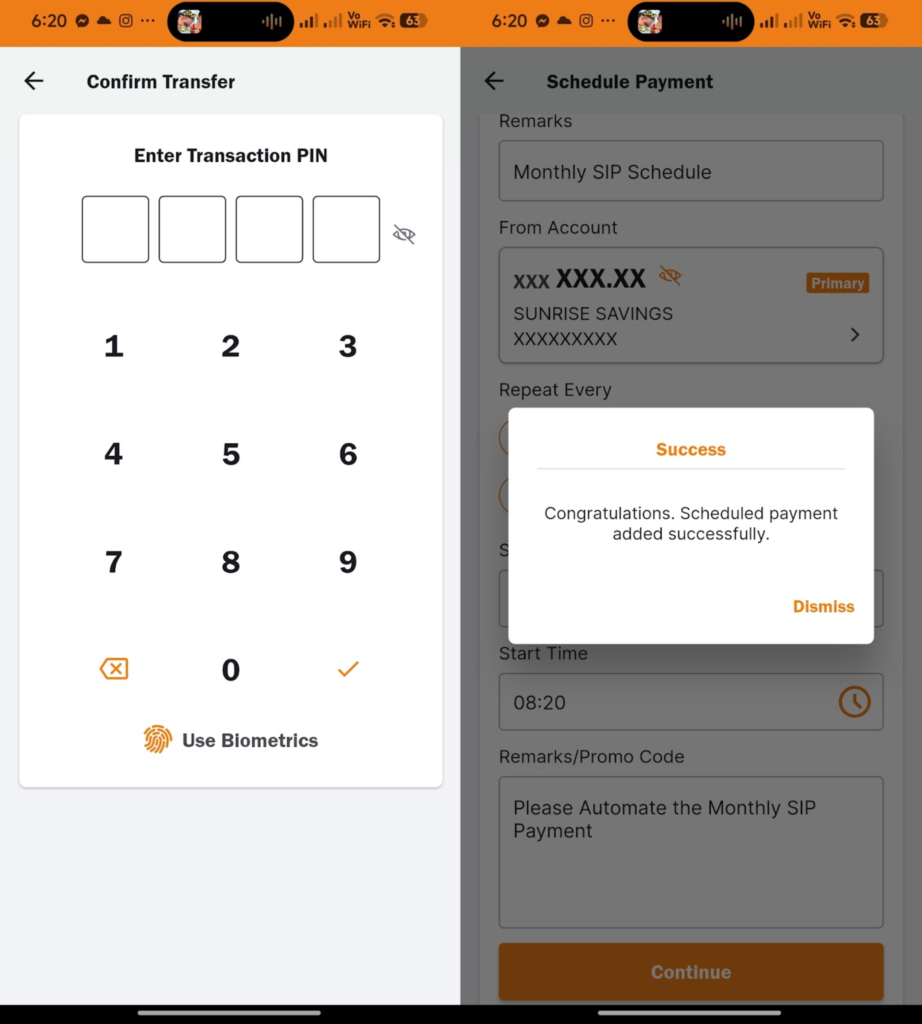
- Tap on Continue, read out the details and confirm by tapping on Proceed,
- That’s all.
ConnectIPS
Using the Issue Manager (Laxmi Sunrise Capital) web portal, you can easily make SIP Payments of all due installments. Here in payment options, you can find the different payment methods which you can use for payment as per your availability. Also, you can enable the e-mandate features using ConnectIPS,
SIP Payment Process from user Login
- Go to the Dashboard of the Laxmi Capital SIP Payment and login portal,
- Tap/click on SIP Detail,
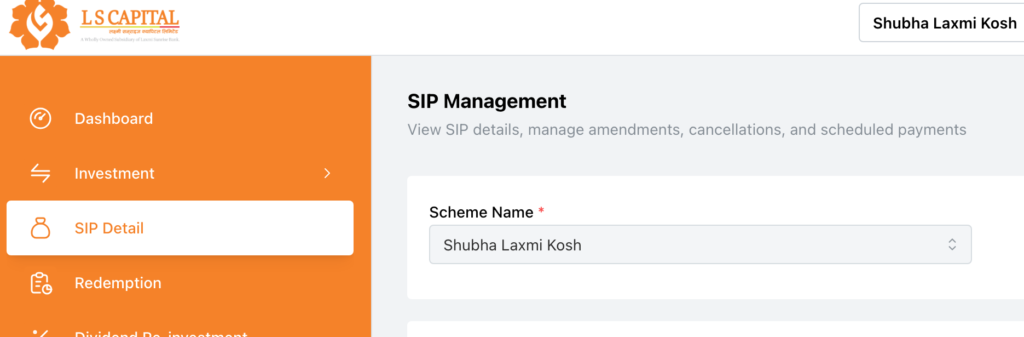
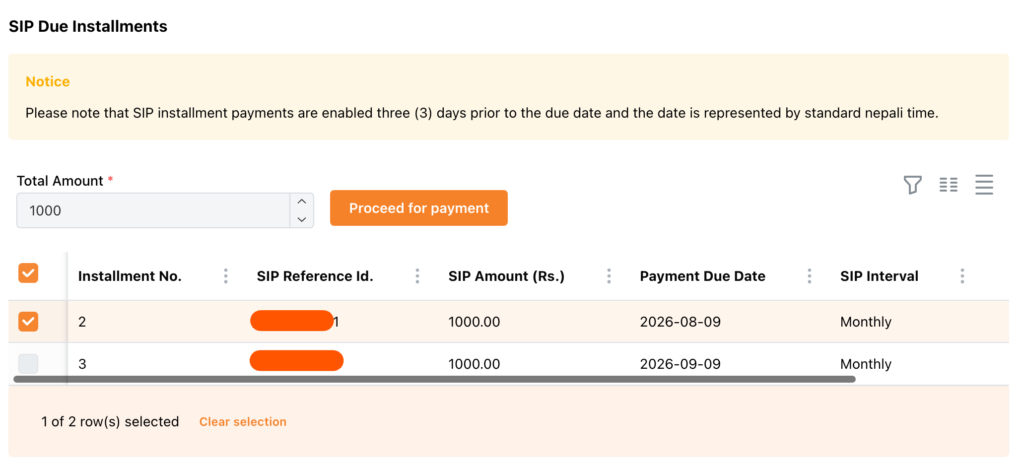
- Tap on Due Installments,

- Under the SIP Due Installments section, tap on Installments and tap on Proceed for payment,
- Select the available payment method and tap on Proceed Now; it will redirect to the user login of that gateway,
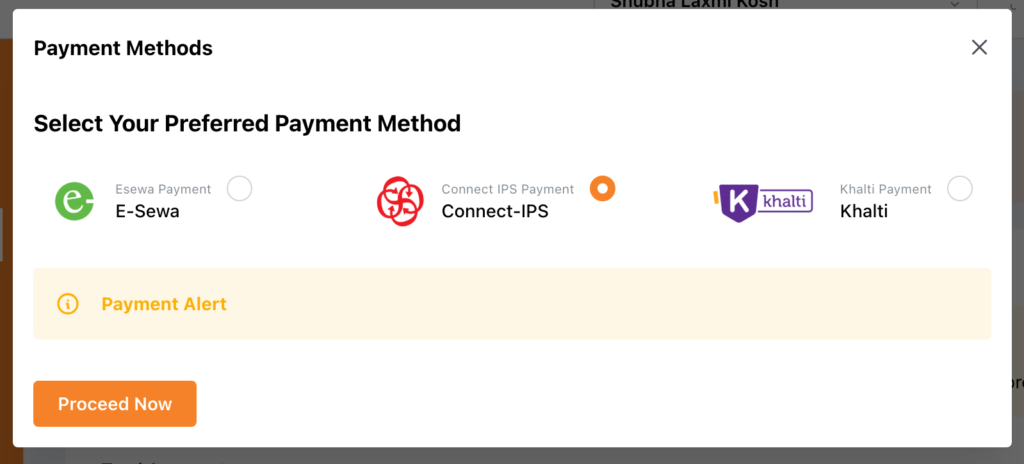
- Proceed the payment, That’s all.
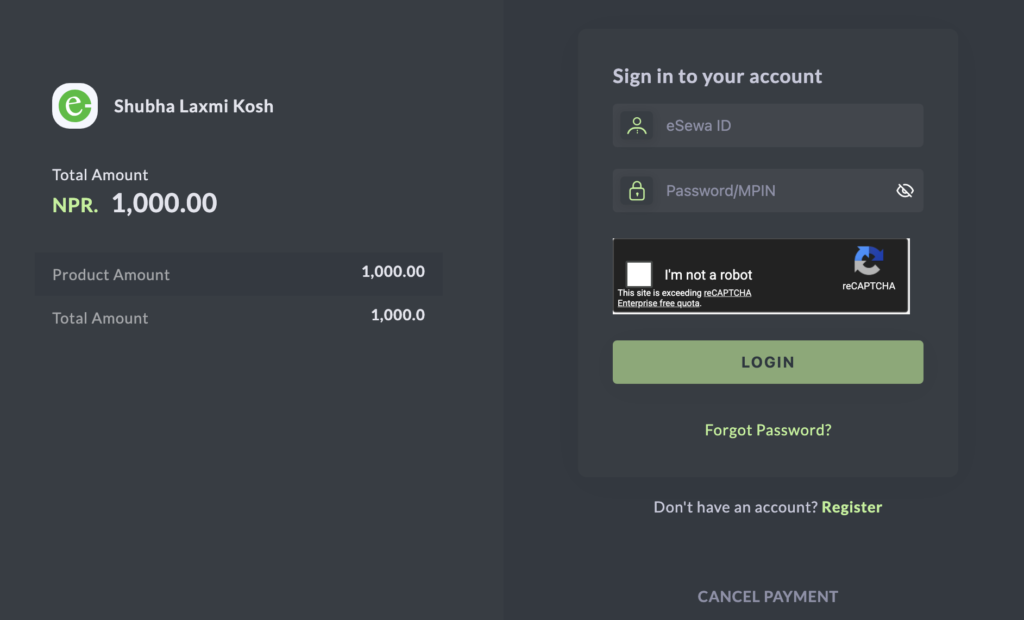
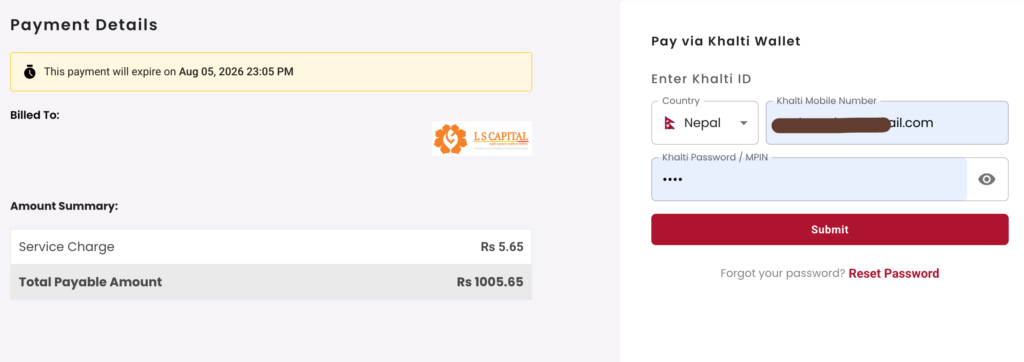
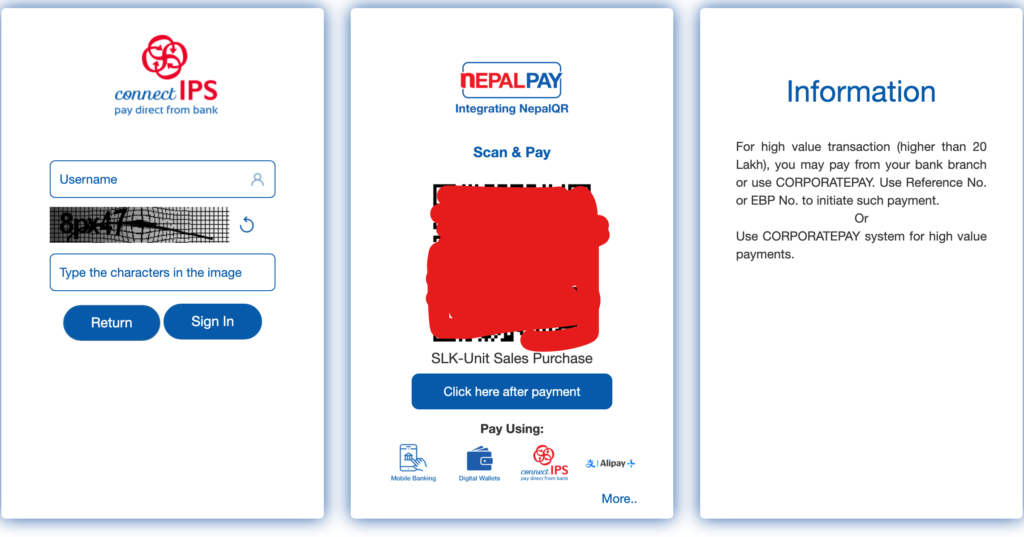
SIP Automation – E Mandate using ConnectIPS
- From Dashboard (Home Menu) go to the SIP Detail section,
- Scroll down and go to Emandate Details,
- Tap on Add E-Mandate, it will show the pop-up menu so confirm all the details,

- Tap/click on Submit,
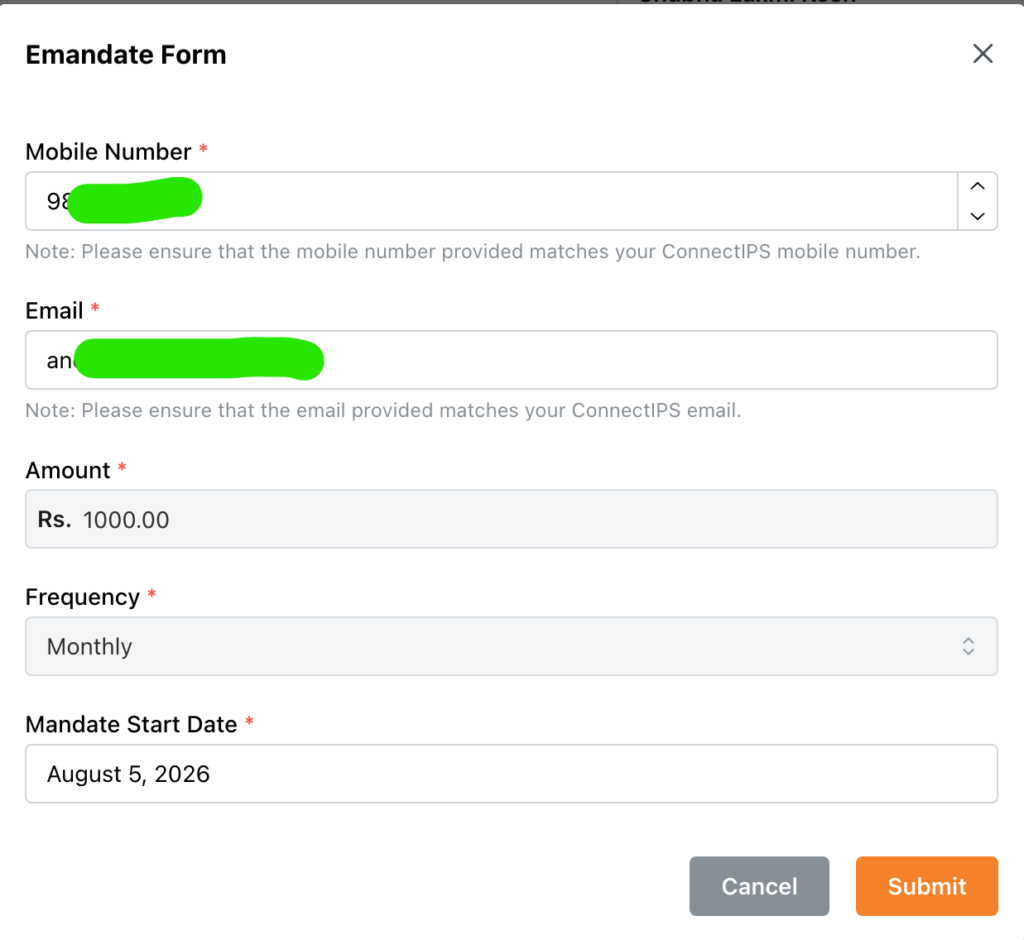
- It will redirect you to the ConnectIPS Page; fill out all the details and set a proper instruction by selecting the particular bank account from which you want to proceed with the payment automatically,
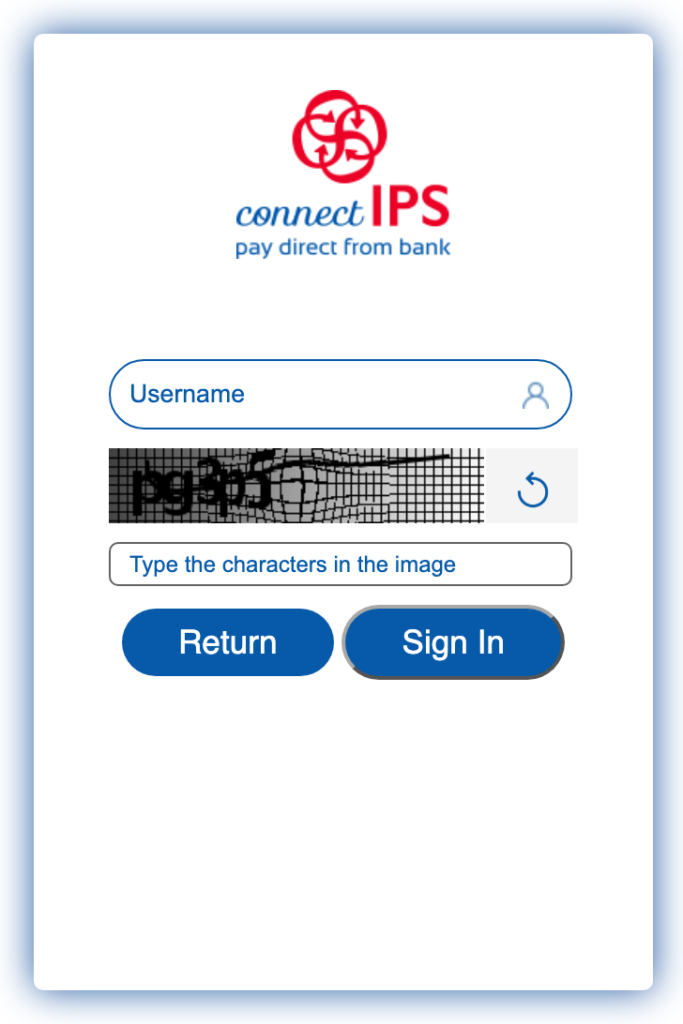
- That’s all.
- Still confused? See the proper tutorial on SIP e-mandate.
Common mistakes around SLK
- Choosing SLK only because of one high dividend year
- Logging into the bank app and expecting full unit history
- Leaving a purchase request unpaid
- Ignoring DP/fixed charges on very small tickets
FAQ
No. It is a market-linked open-ended mutual fund SIP.
Usually no for investing; it may only simplify payment, you don’t need to have an account with Laxmi Sunrise Bank.
You can easily compare all open-ended mutual funds to calculate and choose the best SIP in Nepal. Here’s the process for comparing the best mutual funds in Nepal for SIP.
Conclusion
Laxmi Capital SIP Payment is now easy with the new and modern dashboard. Also, the Subha Laxmi Kosh SIP Login process becomes easy, and its dashboard offers modern features that help to take proper management of the SIP online. Here I have shared the complete tutorial and steps related to how to make Laxmi Capital SIP Payment Online, SIP Automation using e-mandate, and scheduling from both connectSIP and Laxmi Sunrise Mobile Money app.
Mutual fund investments are subject to market risk. Educational content only — not personalised financial advice.