If you searched SIP NIMB, SIP NIMB login, or SIP payment NIMB, you are usually trying to open an account, get back into one, or clear this month’s installment for the NIBL Sahabhagita Fund.
NIMB Ace Capital manages that fund. Nepal Investment Bank (NIBL) merged into Nepal Investment Mega Bank (NIMB) — so “NIBL SIP” and “NIMB SIP” point to the same capital team and the same process door. Your BOID does not change because the brand name above the portal did.
Before you begin, you must have
- 16-digit BOID
- Citizenship name and DOB exactly as printed
- Email you check (OTP / recovery)
- Mobile number
- Bank account for payment
Stack order: Demat → MeroShare / C-ASBA → NIMB Ace Capital account → SIP → payment. Background: How to open a SIP account.
NIMB Ace Capital SIP registration
Use the official NIMB Ace Capital mutual fund / SIP portal from their website.
- Visit the SIP Registration page, click here,
- Now choose the option SIP Registration,
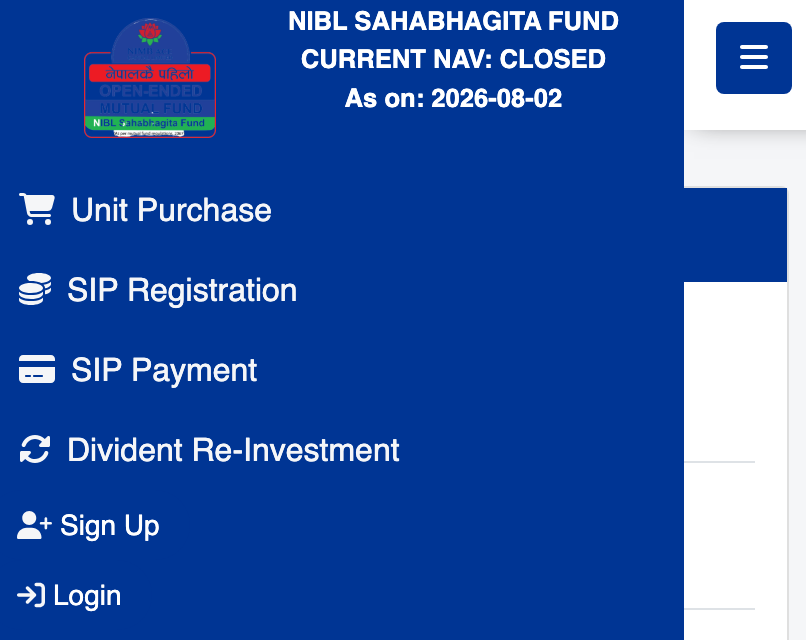
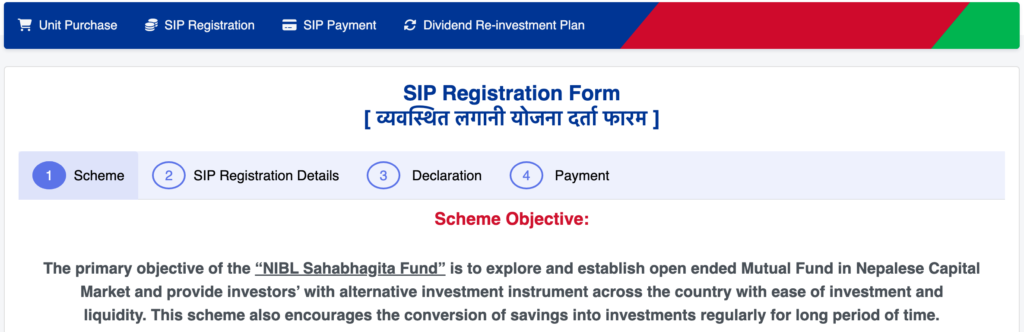
- From the SIP Registration Form, scroll down and check the Disclaimer ‘I Agree to Apply’ and tap on Next,

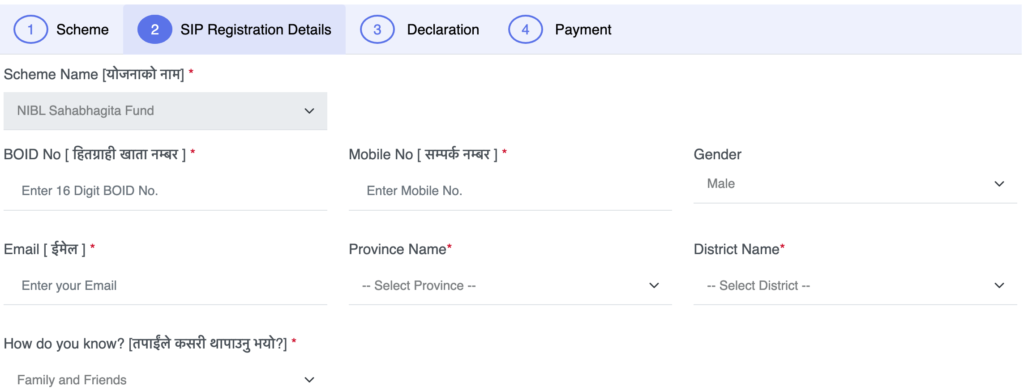
- Enter your 16 Digit DEMAT Account Number, enter your Mobile Number (Any mobile number), enter the Email (which is used to verify with an OTP later),
- Select the Province Name from the dropdown menu and also select the current resident district (better to choose Permanent Residence Address) and choose any option for ‘How do you know?’,
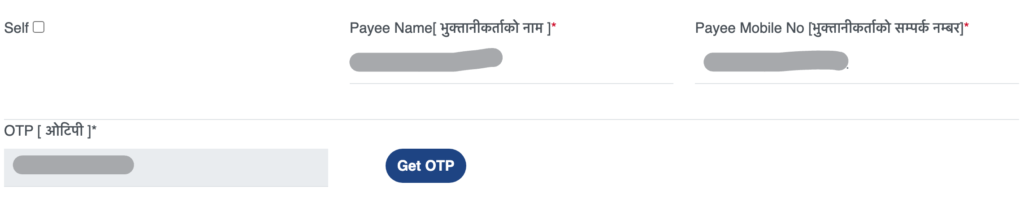
- Now, check/click the Self box if you are doing SIP for yourself; if you tick on Self, it will auto-fill the Payee Name as your name and Payee Mobile No as the mobile number you entered above,
- Now tap on Get OTP; it will send the OTP to the above mnetioned/entered mail address. It will be sent to your mail. Enter that OTP here,
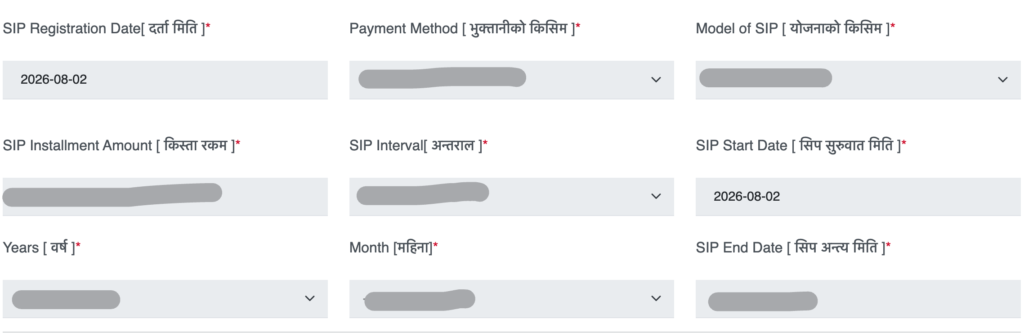
- After verifying the OTP, choose any available payment method you like, such as eSewa, Khalti, ConnectIPS, NIMB Smart, etc,
- Set the Model of SIP as Limited (to set the investment year like 20 years); select Unlimited if you want to keep investing until you decide to redeem (the most practiced method is Limited),
- Enter the SIP installment amount ranging from Rs 1000 (for monthly interval). Also set the SIP Interval as Monthly, Quarterly, Semi-Annually or Annually as per your requirement,
- Select the No. of years you want to continue the SIP and No. of months for SIP. Based on the selected years and months, the SIP End Date will be shown automatically here. This SIP Duration Option only shows if you tap on the Limited Model of SIP,
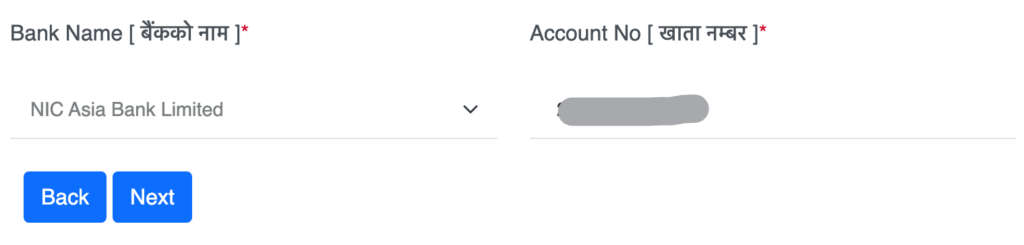
- Now select the Bank and enter the account number. As per your convenience, you can select any bank and enter that bank’s account number assigned to you (Your Bank’s Account number of XYZ Bank)
- Choose the Payment method to pay your first SIP payment for NIBL SIP Registration,
- Process the payment with the available method; after payment is done, a confirmation mail will be sent to your email,
- That’s it; all details and invoices are sent to your mailbox.
- Rejected? Check name/DOB mismatch or incomplete Demat KYC first.
SIP login NIMB / NIBL
SIP login NIMB means the NIMB Ace Capital investor portal — not NIMB mobile banking alone, and not MeroShare.
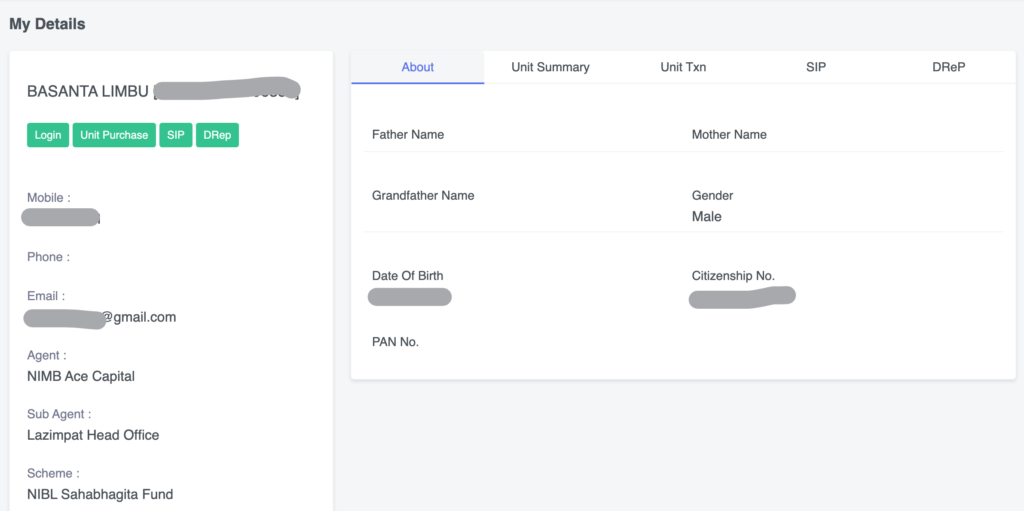
After logging in to the NIMB Ace Capital SIP Portal, you should see SIP status, payments, statements of transactions, and units after allotted. Empty holdings right after the first debit are common; units follow NAV allotment.
All portals: SIP login Nepal.
SIP payment NIMB & SIP Automation
If you bank with NIMB
If you are banking with NIMB, then NIMB Bank’s Mobile Banking supports the feature of saved/schedule payments. Using the Schedule Payments option, you can actually schedule the SIP payment NIMB easily.
Practical steps for SIP Payment
- Open the NIMB Smart app on your phone (NIMB Bank Mobile Banking),
- After logging in, go to Simple Search, type SIP, choose NIBL SIP Payment from the search option,
- Enter your NIBL SIP Number, 16 Digit BOID, Your Name as per DEMAT or in your SIP, installment amount and confirm,
- Tap to confirm the payment as in other regular processes,
- That’s all.
Steps for SIP Automation for NIMB
- Open the NIMB Smart app,
- After logging in, go to the Payments section and tap the three-dot (option icon showing on the top left side of your mobile banking screen,
- Now tap on Saved/Schedule Payments,
- Search for the NIBL SIP,
- Now fill out the SIP Number, 16 Digit BOID, Your Name as per DEMAT or in your SIP, installment amount, schedule start date and time and confirm,
- Enter your transaction PIN or use biometric (if) to proceed with the transaction setup,
- That’s all.
If you bank elsewhere
ConnectIPS is the usual route. Confirm merchant name carefully. Wallets only if the manager currently lists them. But enabling the SIP e-mandate in NBIL is still not added, like NMB SIP and Nabil SIP; you can’t enable the e-mandate for NIBL Sahabhagita Fund SIP. As of now, the only option is to pay manually from the NIMB SIP Portal, which takes time.
- Login to the SIP Dashboard, click here,
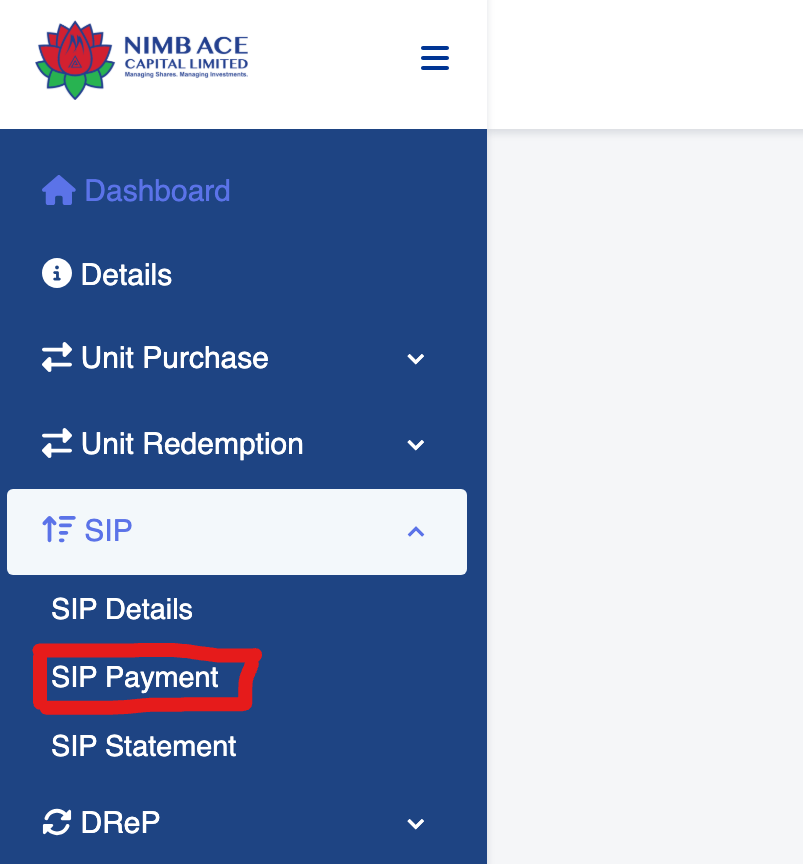
- Now from Dashboard tap on SIP>SIP Payment,
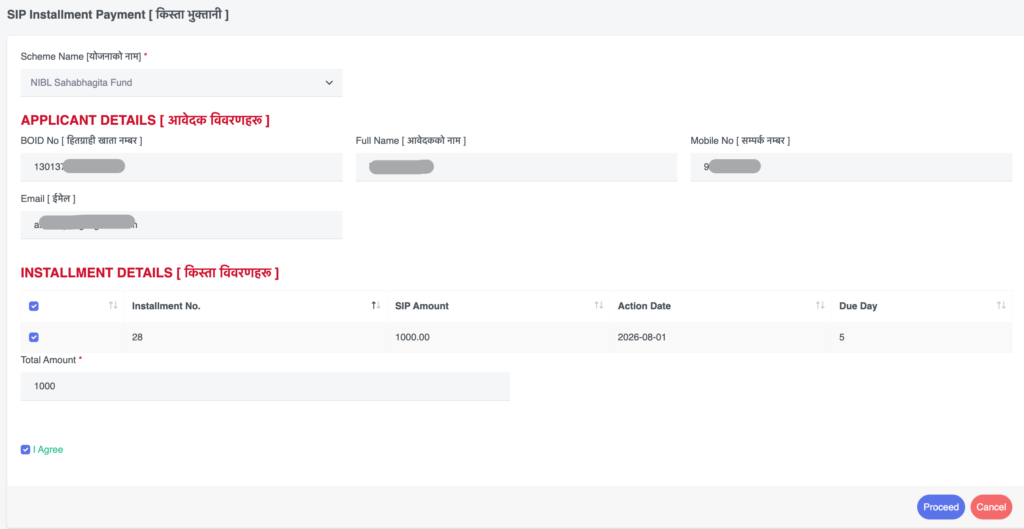
- Under Installment Details, check/tick the number of installment which you want to pay rightnow,
- After selecting the number of installment tap on I Agree and then Proceed,
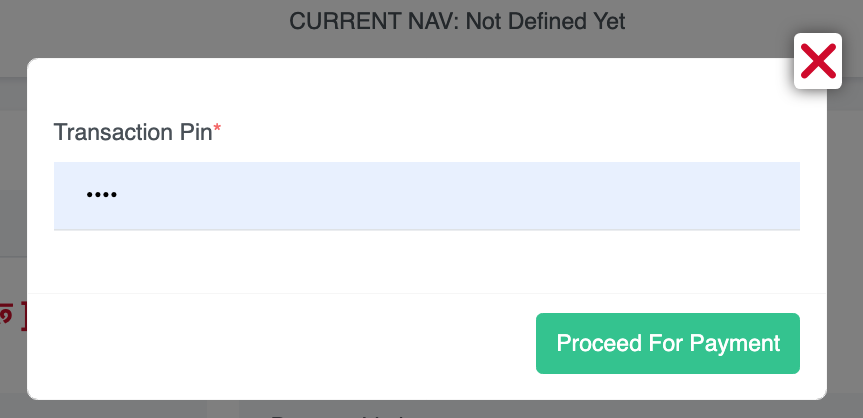
- Enter your Transaction PIN that you set while registeration, and tap on Proceed For Payment, it says transaction PIN verified, so cancel it, to cancel tap on X icon,

- Now choose the favoralable payment method and tap on it,

- Then proceed for payment, here i choose connectIPS,
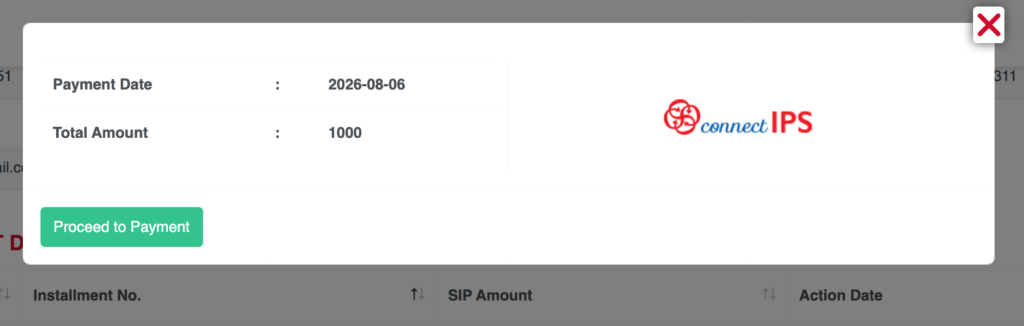
- It will show the connectIPS Payment gateway, based on your accessibility you can pay it, either you can directly login your connectIPS user (if) or scan the Generated QR using your any Bank’s mobile banking app,
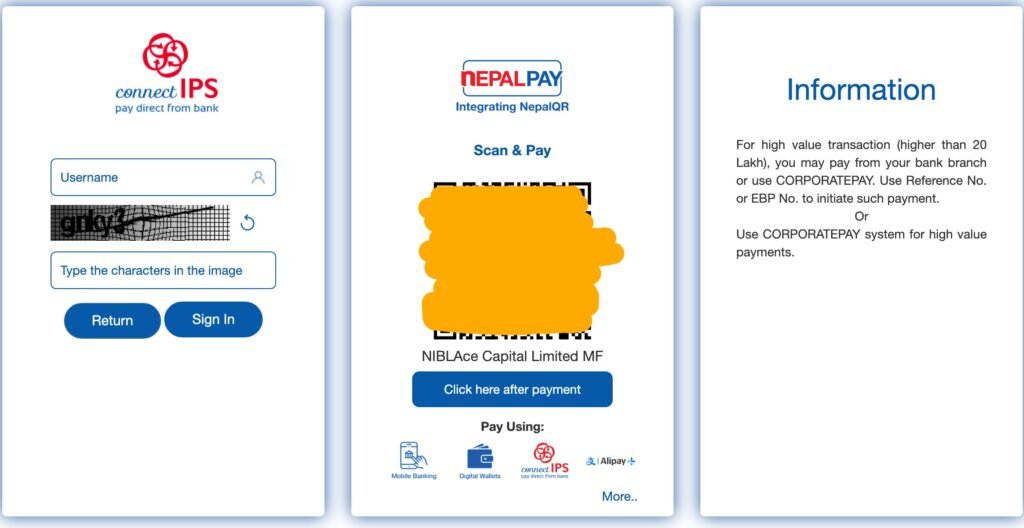
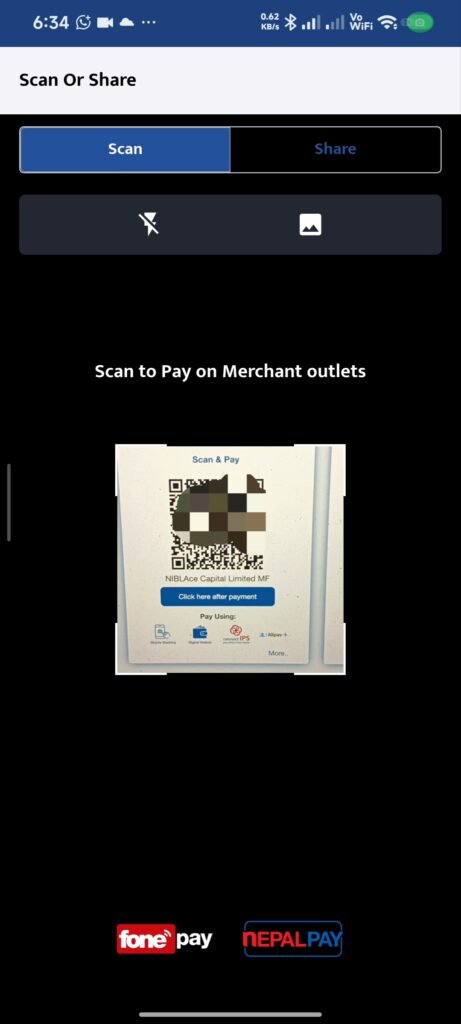
- Confirm the Details before pament and proceed the payment as like normal QR Payment from mobile banking,
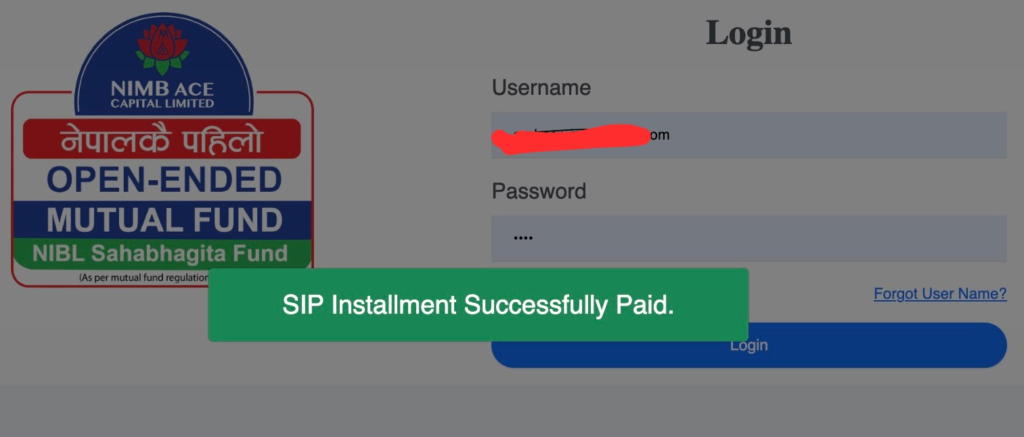
- That’s it.
| What you see | Meaning |
|---|---|
| Success + debit | Payment OK — keep reference |
| Request, no debit | Not invested yet |
| Debit, no units yet | Wait for allotment; check capital portal |
Common problems
- Paid, no units — confirm debit; then wait for NAV window; check capital portal, not only the bank app.
- Wrong identifier — BOID vs registration number mix-up.
- OTP / login loop — wrong portal or spam folder → SIP login.
- Festival delays — pay a few days early around Dashain/Tihar.
- Stop/redeem — How to close SIP online.
FAQ
Yes, in terms of process, they are the same. Here, NIBL Sahabhagita SIP is the SIP scheme of NIMB Ace Capital.
No, you don’t need to have a Bank account with NIMB for NIBL SIP Registration. You need Demat/BOID + Capital Portal.
You can see the SIP units after allotment directly on NIMB Ace Capital or also on the MeroShare App.
Yes.
Next step
- Confirm scheme docs on NIMB Ace Capital.
- Register and pay until success + debit.
- Track units on the capital portal.
- Run your amount in the SIP calculator at conservative and optimistic assumed returns.
Mutual fund investments are subject to market risk. Educational content only — not personalised financial advice.