Most people searching for SIP payment NMB or SIP login NMB already have an installment due. So, if you are the one who has an SIP due and searching for an easy guide on NMB SIP payment, then here I have shared a detailed process on NMB SIP Registration, SIP login, and Payment process.
NMB Capital Limited, a subsidy of NMB Bank Limited, manages your NMB Saral Bachat Fund E SIP. Before going for tutorials and guides here, you need to be clear that NMB or any banks linked to SIP only move money; the capital company holds the scheme, units, and statements.
NMB SIP Payment Process
As of now, NMB Capital allows the client to pay their due SIP using their capital portal only. So here’s the step-by-step guide on NMB Saral Bachat Fund SIP payment for easy processing of your payment,
- Log in to the Payment Portal of NMB Mutual Fund, click here,
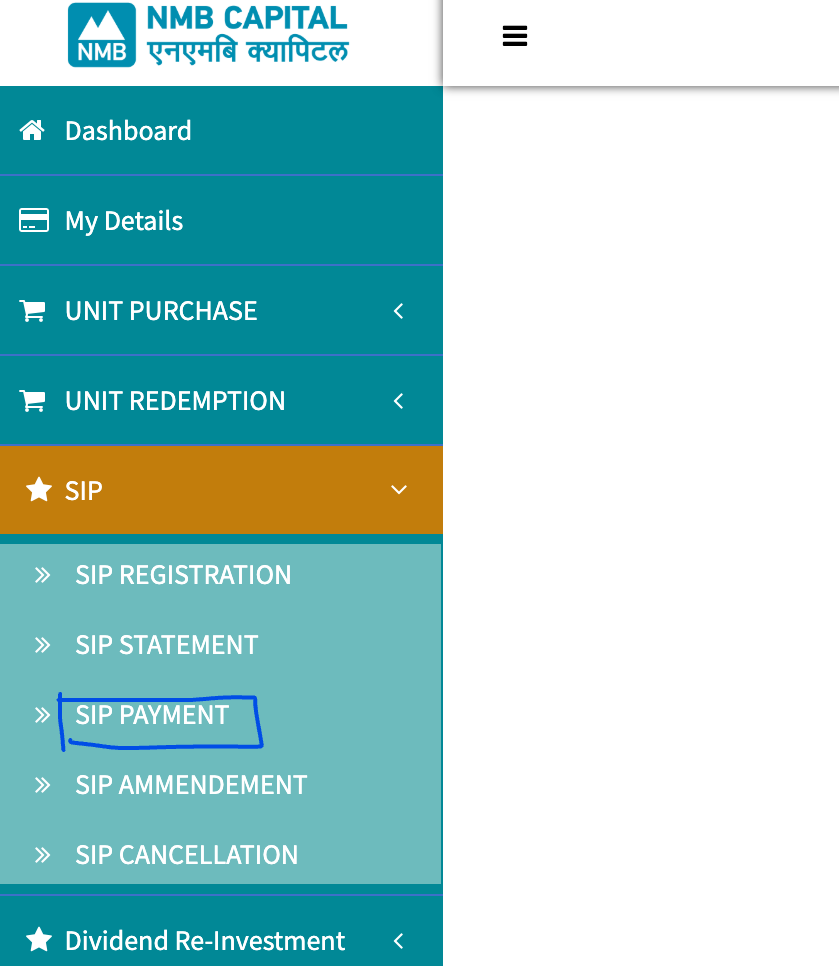
- From the Dashboard, tap on SIP>SIP Payment,
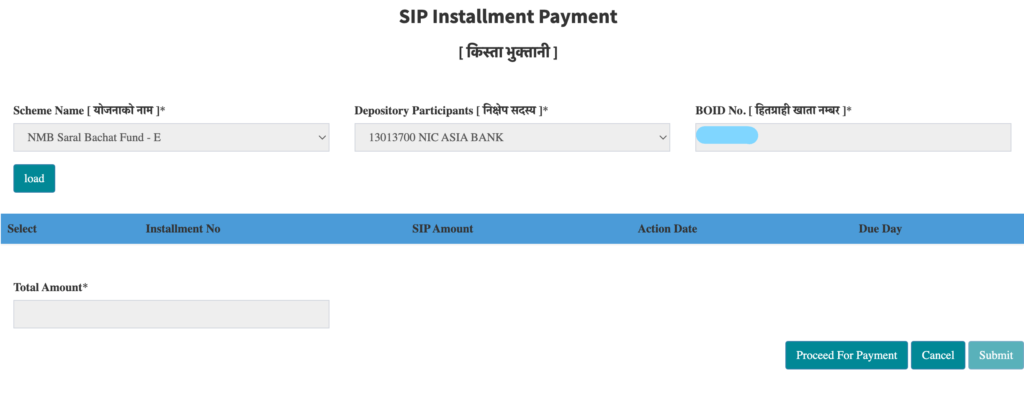
- Now tap on Load to refresh the data; it will show all pending installments to be paid,
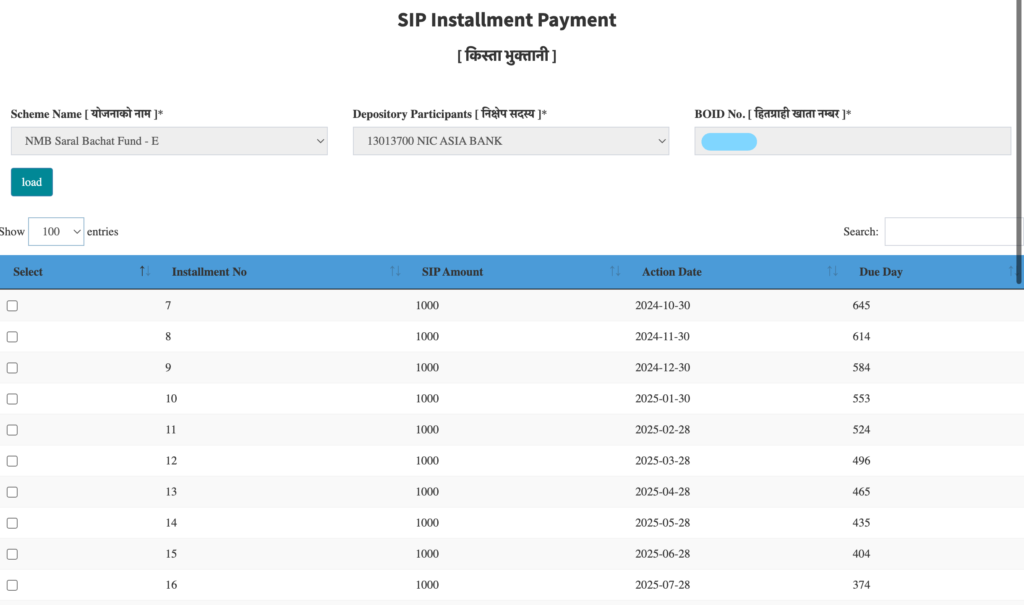
- Now select the Number of Installments that you want to pay; here, out of 23, I am going to pay only for 9 previous installments now,
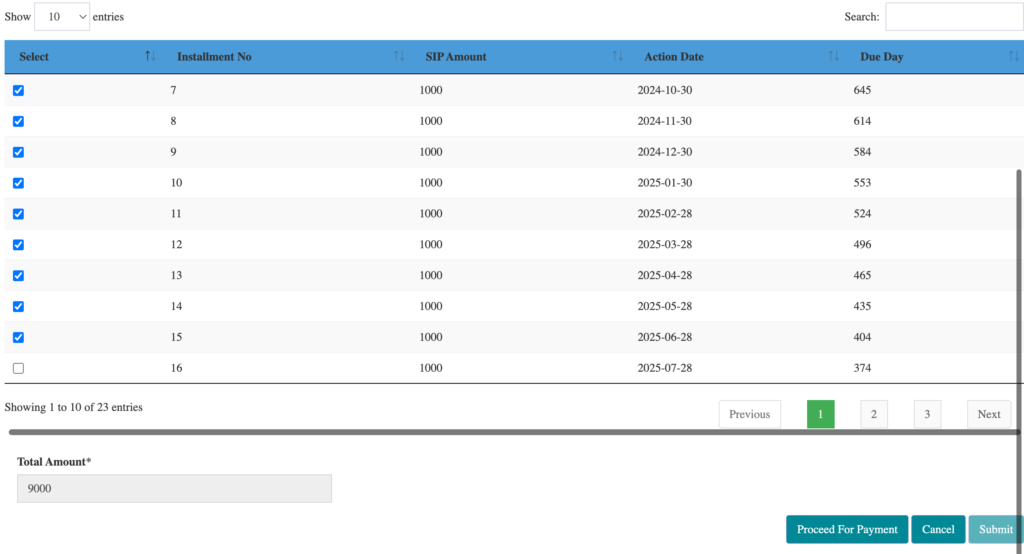
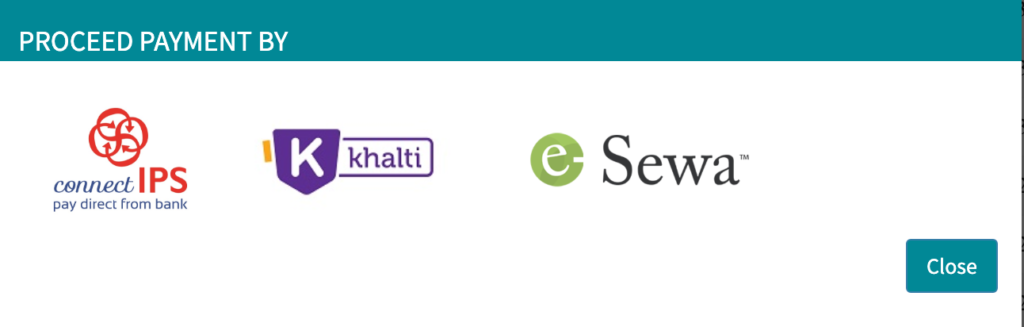
- Then tap on Proceed for Payment; it will show the payment options in a pop-up. Here I am choosing connectIPS,
- Scan the generated connectIPS QR using your mobile banking app; you can also directly log in to your connectIPS user for payment,
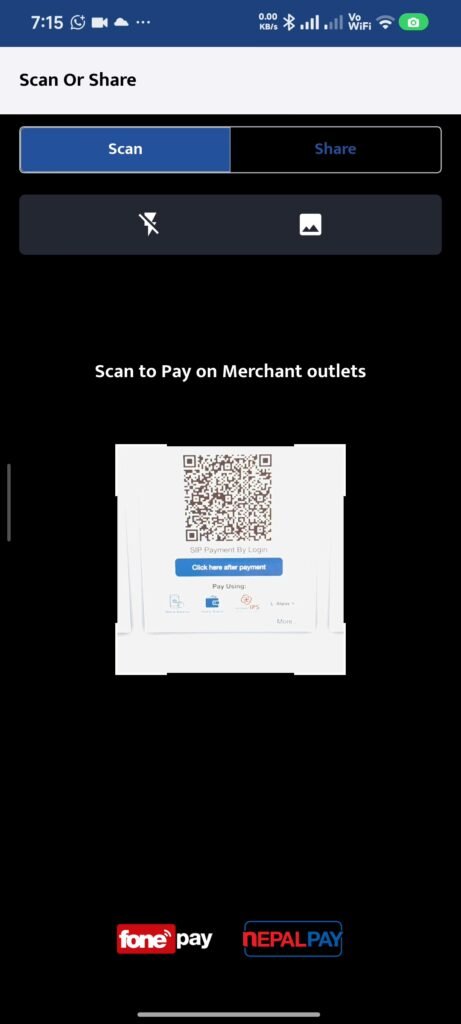
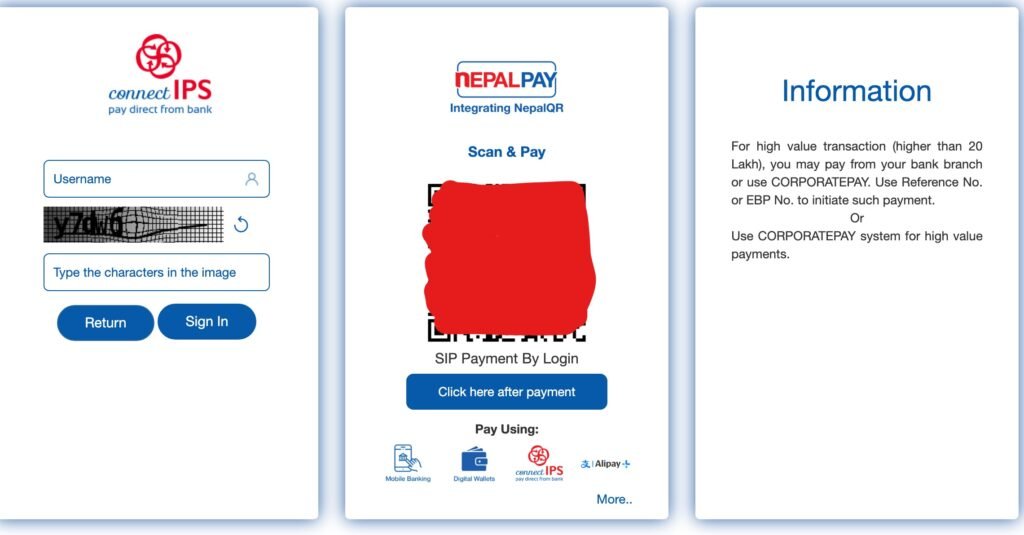
- Proceed with the payment as usual using your mobile banking app,
- After successful payment, it will redirect to the Dashboard of your user, showing a pop-up of transaction successful; tap on Submit,
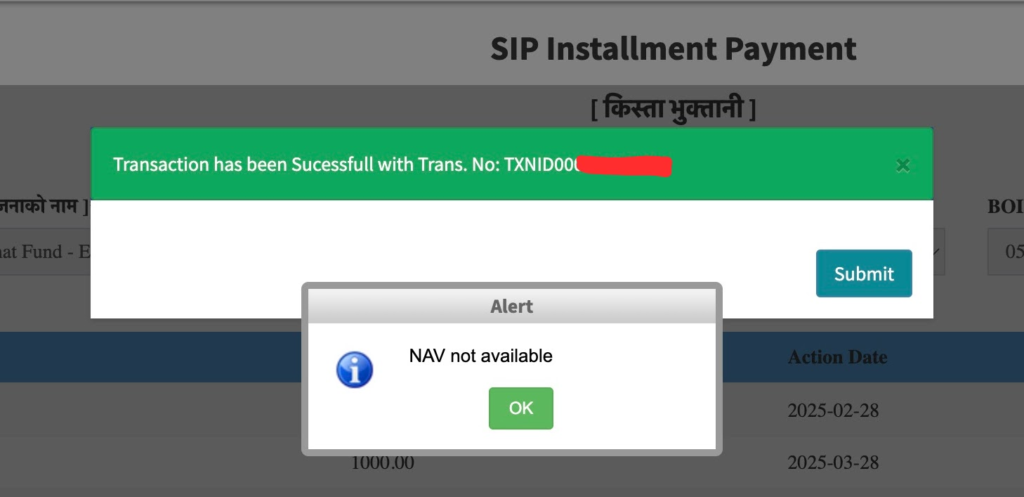
- That’s all for SIP Payment NMB.
Recepit of SIP Payment NMB
Here’s an example showing the receipt that you get from NMB Capital after NMB Saral Bachat Fund SIP payment is successful,
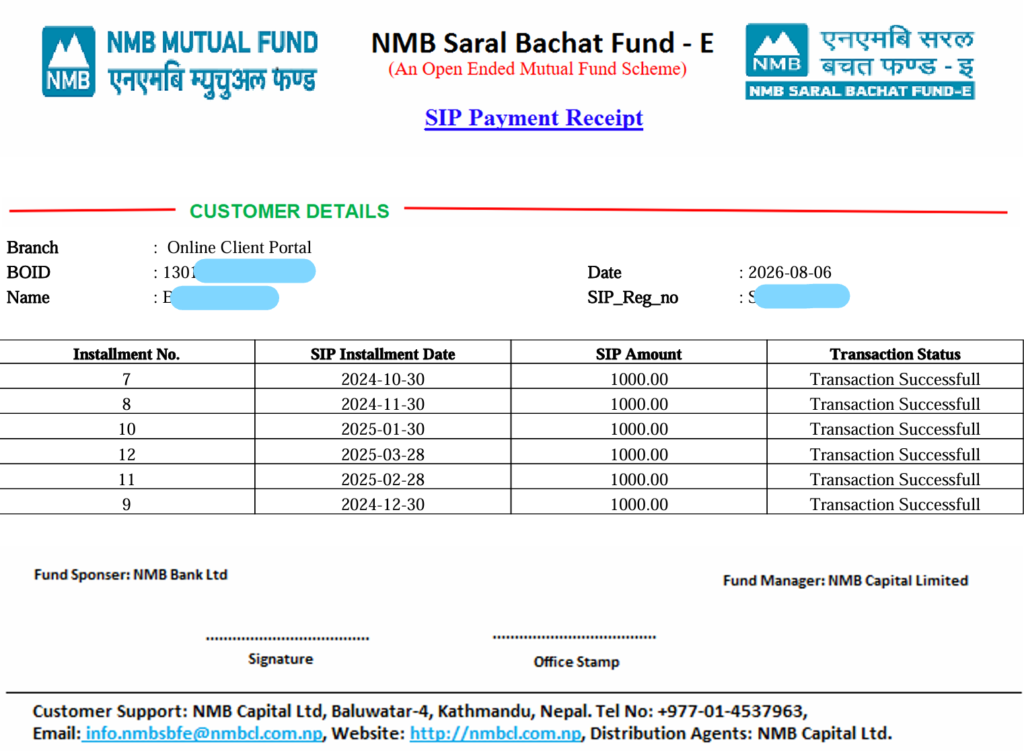
Attention: Although i planned to pay total 9 installment of this NMB SIP, at last i paid the total 6 intsllments only, so here’s the recepit showing the SIP Payment of 6 installment only.
NMB SIP Login Process
- If you are confused in the SIP Login portal, then here’s the simple steps for you,
- Go to the Mutual Fund NMB Portal, click here,
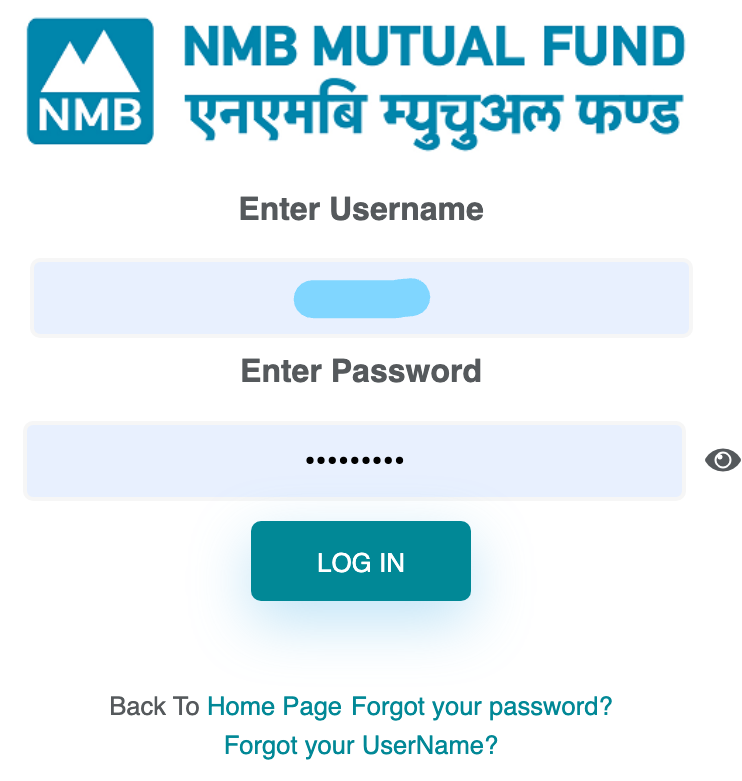
- Enter your Username and Password,
- Tap on LOG IN,
- That’s all; you will be successfully logged in to your SIP Management Portal.
NMB SIP Registration Process (New investors)
If you are new and planning to start SIP Investment with NMB Capital’s NMB Saral Bachat Fund -E, then this tutorial will be helpful for you. Here I have shared complete steps in detail to make it easy for NMB SIP Registration and also the first NMB SIP Payment Installment that you need to make.
- Go to the SIP Registration portal of NMB, click here,
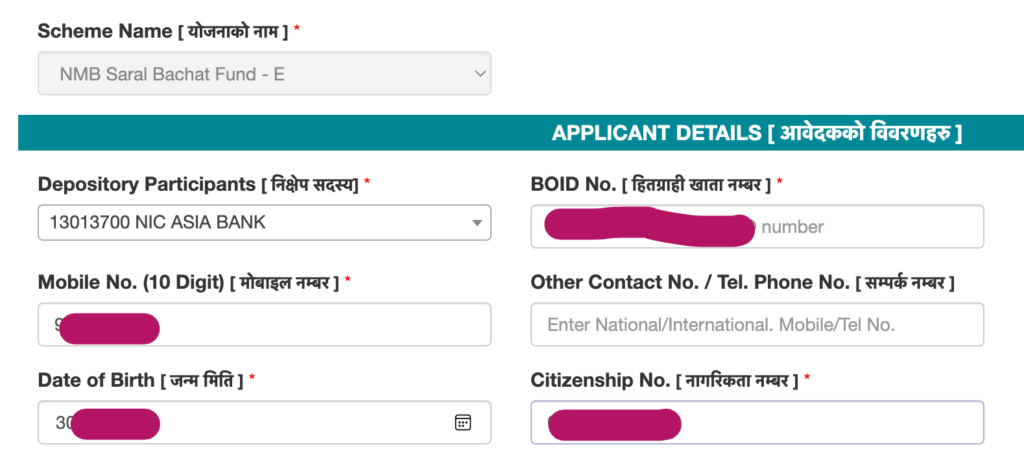
- Fill out the Applicant Details: Select the DP, enter your BOID, Mobile Number, Date of Birth in English Calendar, and Citizenship Number,
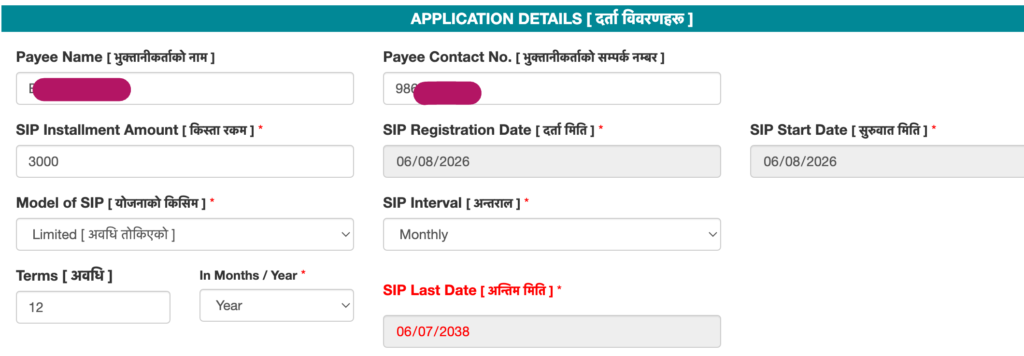
- Enter your name as Payee Name, enter the SIP Installment Amount, select the Model of SIP as ‘Limited – For Fixed Time or Unlimited – For infinite time period’,
- Now set the SIP Interval as Monthly or Quarterly, based on your requirement,
- Set the total tenure of your SIP (this option is shown if you select the Model of SIP as Limited; based on the Model of SIP and tenure you select, it will automatically show the SIP Last Date (Maturity date of SIP),
- Now enter your Bank Details, select the Bank which you want to include as the beneficiary bank and enter account number,

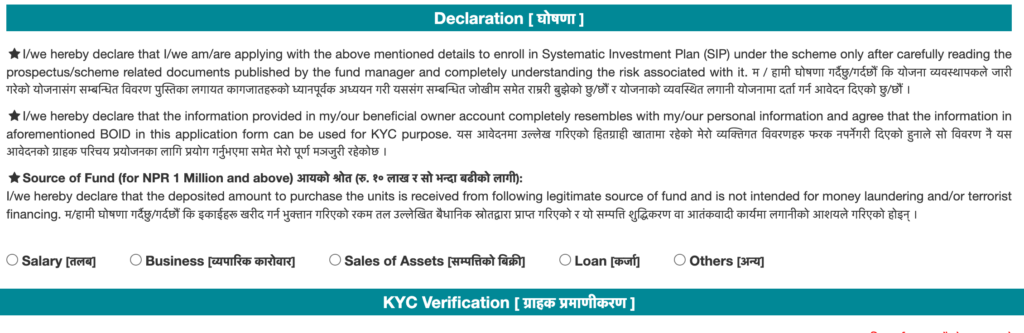
- Select the actual source of funds under Declaration,
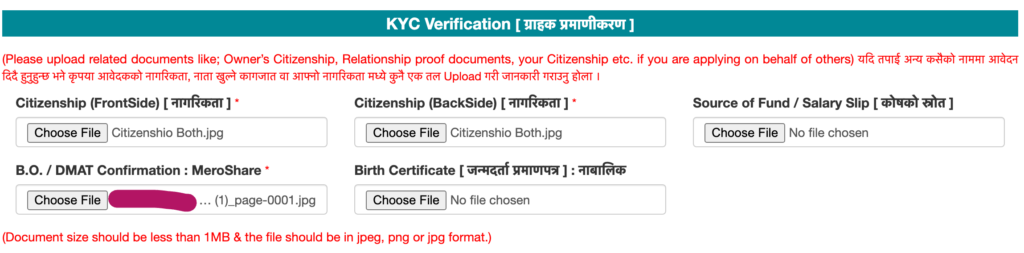
- Now upload your citizenship front & back, DEMAT Confirmation Letter,
- Enter your email and tap on GET OTP, enter the OTP sent to your mail,

- Enroll in the Dividend Re-Investment Plan as per your need; it is better to enable it (tick it),

- Now scroll down and choose the Payment method; here I am choosing connectIPS and tapping on Proceed For Payment to start the first NMB SIP Payment in this registration process,
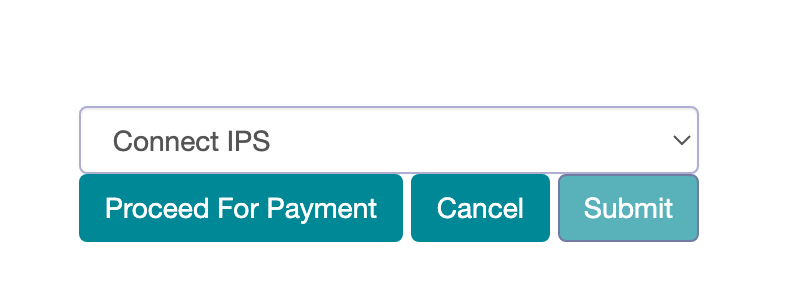
- Enter the login details of connectIPS or directly scan the generated QR using your mobile banking app,
- Confirm the payment; that’s it.
Easy Guides
Depository Participant (DP): Select the bank, capital company, or Depository Participant where your DEMAT account is maintained. This is not necessarily NMB Capital. If you are unsure, check your MeroShare profile, DEMAT confirmation letter, or contact your Depository Participant before continuing.
BOID and Client ID: Your BOID is the complete 16-digit DEMAT account number. The first eight digits identify your Depository Participant, while the final eight digits represent your Client ID. If the NMB Capital registration portal asks you to select a DP and enter a Client ID separately, choose the correct DP and enter the last eight digits of your BOID. Preserve any leading zeros.
Document size and format: Upload only the documents requested on NMB Capital’s official registration portal. File types and maximum sizes may change when the portal is updated, so follow the current instructions shown beside each upload field. Do not rely on document requirements from another capital company.
FAQ
No, they are different entities. NMB Bank holds the subsidiary called NMB Capital for share-related transactions, and NMB Bank deals in banking activities rather than the share and investment part, which NMB Capital carries.
No for investing. Yes for the shortest app payment path.
Using the NMB Capital portal or directly from the MeroShare App, you can check the portfolio of your purchased SIP. For a detailed guide, you can read the SIP Portfolio Guide.
You can estimate your returns on SIP using the SIP Calculator.
Conclusion
NMB SIP Payment can be performed easily using connectIPS. Here I have shared a detailed guide on SIP payment in NMB, including the steps for registration. I hope you get an idea of NMB Saral Bachat Fund SIP Payment & its registration.
Mutual fund investments are subject to market risk. Educational content only — see financial disclaimer.