Here is something that trips up almost every new investor in Nepal: there is no single SIP login page. Your SIP does not live with your bank, and it does not live in MeroShare either. It lives with the capital company — the fund manager — that runs the scheme you signed up for.
So when someone tells me “I forgot my SIP login,” my first question is never about the password. It is always: which capital company holds your scheme?
I have watched colleagues at the branch counter open MeroShare, scroll around for ten minutes, and conclude that their SIP has disappeared. It has not. They were knocking on the wrong door.
This page is the door directory. Every portal, what you need to get in, and what to do when the login refuses to cooperate.
Why there is no single SIP login in Nepal
In Nepal, an open-ended mutual fund SIP is registered directly with the fund manager (the “capital” company), not with the commercial bank whose name is on the scheme or with the TMS account required to buy/sell every share traded in NEPSE.
That distinction is the source of most login confusion. A few examples of how the naming works:
- You bank with Nabil Bank, but your SIP account sits with Nabil Investment Banking.
- You bank with NMB, but the SIP sits with NMB Capital.
- You bank with NIC Asia, but the SIP sits with NIC Asia Capital.
So, you need to note that your commercial bank’s mobile app is only the payment rail. It is where money leaves. The capital company’s portal is where your units, NAV, and statement live. Also, it is not required that you have that bank’s account for their SIP; for NIBL SIP, it’s not required to have a Bank Account with NIBL Bank. Once that clicks, “sip login” stops being confusing.
SIP Login in Nepal: Every Capital Portal Login and Registration Link
The three separate accounts every SIP investor has
| Account | What it is for | Where you log in |
|---|---|---|
| Demat / BOID | Holds your units electronically | Your DP (bank or broker) |
| MeroShare (C-ASBA) | IPO applications, portfolio view | meroshare.cdsc.com.np |
| Capital company portal | Your actual SIP — registration, installments, statement | The fund manager’s own site |
If you are looking for your SIP, you want the third row. Every single time.
Related: if you have not opened these yet, start with How to Open a SIP Account in Nepal.
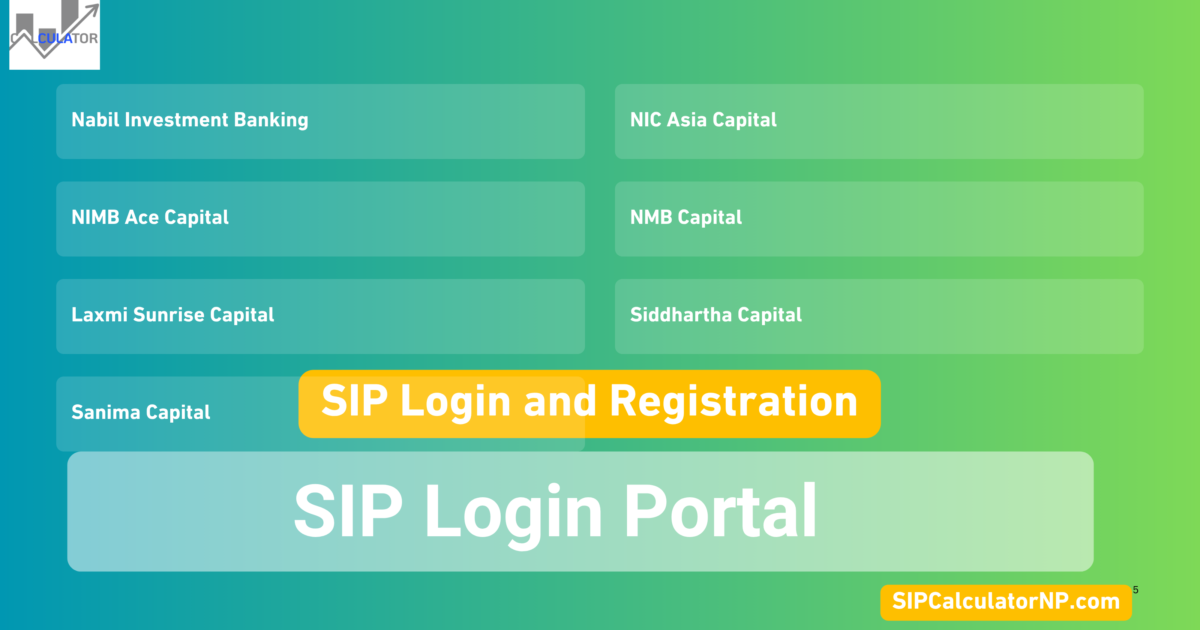
SIP login portal directory (all major Nepali capital companies)
Bookmark the one that matches your scheme. I have deliberately left the URL column for you to confirm on the day you publish, because fund managers occasionally move their portals and a stale link is worse than no link.
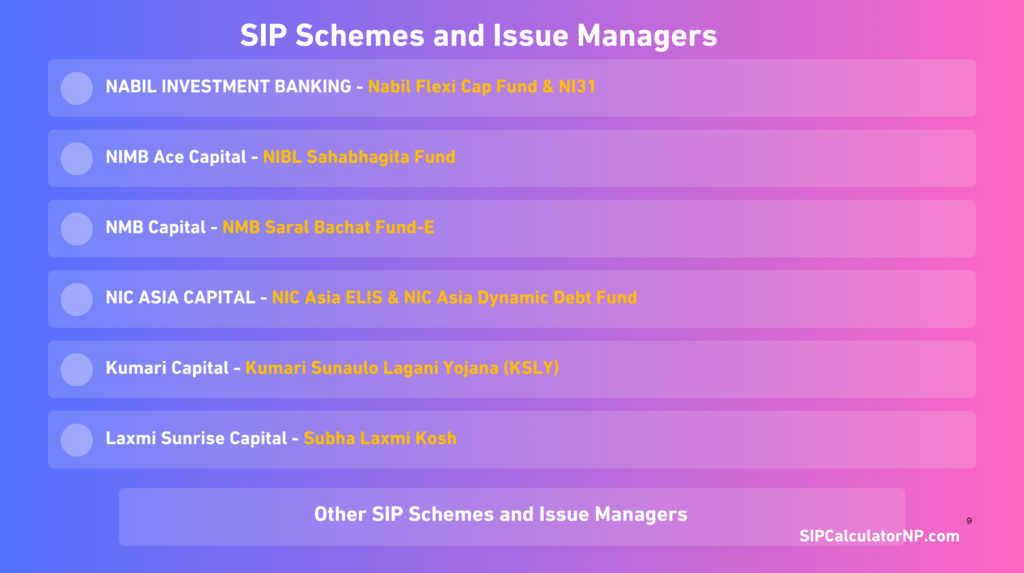
- Issue manager Nabil Investment Banking SIP scheme NI 31 Login Portal
- Issue manager Nabil Investment Banking SIP scheme Nabil Flexi Cap Fund Login Portal
- Issue manager NIMB Ace Capital SIP scheme NIBL Sahabhagita Fund Login Portal
- Issue manager NMB Capital SIP scheme NMB Saral Bachat Fund – E Login Portal
- Issue manager NIC ASIA Capital SIP scheme NIC ASIA Dynamic Debt Fund Login Portal
- Issue manager NIC ASIA Capital SIP scheme Nic Asia ELIS Login Portal
- Issue manager Kumari Capital SIP scheme Kumari Sunaulo Lagani Yojana (KSLY) Login Portal
- Issue manager Siddhartha Capital SIP scheme Siddhartha Systematic Investment Scheme (SSIS) Login Portal
- Issue manager Laxmi Sunrise Capital SIP scheme Shubha Laxmi Kosh (SLK) Login Portal
- Issue manager Machhapuchchhre SIP scheme Machhapuchchhre SIP Yojana Login Portal
- Issue manager Prabhu Capital SIP scheme Prabhu Systematic SIP Scheme Login Portal
- Issue manager Sanima Capital SIP scheme Sanima Flexi Cap Login Portal
- Issue manager Citizens Capital SIP scheme Citizens Sadabahar Yojana Login Portal
A word of caution before you click anything. Search results for “sip login nabil” or “sip payment nmb” sometimes surface look-alike pages. Before you type a password, make sure you are on the right domain that belongs to that issuer manager or capital company. Like your bank, no fund manager in Nepal will ask for your MeroShare password, PIN, or anything without your mobile banking PIN on the SIP Login Portal.
What you need before you can log in (Requirements before Login)
Keep these four things within reach. Ninety percent of failed logins come down to one of them being wrong.
1. Your 16-digit BOID. This is your Demat number. Many portals use it as the username, or ask for it during password reset. You will find it in your MeroShare profile or on your DP’s account-opening slip.
2. The email address you registered with. Not your newest Gmail — the one you gave during SIP registration. OTPs go there, and portals match on it exactly.
3. Your username and password. Created at signup, which is a separate step from opening a Demat account.
4. Your mobile number. Some portals send the OTP by SMS instead of email.
If any of those four have changed since you registered, the login will keep failing no matter how many times you retype the password. You need to update the record with the capital company first, which usually means a written request or a visit.
How to log in to your SIP portal
The general shape for login for every SIP portal is the same. After visiting the SIP login portal, you have to enter your username or BOID (half or 8 digits), user password, and log in to the dashboard. From the dashboard, it shows all your SIP units, installment history, and everything you need to have.
The specifics differ enough that generic instructions are useless. Below is the exact flow, portal by portal with actual procedures.
SIP registration: getting a login in the first place
If you have never created a portal account, there is nothing to recover — you need to register. “SIP register” and “SIP sign up” are searched thousands of times a month in Nepal, and the reason is that most people assume the bank creates the login for them. It does not.
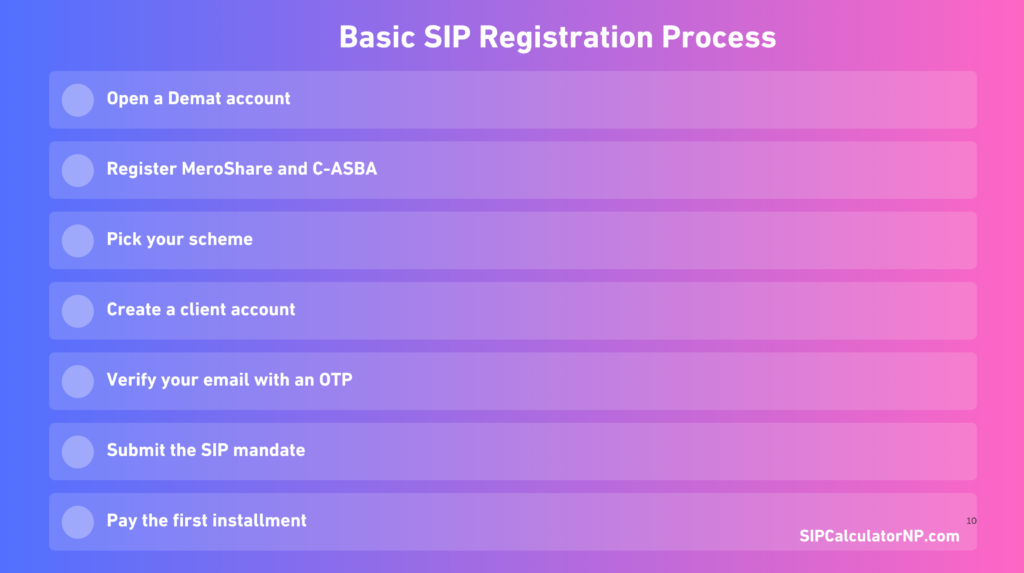
The sequence, in the order it actually happens:
- Open a Demat account with a DP. You get a 16-digit BOID.
- Register MeroShare and C-ASBA through your bank. Needed for the wider capital market, and often for verification.
- Pick your scheme — decide which open-ended fund you want before you sign up anywhere.
- Create a client account on that fund manager’s portal using your BOID, citizenship number, name and date of birth exactly as they appear on your ID. It’s the SIP registration process.
- Verify your email with an OTP, then set your username and password.
- Submit the SIP mandate — amount, frequency, start date.
- Pay the first installment to activate the plan.
The step people skip is number three. If you register on the wrong portal, you end up with a login that works perfectly and shows nothing, because your scheme is elsewhere.
Once the account exists, the payment side is covered separately in the SIP payment guide for all major schemes.
Login problems and how to actually fix them
These are the five I get asked about most, roughly in order of frequency.
“Invalid BOID” even though the number is right
BOID has a total of 16 digits, which are generally longer. We’re not used to keeping the number or holding it for a while before entering it, so the BOID may be entered incorrectly. So, type it manually by writing somewhere or copy without mistake. Make sure you type the correct BOID without fail.
The OTP never arrives.
Check the spam folder first — capital portal mail often lands there. If it is genuinely missing, the email on file is probably an old one. Portals will not tell you which address they sent to, for security reasons, so you may need to contact the capital company directly to confirm and update it.
Also give it a few minutes before requesting again. Requesting repeatedly can temporarily block further OTPs.
Forgot password, and reset does nothing
Password reset almost always keys off the registered email or BOID. If either has drifted from what the fund manager holds, the reset silently fails. This is the point where email or phone gets you nowhere and a written request to the capital company is faster.
Account locked after failed attempts.
Most SIP portals lock the user out for the login process after a set number of wrong attempts, up to a certain number of times at a time. So, wait it out rather than trying again from a different browser, which sometimes extends the lock.
Logged in, but the dashboard shows no units.
Possible reason for not showing SIP units:
- Your first installment has not been processed yet. SIP unit allotment takes time; it happens after payments are clear and NAV is applied, so wait for a few business days after your SIP payment.
- You are logged into the wrong capital company’s portal. For example, NIC Asia ELIS and NIC Asia Dynamic Debt Fund have different portals.
- The payment failed silently. Check your bank statement for a debit; if money never left, no units were bought.
Keeping your SIP login secure
This is a financial account holding real money, so treat it like one.
Use a password you do not use anywhere else. Do not save it in a browser on a shared office computer — I have seen this at branches more often than I would like. Never share an OTP with anyone who calls claiming to be from the capital company; staff does not need your OTP to help you. And after checking your portfolio on someone else’s phone, log out properly instead of just closing the tab.
If you receive an SMS or email about a SIP transaction you did not make, contact the capital company the same day.
Frequently asked questions
No. MeroShare allows you to show all the holdings in your DEMAT Account. As SIP is also part of a mutual fund and held in your DEMAT Account, it only shows the SIP units after some days of allotment confirmation from your Issue Manager. It doesn’t show SIP registration, installments, and mandate, etc.
No. They are separate systems with separate credentials and user interface. Mobile banking is used to pay the installment; the portal is where the SIP itself is managed.
Yes, one per capital company. There is currently no unified SIP dashboard in Nepal covering every fund manager.
Yes, most of the capital companies like NMB Capital allow you to update the contact details by writing a proper handwritten application and sending it with the registered email (currently maintained at your SIP).
Registration and Account Creation are two different actions on most portals. Every Issue Manager’s portal allows the user to either start SIP with SIP Registration or also create a user with theme to manage and register the SIP easily. So, make sure what you are doing and what your intent is and what extra options are available with that issue manager and your SIP.
No. Portal access is free. The costs in a SIP are the fund’s own charges — DP charges, entry or exit loads where applicable, and fund management fees.
If you are still deciding whether to start at all, the fuller explanation is in SIP in Nepal: a beginner’s guide.
And if you hit a portal problem I have not covered here, tell me on the contact page. I keep this directory updated as portals change, and reader reports are usually how I find out first.