

To start a mutual fund SIP in Nepal, first choose an eligible open-ended scheme, then follow its fund manager’s current registration and payment process. Requirements vary by scheme and channel. This guide gives a practical checklist and a NIMB Ace Capital example without assuming every portal uses the same steps.
How to Open a SIP Account in Nepal (Step-by-Step)
You may be able to register online or through a branch, depending on the scheme. These five steps show what to check before submitting an application and making the first payment.
Step 1: Gather Your Required Documents
Check the chosen fund manager’s official checklist before applying. Many open-ended SIP portals ask for a 16-digit BOID linked to a DEMAT account, identity details, contact information and a bank account. MeroShare access or a CRN may be needed for a particular application or payment route, but neither is a universal requirement for every SIP registration.
Step 2: Choose Your Mutual Fund Scheme
Compare eligible schemes by investment objective, asset mix, risk, fees, liquidity, NAV history and official reports. An equity-oriented, debt-oriented or mixed fund can behave differently, and a debt fund can still lose value. A scheme’s bank name or recent dividend does not make it the best choice for you. Read the offer document and confirm that SIP registration is currently open.
Step 3: Register on the Capital’s Portal
Start from the fund manager’s official website, then follow its link to the SIP registration portal or use its branch instructions. Check the exact domain before entering your BOID, identity details or bank information; a search advertisement or lookalike login page is not proof that a portal is official.
On the verified portal, provide only the information requested for that scheme. Check that your name, BOID and bank details match your records before submitting; keep the application reference for follow-up.
An active email address and phone number can help with OTPs and notices. Follow the exact requirements shown by the fund manager; they vary by portal.
Step 4: Set Your Monthly Amount and Date
Choose an installment amount and interval that fit your budget and the scheme’s current minimum. Available frequencies and payment dates differ by fund. If you prefer a date after payday, allow enough time to keep the required balance before the debit; no date guarantees a successful payment.
Step 5: Setup the Payment Mandate
Complete the first payment using a method the fund manager currently accepts. If the scheme offers recurring payments, review the mandate terms and authorization status. Registration or mandate approval alone does not prove that an installment was collected or units were allotted.
- eSewa: Use it only if the scheme’s official portal lists eSewa for SIP installments. Follow the fund manager’s current payment instructions, confirm the reference number and amount, and keep the receipt. Do not assume future installments will be scheduled automatically.
- ConnectIPS or e-mandate: If the fund manager offers this route, complete authorization through its official process and check any limits or fees. Then verify each bank debit and the corresponding unit allotment; failed debits can still occur.
Process to open SIP in NIBL Sahabhagita Fund (NIMB Ace Capital)
The following NIBL Sahabhagita Fund example illustrates a possible NIMB Ace Capital registration flow. Portal labels and required steps may change, so verify each screen against the fund manager’s current official instructions before entering personal or bank details.
Step 1: Creating an Account with NIMB Ace Capital
- Visit the NIBL Mutual Fund Portal, click here.
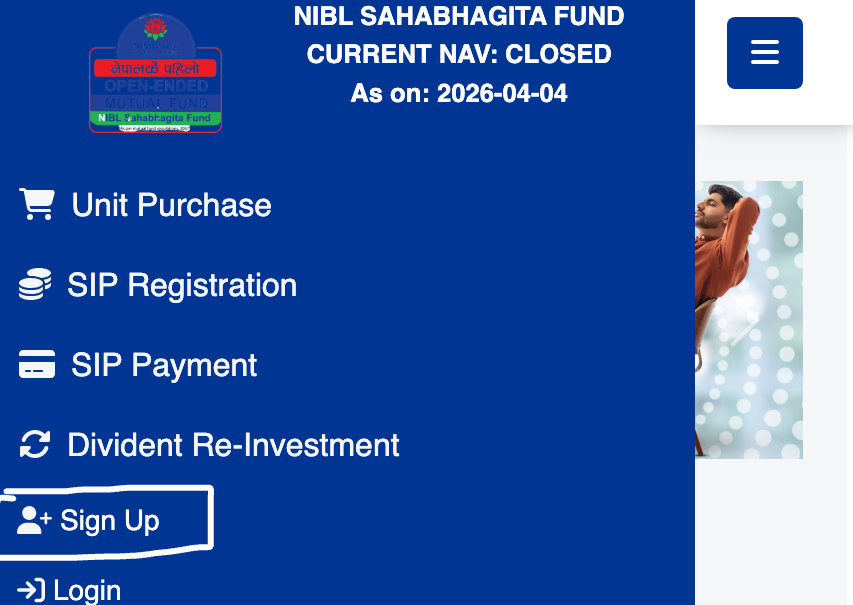
- Tap on Option (Three Dot Line showing in left side of your phone’s screen or you directly see it in the home page if you are in desktop),
- Now tap on Sign Up, and it will redirect you to the Client Sign Up page.
- Now fill out the details like BOID No [ हितग्राही खाता नम्बर ] * – 16 Digit Demat Account no.,
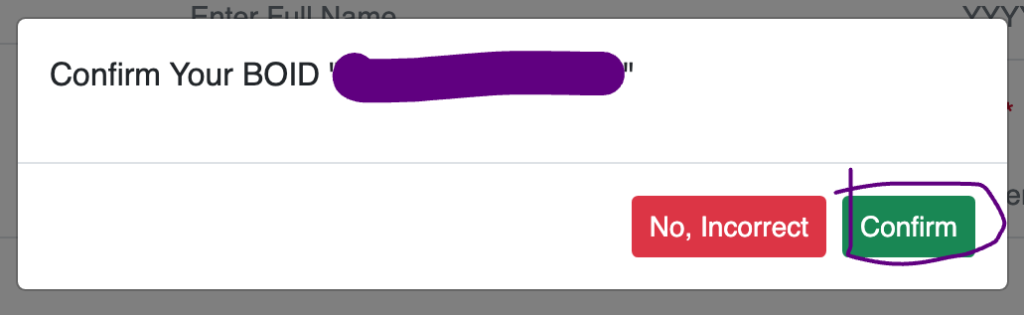
- Confirm the Pop-up after checking that the entered BOID is correct, if correct then tap on Confirm.
- Fill out other personal and communication details as mentioned, your citizenship ID No., Full Name and Date of Birth as per ID in English,
- Now, enter the email ID and then tap on Get OTP, enter the OTP and validate the Email Address.
- After that, tap on Proceed To Sign Up,
- Now create a Username and Password,
- That’s all.
Step 2: Purchasing/ Starting SIP with first Installment
After registration, check whether the scheme requires a separate unit-purchase request and first installment. Follow the current portal instructions, save payment evidence, and confirm that units appear in your account after allotment.
- Get logged in to the Portal, from the same link above,
- Enter your Username and Password,
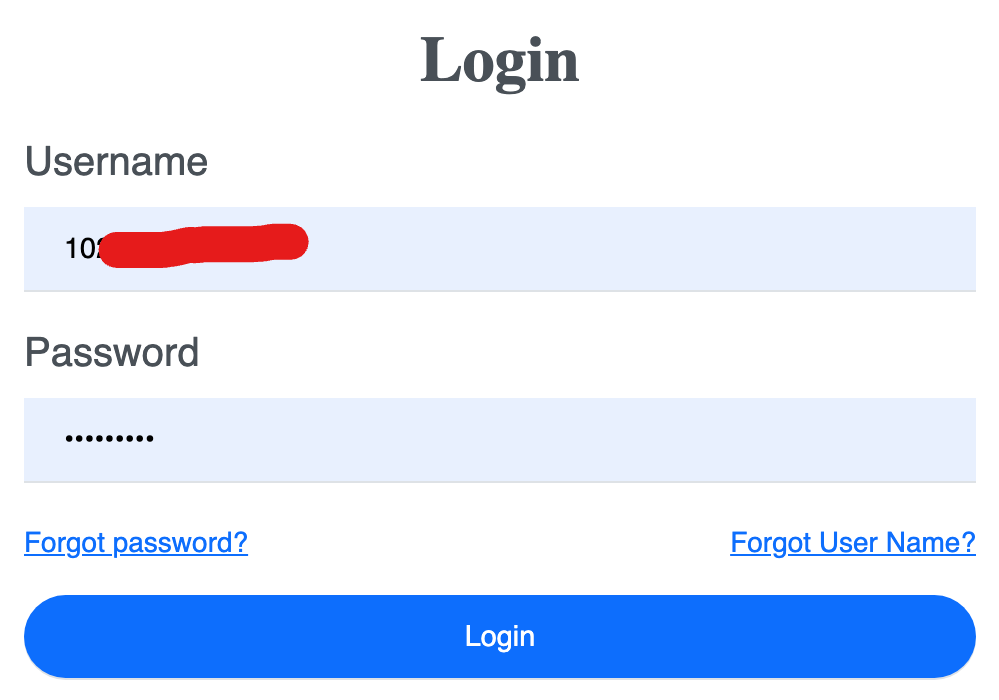
- Tap/click on Login,
- Tap on Option from Dashboard (in Mobile View), in desktop view, you simply see the opened option on the left side.
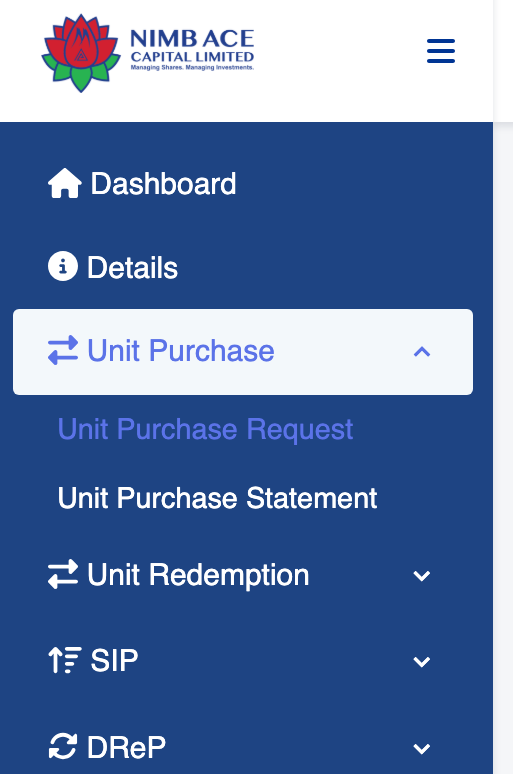
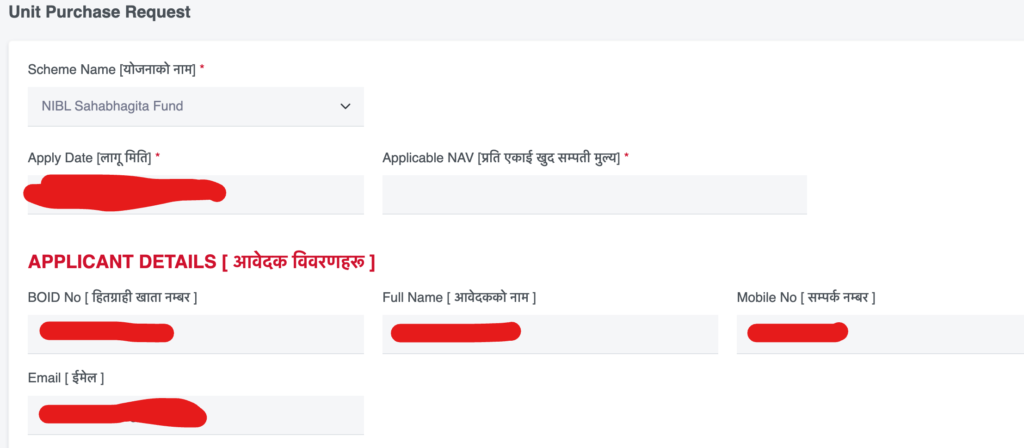
- Now tap on Unit Purchase>Unit Purchase Request,
- Fill out the details for Unit Purchase. That’s it.
You can also check the Process to Open Nabil SIP (NI31 & Nabil Flexi Cap), Go Here.
Conclusion
Opening a SIP is only the start. Keep your registration and payment references, review each debit and allotted units, and contact the fund manager through its official channel if a payment is missing. Invest an amount that fits your finances and remember that mutual fund values can rise or fall.


💬 4 Comments