SIP Payment automation simplifies managing your investments with Nabil’s mobile app, making your SIP payments effortless and efficient.
What is SIP Payment Automation?
SIP Payment automation is the systematic process of making payments of your SIP Payment at the preset frequency of your SIP Plan. It’s an advanced e-mandate feature of SIP used to automatically pay the SIP Installment amount from your nBank (Nabil Bank Mobile Banking App).
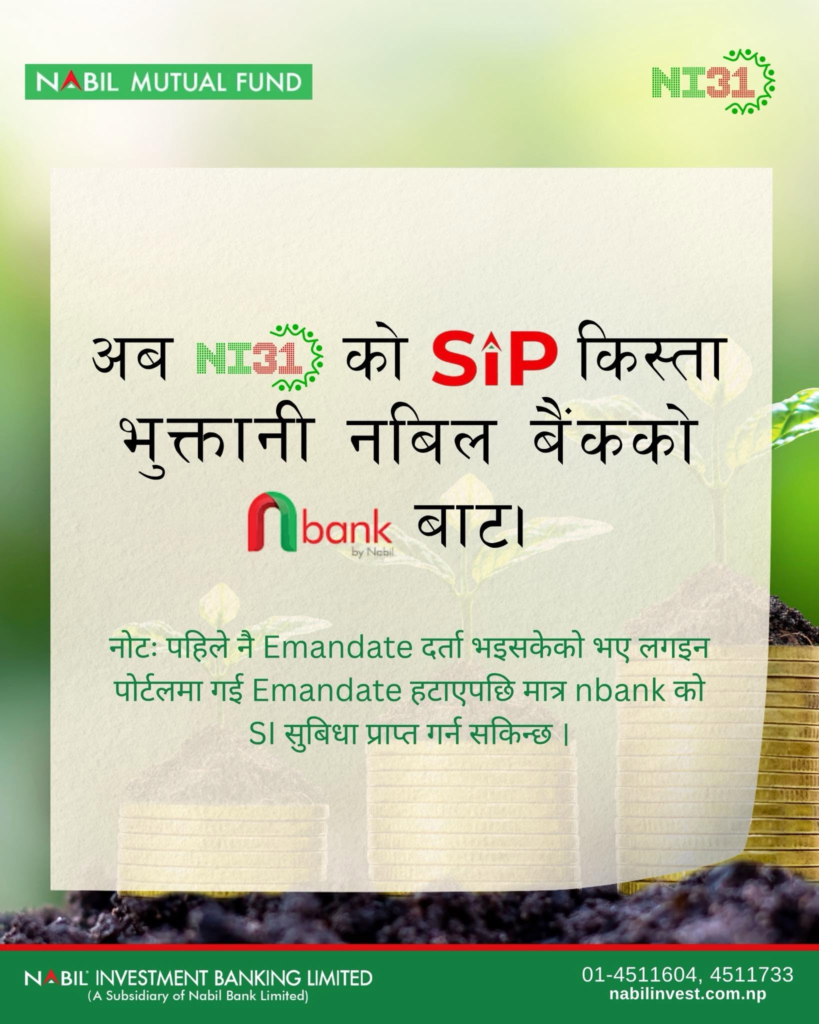
nBank SIP Automation vs E-Mandate (NCHL IPS)
If you logged in to your SIP Login page of your SIP Issue Manager, then there you will find an option called E-Mandate. An E-Mandate is a digital instruction to authorize the linked banks in ConnectIPS to automatically deduct a set amount from your linked & choosen bank account at regular intervals.
To enable automatic payments, select the Schedule Payment option in nBank’s Investment menu, streamlining your SIP management.
Also, you can easily manage and set this process in your nBank without visiting your Issue Manager SIP Login page.
Requirements for SIP Payment Automation for Nabil SIP
As I said earlier, this SIP Payment automation needs certain steps. Here are the few requirements that you must have before proceeding with the SIP Schedule payment in nBank by Nabil Bank.
- 16 Digit BOID, your DEMAT Account Number
- nBank Mobile Banking App by Nabil Bank
- Subscription of Nabil SIP (NI 31, Nabil Flexi Cap Fund)
Process for nBank SIP Payment Automation
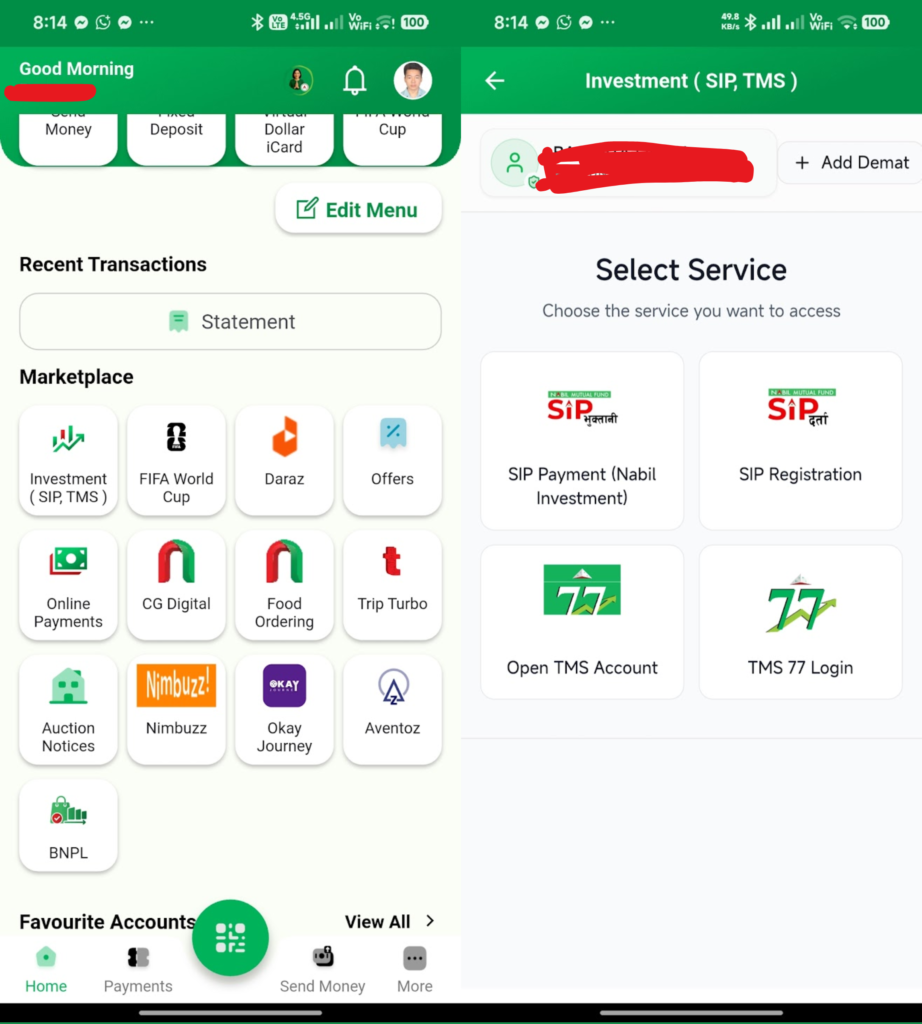
- Get logged into your nBank Mobile Banking App,
- Scroll down to the Marketplace area, and choose Investment (SIP, TMS),
- Select SIP Payment (Nabil Investment),
- Now tap on Add DEMAT,
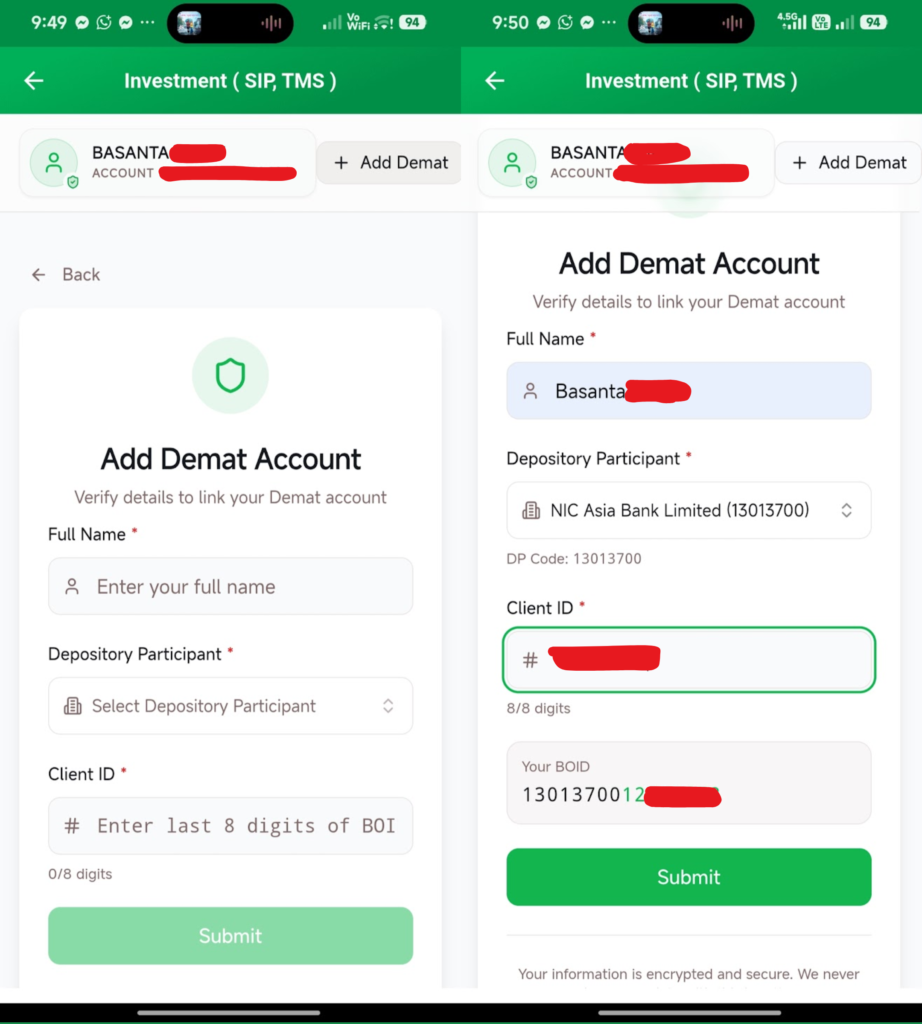
- Under Add Demat Account, enter your Full Name, choose Depository Participant, and enter the Client ID, and then Submit,
- Full Name: Your Full Name as per DEMAT (or Valid ID)
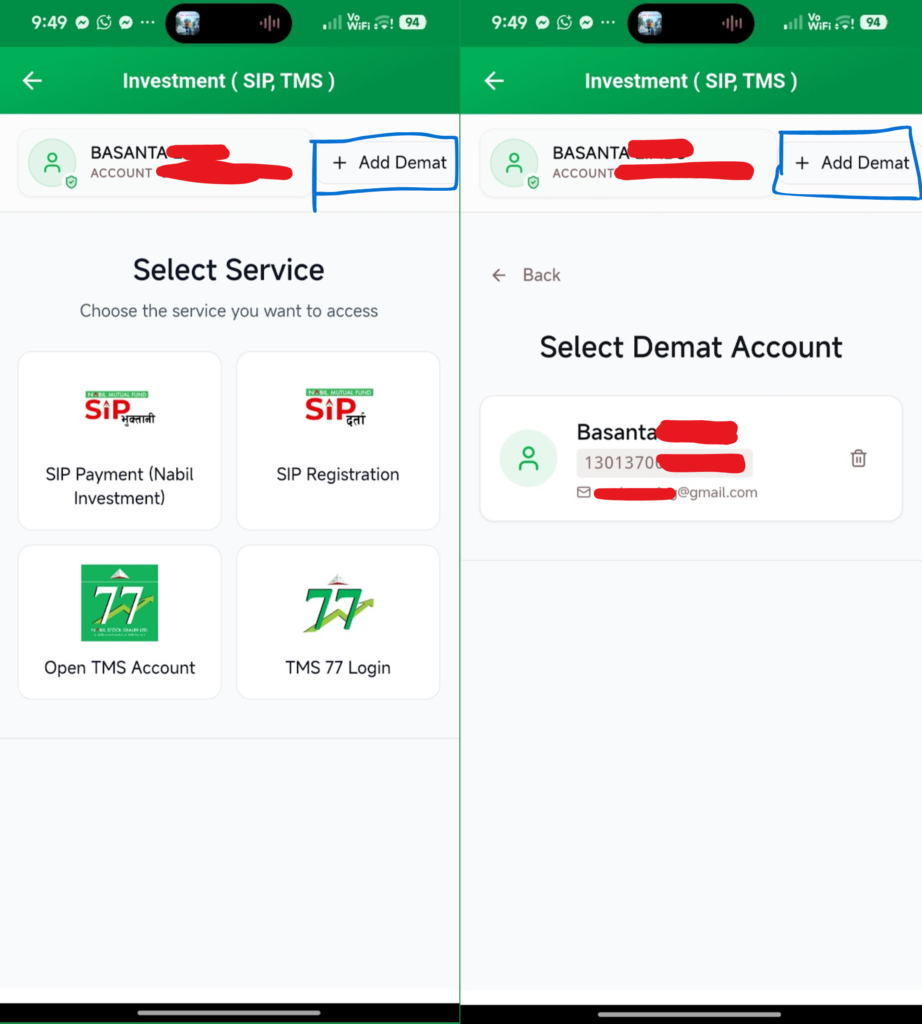
- Ensure your DEMAT Account is linked correctly by choosing the DP that matches your DEMAT details, giving you confidence in the setup process. Also, you must need to have already Subscribed SIP from nabil Investment (anyone). Also, in my case i have already demat so here i am adding another DEMAT Here,
- Enter the OTP, and send it via Registered Mail. After that, it will show the DEMAT Inside Investment (SIP, TMS),
- Now select the DEMAT Account for which you want to proceed with the SIP Installment payment or want to automate the payment by scheduling it.
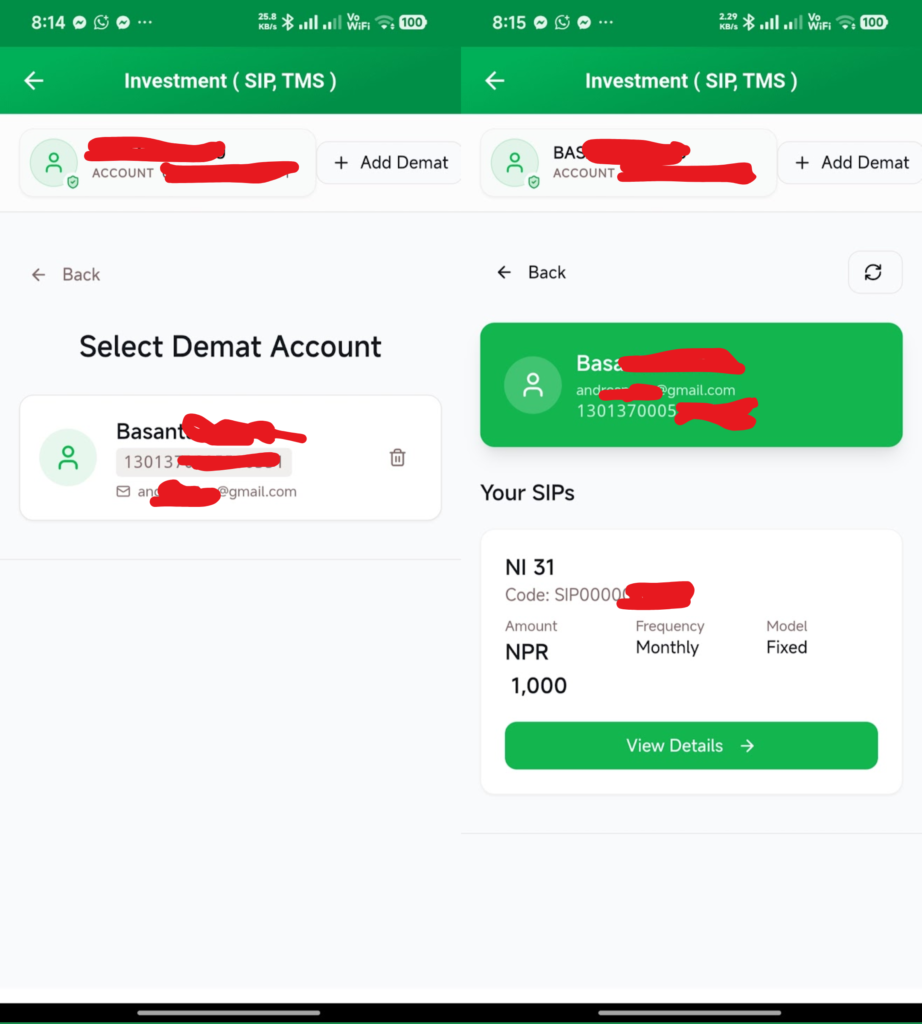
- Tap on View Details, here you will get all information about your Subscribed SIP Plan with current NAV, Frequency, Installment amount, Start-Next Installment-End Date,
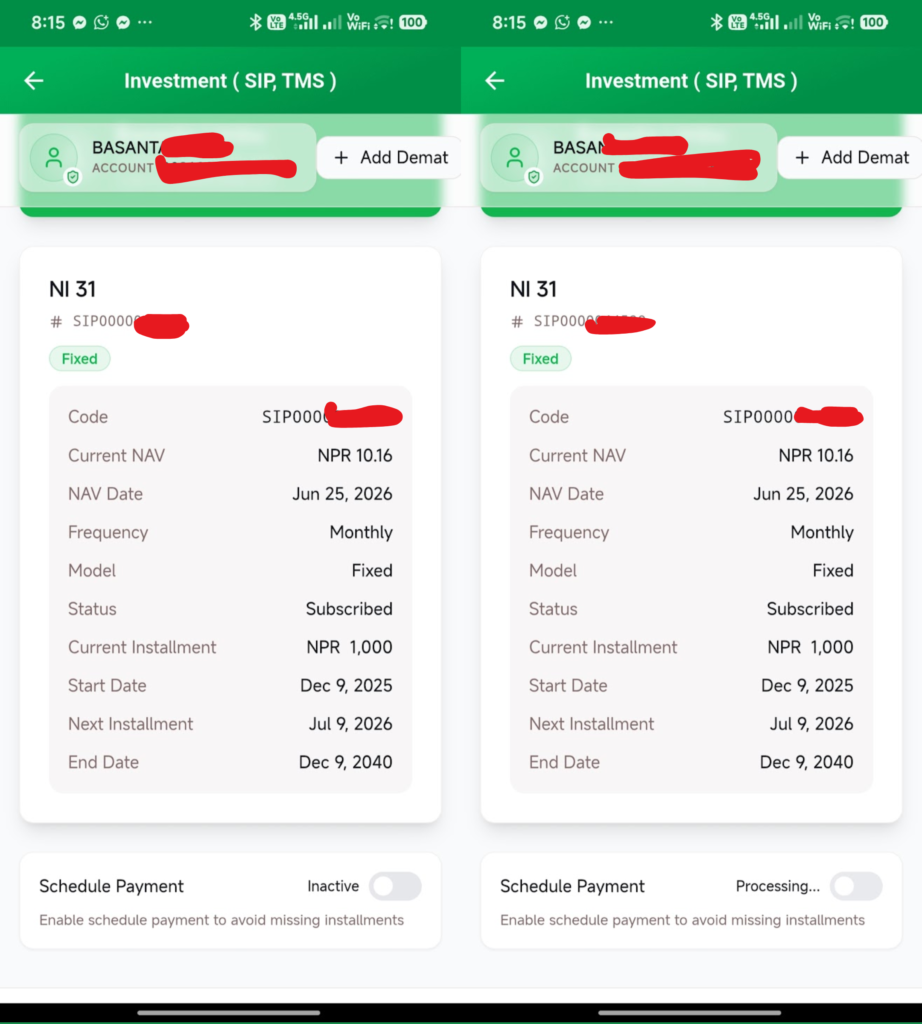
- Tap on the Schedule Payment toggle to enable it,
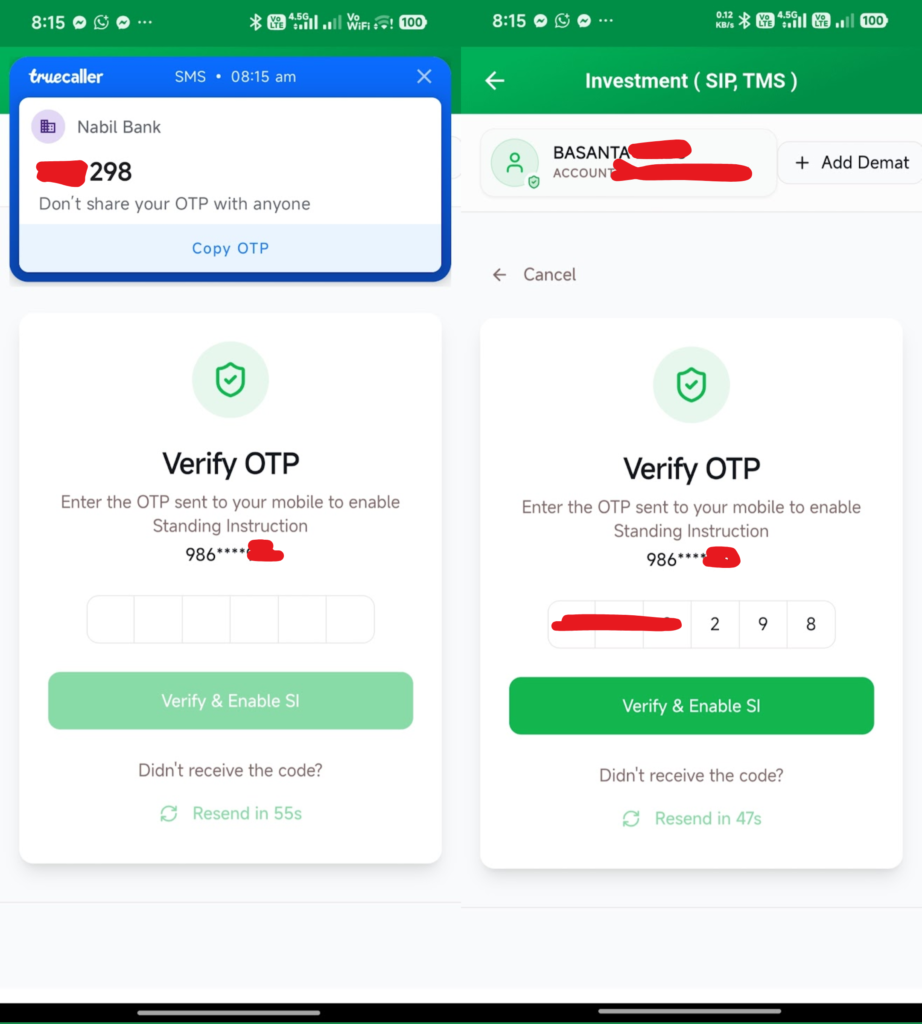
- Now enter the OTP sent to your mobile number, and tap on Verify & Enable SI,
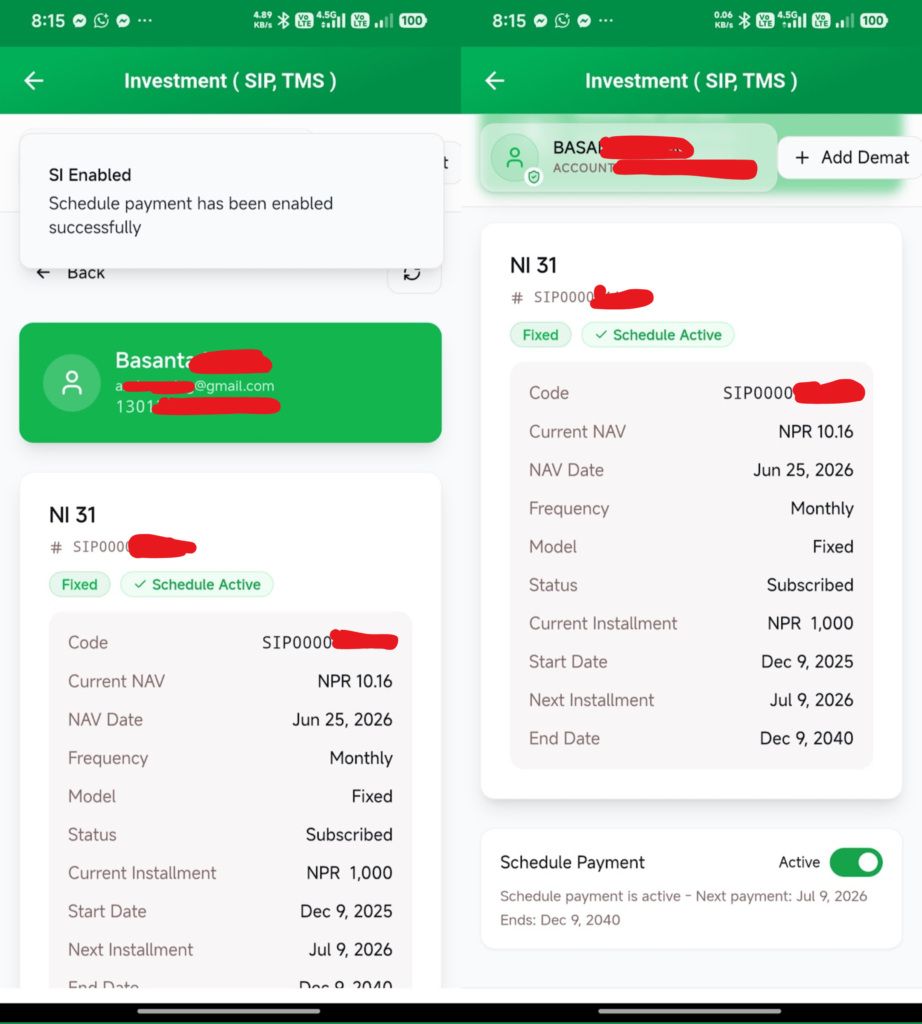
- That’s all. You have enabled the automatic SIP Payment without worrying about the next installment date and manual processing.
Unable to Schedule: ‘The SIP has an E-Mandate enabled’
It’s the most common problem seen if you have already enabled the E-Mandate in your SIP Plan. If you don’t know, then it can be turned on and off easily by logging into the SIP Page of Nabil Investment Banking. Here are the steps for you,
- Visit the SIP Login Page of Nabil Investment Banking, click here,
- Tap on the E-Mandates option there, now it shows all E-Mandate Enable Schemes,
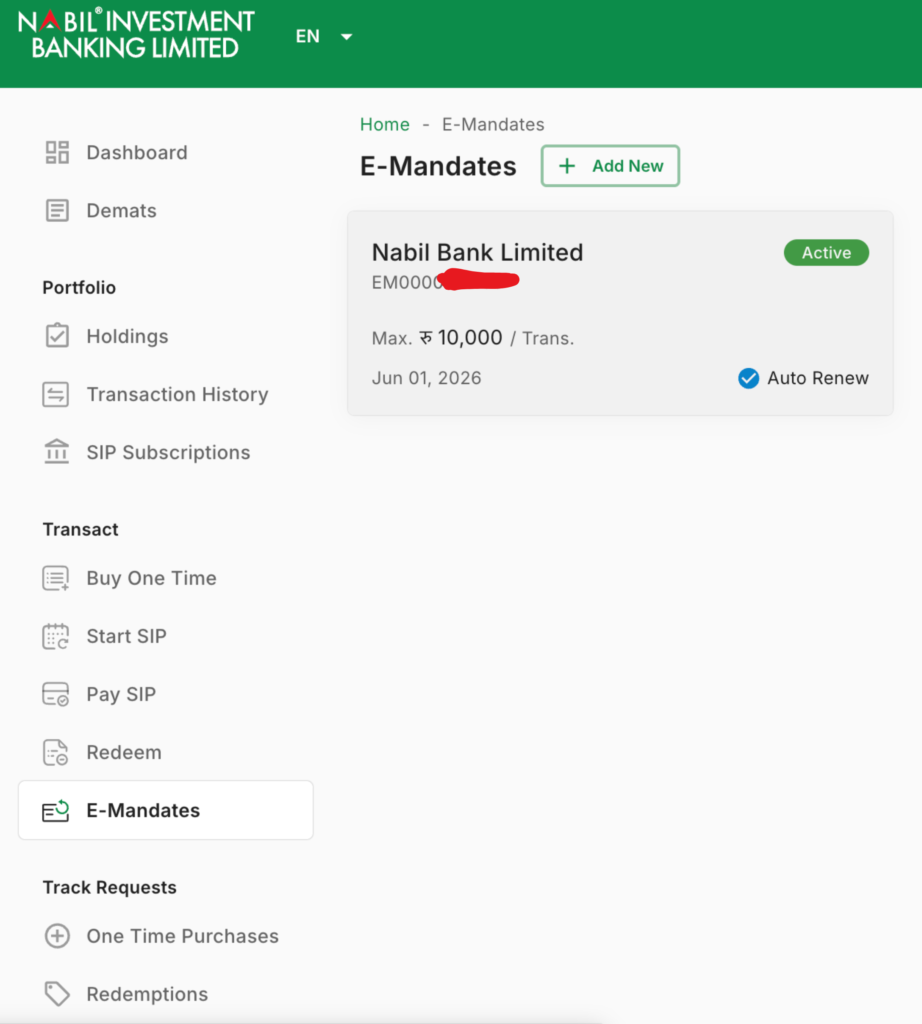
- Now tap on the Cancel button showing there,
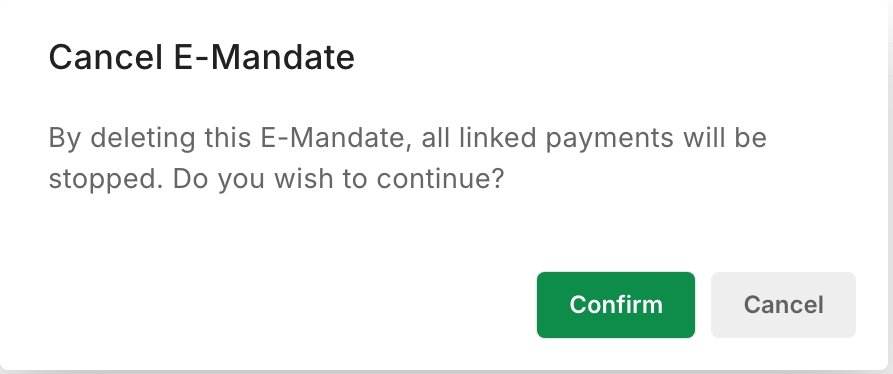
- Under the Cancel E-Mandate pop-up, tap on Confirm,
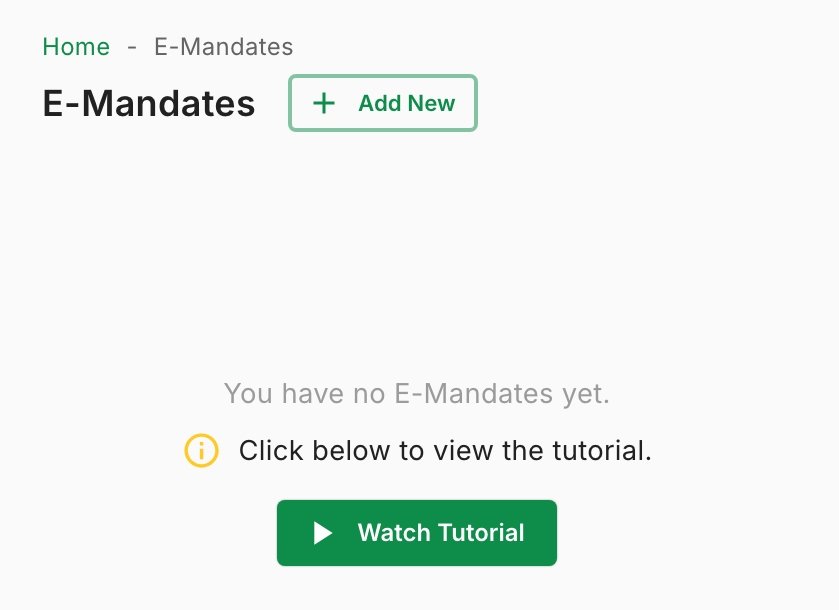
- That’s all. E-Mandate Successfully Cancelled.
After this process, you can try again from the beginning to schedule the SIP Payment from nBank.
Unable to Link/Add DEMAT in nBank
If you have failed to link your DEMAT Account in nBank, then you must ensure that the Name Spelling is the same on all platforms, like in DEMAT, SIP, and even in your bank account.
Understanding the Depository Participant (DP)
If you are still confused about the Depositary Participant, then let me clear it up for you. The DP is the participant agent in the Share Market who handles the backend share and investment-related tasks for you.
So, in simple terms, DP is the company where you have opened your DEMAT Account. Mostly in Nepal, the DP is a subsidy of Banks like NIC ASIA Capital by NIC ASIA Bank, Nabil Investment Banking & Nabil Stock Dealer by Nabil Bank, NIMB Ace Capital by NIMB Bank, etc.
But the point you need to note while selecting your DP is choosing the right one. Like in today if you opened your DEMAT Account Nabil Bank Branch then they provide your Nabil investment Banking DEMAT Form, so if that is then your DP will be Nabil Investment Banking with DP Name & ID Nabil Investment Banking – 13010400, and mostly for Nepal Bangladesh Bank (Opened before Acquire by Nabil Bank) then it’s Nabil Bank – 13015100, and for United Finance Nabil Bank – 13016800. Likewise, for NIC ASIA, although they have a subsidy, NIC ASIA Capital, NIC ASIA BANK sets the DP as NIC ASIA Bank Limited – 13013700, so the easiest way to find your DP is by using the DP ID.
BOID: Your 16 Digit Demat Account Number, for example, 1301040005673880
DP ID: First 8 digits of your Demat Account Number, for example, 13010400
Client ID: Last 8 digits of your Demat Account Number, for example, 05673880
That’s all for the process to enable nBank SIP Payment automation. With this process, you can add your DEMAT Account and schedule for SIP Payment easily. If you have any issues related to this process, then you can comment or contact me directly from the contact us page, or also get in touch with Nabil Investment Banking.