Mostly, SIP Payment is the monthly installment you pay to your Mutual Fund’s Issue Manager after your SIP is registered. When registering the SIP from next month, you have to start paying it as a recurring process to your Issue Manager. But it’s not the same as buying shares from TMS with a one-time payment. So, even when registering and buying the SIP for the first time, and also when it becomes recurring, the investor must log in to the Issue Manager portal or Wallets like Khalti and eSewa to make a recurring payment. This makes it a complex task for most of us. So, here’s the process and tutorial for every major issue manager’s SIP Payment Logging and Payment steps.
If you have already opened your SIP and only need wallet steps or direct checkout Steps via eSewa, Khalti, or Connect IPS, then you can read our General Guide: How to Pay SIP in Nepal. But here we are, focused on scheme-wise login and direct payment steps for major issue managers.
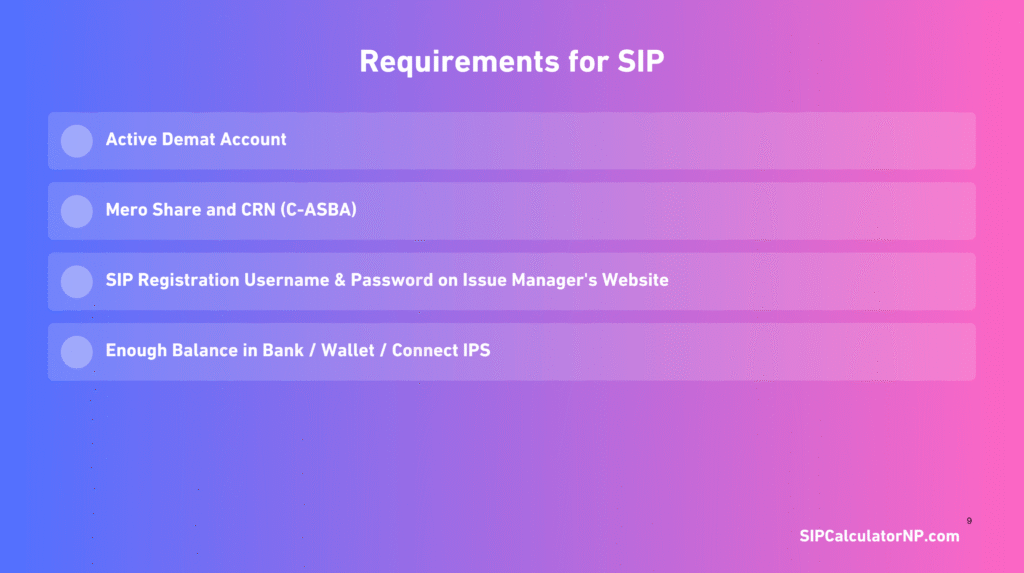
All you will need before any SIP payment:
- Active Demat account
- Mero Share and CRN (C-ASBA) were required
- Completed SIP registration username and password on the issue manager’s website
- Enough balance in bank/wallet / Connect IPS
Disclaimer: The layout of your issue manager may change from time to time. And also, always use the official website of your issue manager. Mutual fund investments are subject to market risk. See our Financial Disclaimer.
Which portal for which scheme?
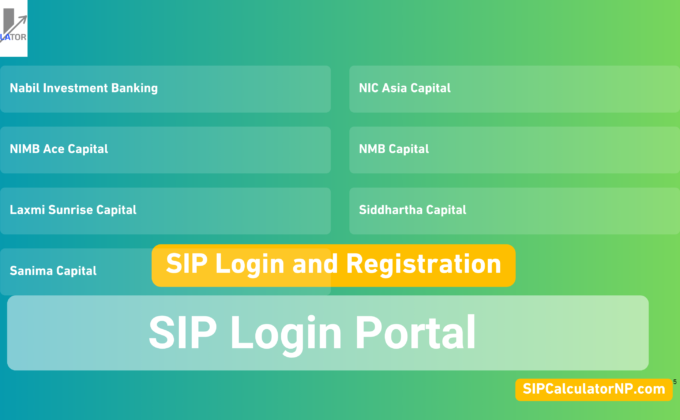
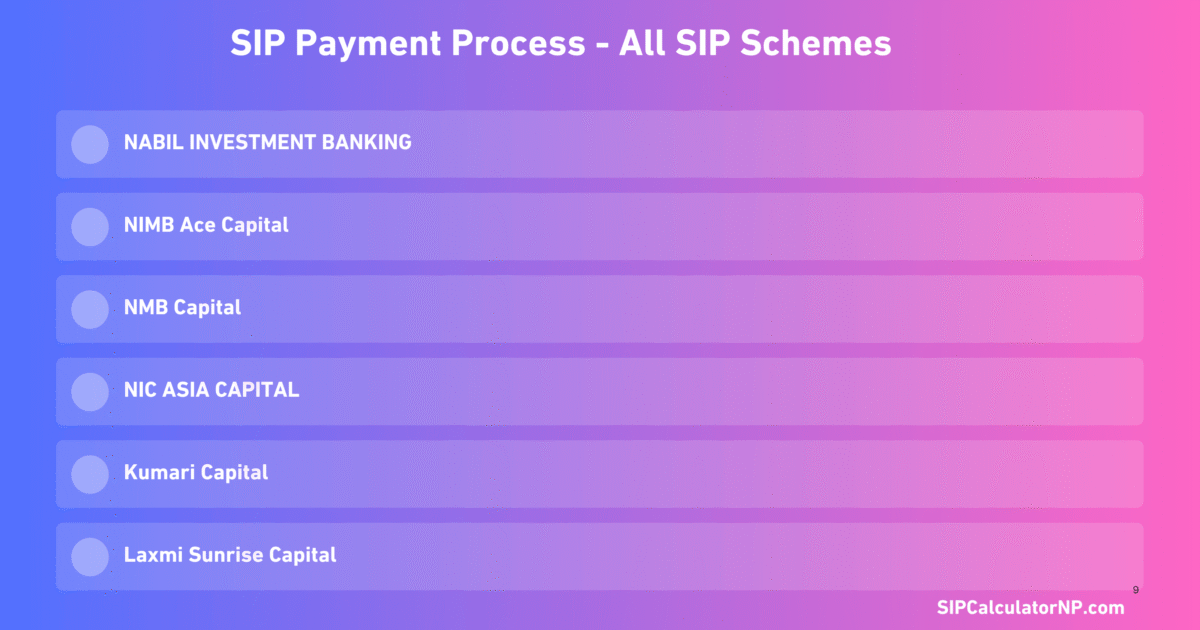
If you are not aware of the Issue Manager and Scheme name of your current SIP, please see this table to find all managers with their schemes.
Issue Managers & SIP Schemes
Quick reference for sip payment login by issue manager in Nepal.
| Issue manager | SIP scheme(s) |
|---|---|
| Nabil Investment Banking Nabil | SIP scheme(s) NI 31, Nabil Flexi Cap Fund |
| NIMB Ace Capital NIBL | SIP scheme(s) NIBL Sahabhagita Fund |
| NMB Capital NMB | SIP scheme(s) NMB Saral Bachat Fund – E |
| NIC ASIA Capital NIC ASIA | SIP scheme(s) NIC ASIA Dynamic Debt Fund |
| Kumari Capital Kumari | SIP scheme(s) Kumari Sunaulo Lagani Yojana (KSLY) |
| Siddhartha Capital Siddhartha | SIP scheme(s) Siddhartha Systematic Investment Scheme (SSIS) |
| Laxmi Sunrise Capital Laxmi | SIP scheme(s) Shubha Laxmi Kosh (SLK) |
| Machhapuchchhre / Prabhu / Sanima Others | SIP scheme(s) MSIP, PSIS, Sanima Flexi |
Common SIP payment steps (same pattern for most funds)
We can see that the SIP Registration and Payment Process is similar across new Issue Managers such as Sanima Capital, Prabhu Capital, and Kumari Capital. Besides, the major universal process for SIP Payment Login is almost the same, with minor changes in steps and the layout of the Issue Manager. So, here’s how almost every sip payment flow looks:
- Open the official issue manager website → Find the Login option or SIP Login.
- Log in to the portal with the username and password you created during SIP registration.
- Open My SIP, Pay SIP, Contribution, or Installment Payment (may be different from Issue Manager).
- Select your scheme (e.g., NIBL Sahabhagita, NI 31).
- After that, it will show all the pending installments that you have to pay.
- Confirm the installment month and amount (usually your registered SIP amount). If you are missing your installment months for a longer period, it shows all pending installments (from x installment to y installment) with the total payable amount.
- Choose payment method: Connect IPS, eSewa, Khalti, or a linked bank account (options vary by portal).
- Complete Payment and save the receipt or screenshot.
- Get the email receipt too in your registered email.
Nabil Investment Banking — SIP Payment for Nabil Flexi Cap & NI31
Portal: Nabil Investment Banking official site → [Click here]
Schemes: NI 31, Nabil Flexi Cap Fund
Steps:
- Go to the Nabil Investment Banking SIP Payment portal.
- On the payment page, choose your Depository Participant (DP) and your Client ID (the Last 8 digits of your DEMAT Account no).
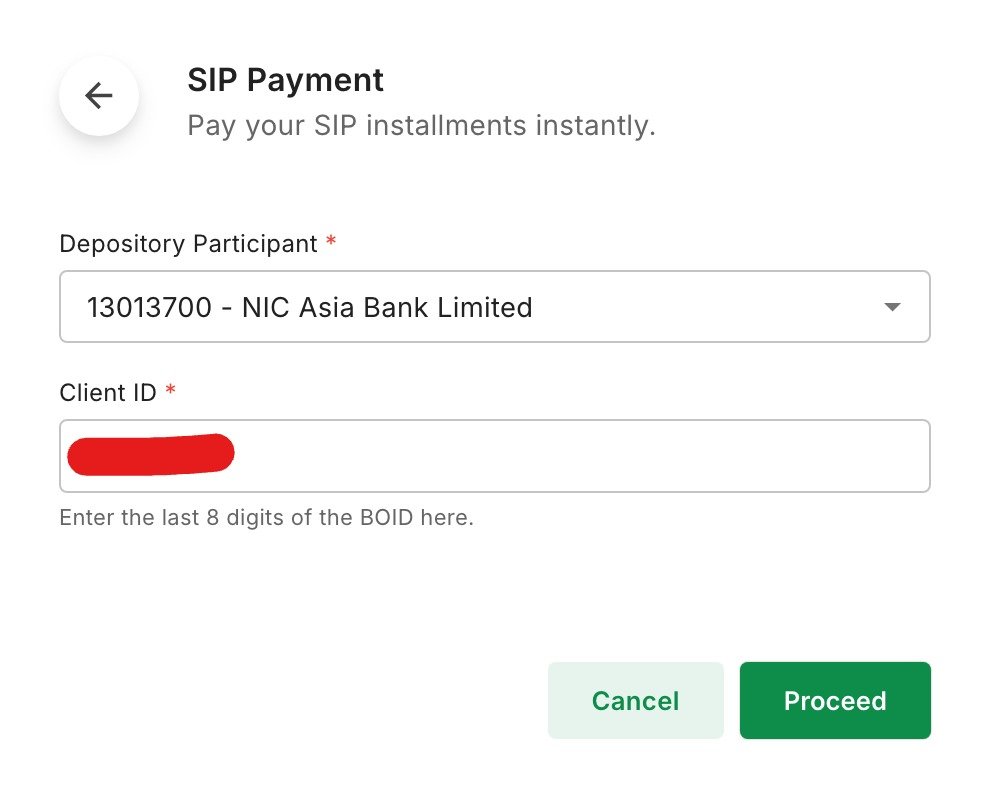
- After choosing the DP and entering the Client, tap on Proceed.
- Now choose SIP Scheme from the dropdown of ‘Please choose a SIP to pay’. It will show all subscribed SIP schemes (NI31 & Nabil Flexi Cap Fund).
- It will show the Number of Installments to be paid automatically, including Pending Installments, Advance Installments, Installments To Pay, and Total Amount.
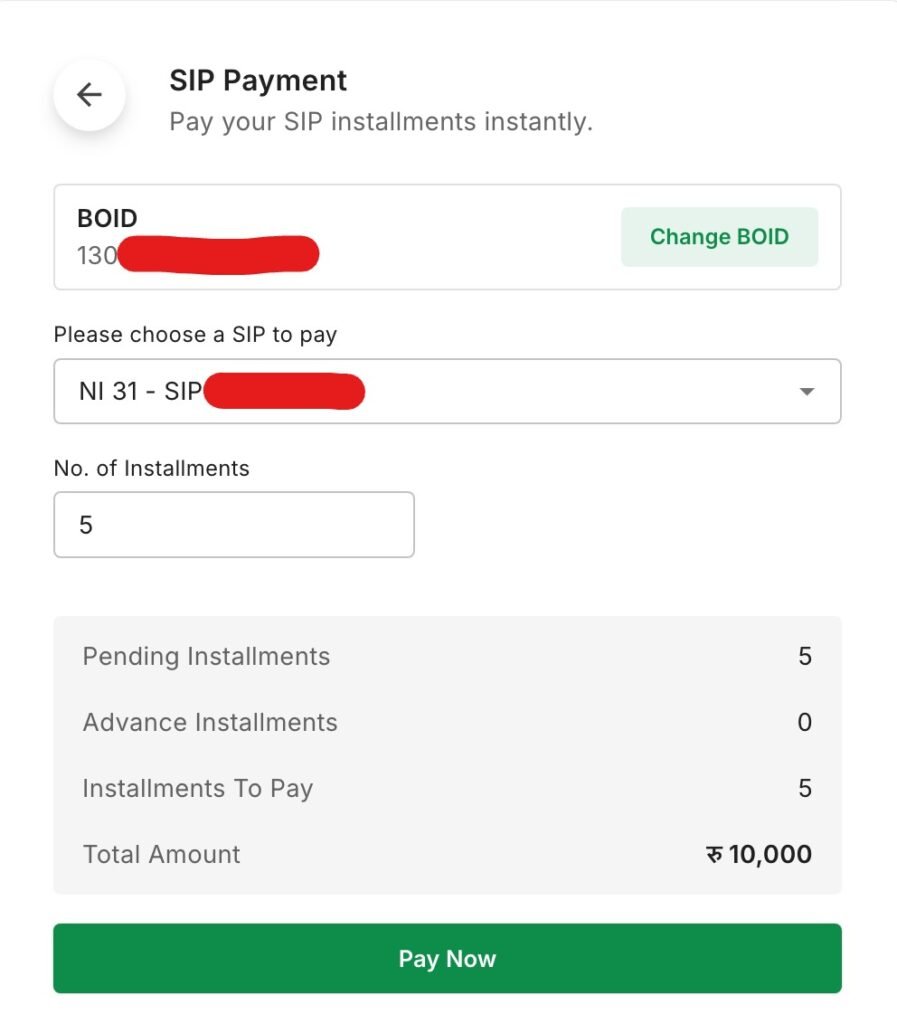
- Confirm all installments, then tap Pay Now. It will redirect you to the checkout page.
- On the Payment Confirmation page, it will show all the details and the Payment you will proceed with. So, please confirm it once.
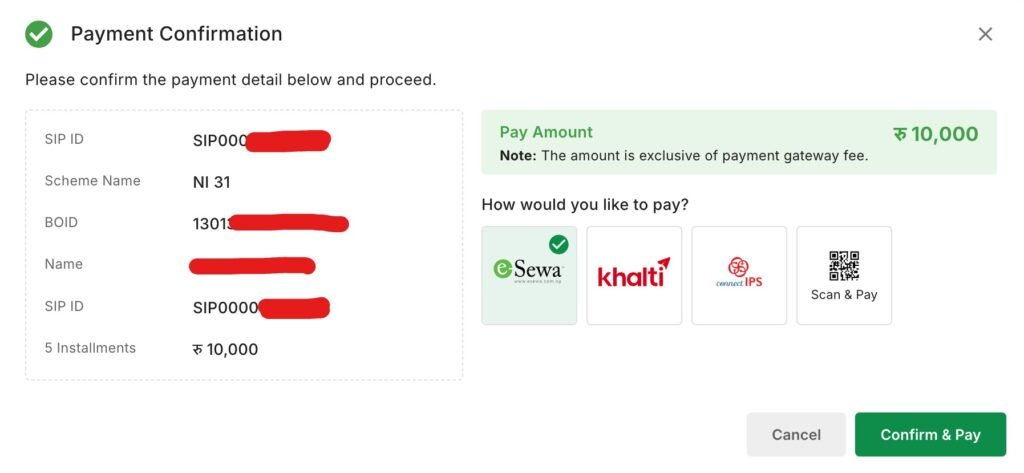
- Now choose the Payment method as per your accessibility. Like Khalit, eSewa, or Scan & Pay on Nepal Pay QR, then tap on Confirm & Pay.
- Enter the login details for your eSewa, Khalti, or Connect IPS account, or directly scan the QR code if you select the Scan & Pay payment method.
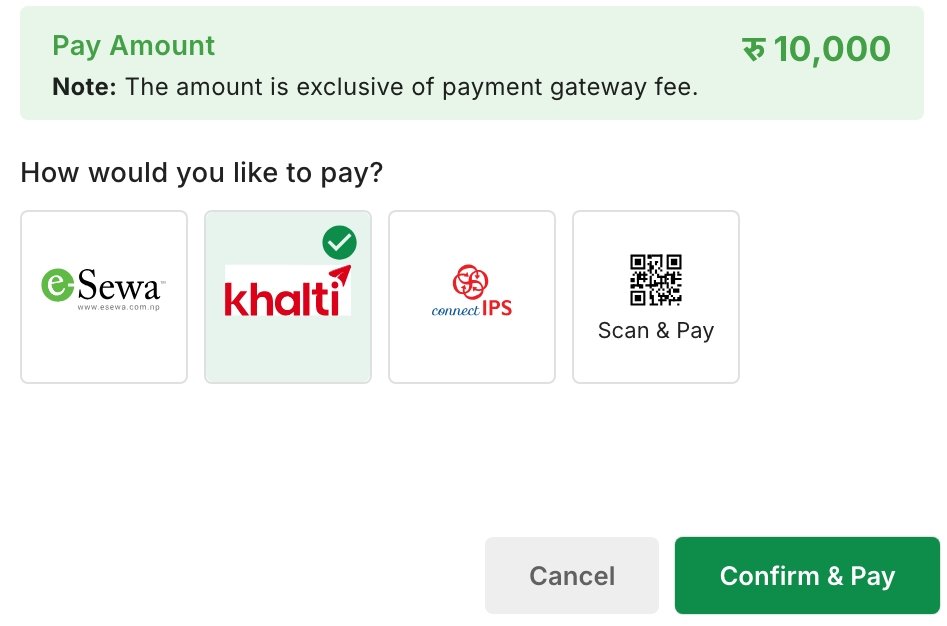
- Confirm the Payment. That’s all.
That’s all about the process for SIP payment at Nabil Bank. By following these easy steps, you can process SIP payment with Nabil Investment Banking Limited without logging in to the user account created on that site during SIP Registration.
Note: As per your financial status, you can make custom installment payments only to. It means that if your total pending installments are 5, instead of 5, you can manually enter 1 or any number of installments, like 3 in No. of Installments too.
Related: Nabil Flexi Cap Fund Review
NIMB Ace Capital — SIP Payment NIBL Sahabhagita Fund
Portal: NIMB Ace Capital official site → [Click here]
Scheme: NIBL Sahabhagita Fund
Steps:
- Visit the SIP Payment page of NIBL Sahabhagita Fund managed by NIMB Ace Capital.
- Enter your 16 Digit DEMAT Account Number under BOID No Filed.
- Confirm the DEMAT Number is correct -by tapping Confirm in the pop-up. If not, then No, Incorrect, and re-enter the correct BOID.
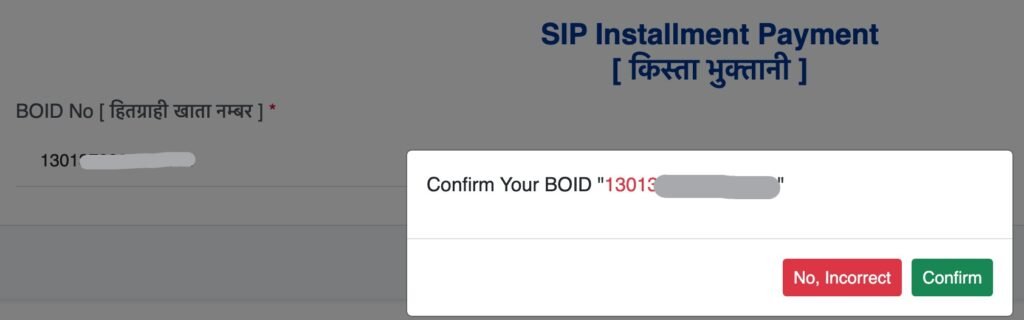
- After tapping on Confirm, it will show the complete details of Pending SIP Installments, including your Name and mobile number.

- Now select the number of installments you want to pay (starting from the next installment).
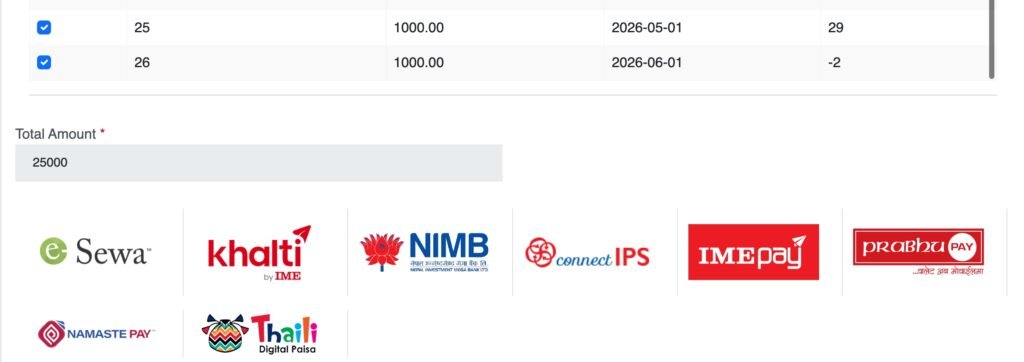
- Based on the no. of installments you select, it shows the total payable amount.
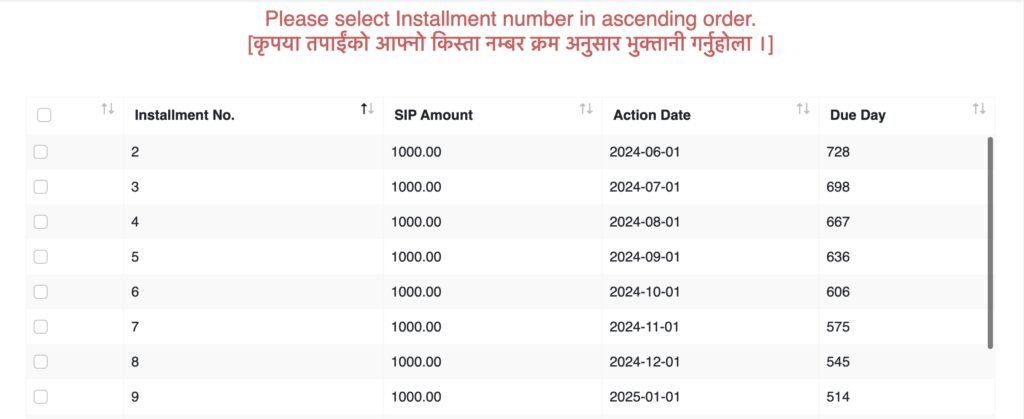
- Choose the payment method from the available list. When you tap any of the provided payment methods, a pop-up appears on your screen showing the total amount payable.
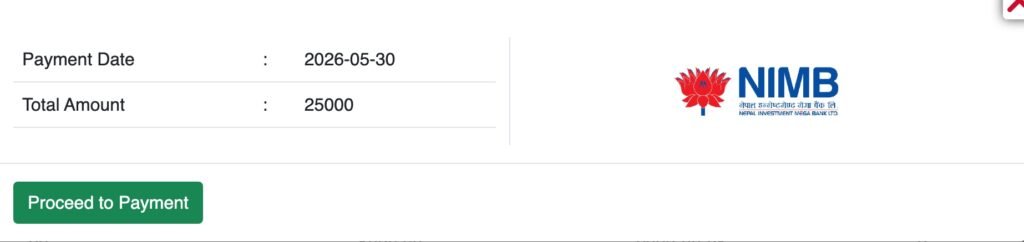
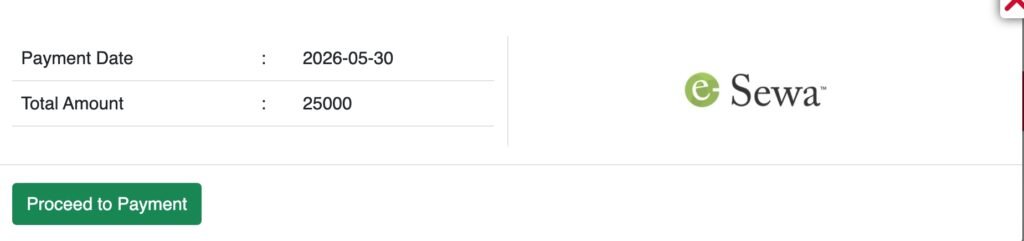
- Tap on Proceed Payment, enter your login details, and confirm the Payment.
By following this simple process, you can easily make payments for all your pending SIPs. In my case, it has been a long time, so there are many pending installments. So, based on your input, it shows only the total pending installments. So, that’s all about the SIP Payment process at NIBL without Login. It’s really easy to process the SIP Payment NIBL Sahabhagita Fund.
NMB Capital — SIP Payment of NMB Saral Bachat Fund – E
Portal: NMB Capital official site → [Click here]
Scheme: NMB Saral Bachat Fund – E
Steps:
- Visit the SIP Payment Page of NMB Capital,
- Now choose the Depository Participants (DP) and enter the last 8 Digits of your DEMAT NO. under BOID No. [ हितग्राही खाता नम्बर ].
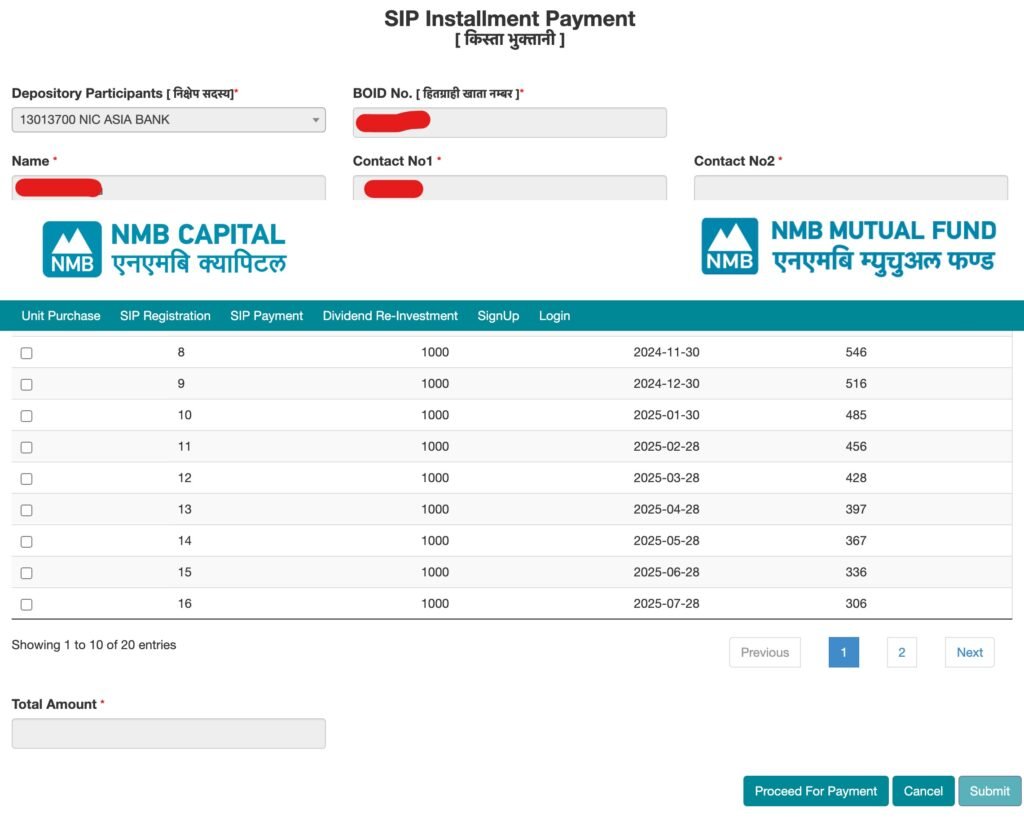
- It automatically fetches your Name, Mobile Number, and all pending Installments, including the total number of installments to be paid, the action date, and the due days.
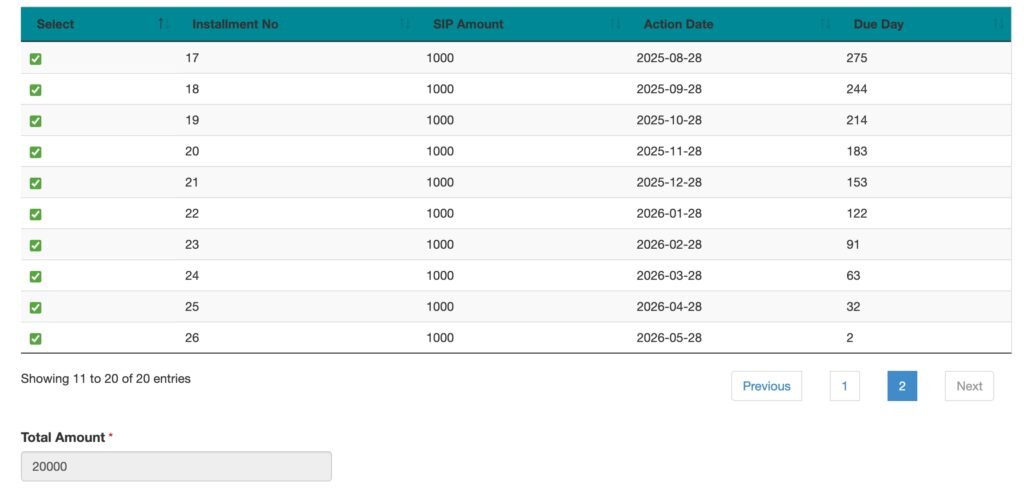
- Select the number of installments, one by one, up to x installments that you want to pay (or select all installments from all pages).
- Depending upon the no. of installments, you check/select/tap, it shows the total payable amount.
- After selecting the no. of installments, scroll down the page and tap on Proceed for Payment.
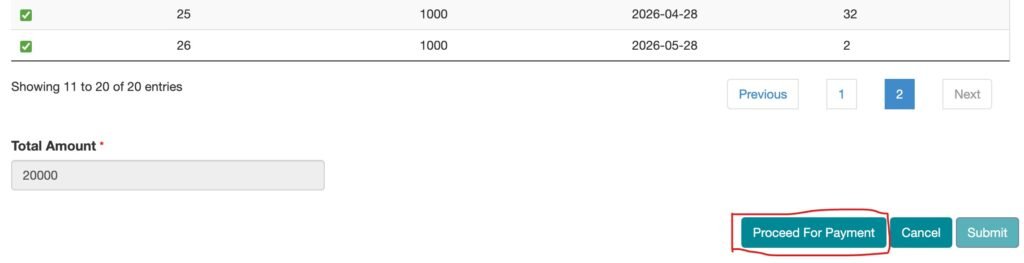
- Now choose the available payment method (eSewa, Khalti, or Connect IPS).
- It will redirect you to the login page for your chosen payment method (eSewa, Khalti, or Connect IPS).
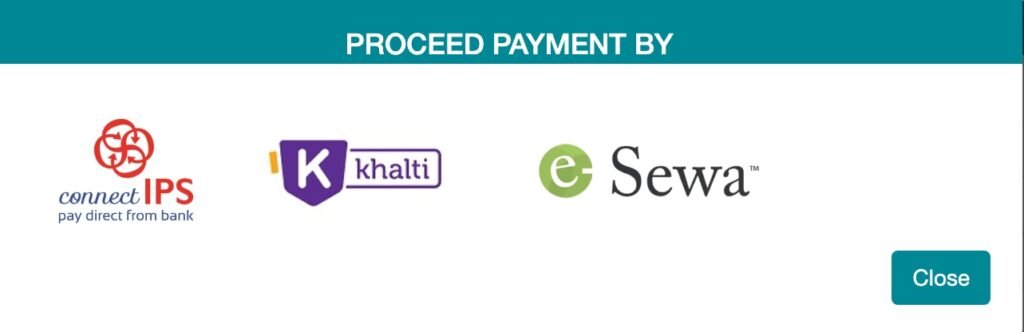
- Enter the login details and confirm the Payment.
After payment confirmation, you will receive a confirmation from your Issue Manager. Later, you will also receive the Unit Purchase Mail with an invoice (on NEPSE Live day).
Also, you can make a partial payment up to the required number of pending installments if you are facing financial difficulties. That’s all for the SIP Payment NMB Saral Bachat Fund -E Process.
NIC ASIA Capital — SIP Payment NIC Asia Dynamic Debt Fund
Portal: NIC ASIA Capital official site → [Click here] | Second portal Link [Click here]
Scheme: NIC ASIA Dynamic Debt Fund
Steps:
- Visit the NIC Asia Dynamic Debt Fund SIP Payment Page
- Now, choose your DP and enter your BOID (the Last 8 digits of your DEMAT Account No.).
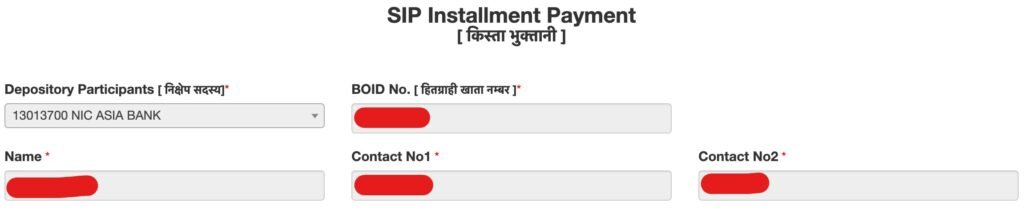
- It automatically shows all pending installments (if not, press Shift in Windows or tap the nearnear outer side of the phone in mobile)
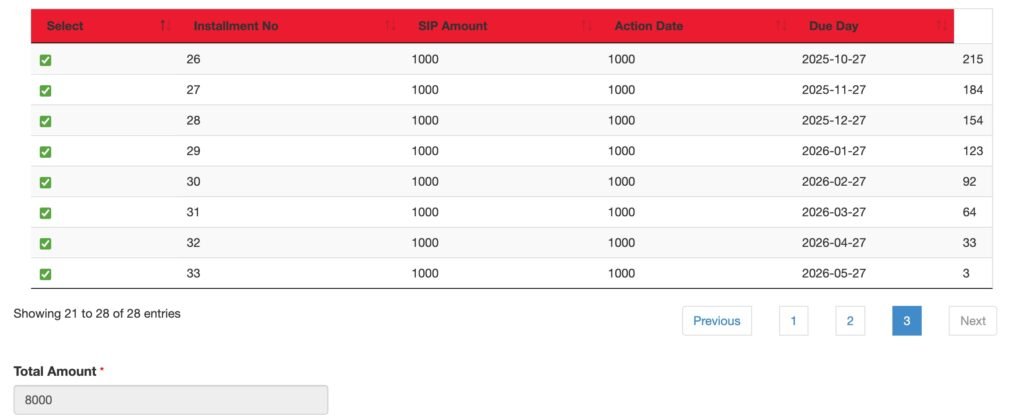
- It will show all the installments, so click on the installment on the left side one by one until you reach the one you want to pay now. Based on the no. of installments you select, it shows the total amount to be paid.
- Now tap Proceed Payment to see all available payment options in a pop-up. You can choose NIC Asia Bank, eSewa, Khalti, Khalti by IME, or Connect IPS.

- Tap one of the available payment methods, then enter the login details for that platform: NIC Asia Web Banking, eSewa, or Khalti.
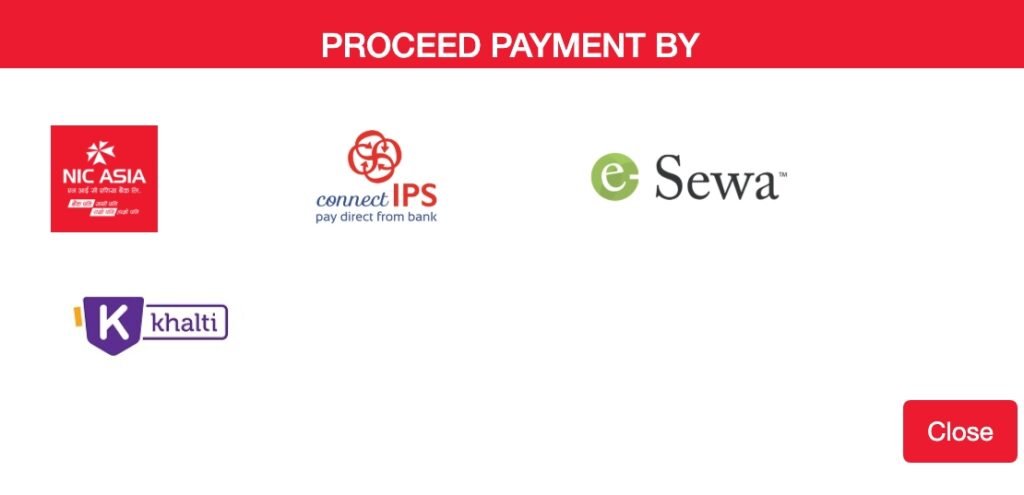
- Confirm the amount once and proceed with the payment.
That’s all for the SIP Payment process at NIC Asia Capital. By following these simple steps, you can make a payment for all your pending installments. Here, for example, I have only processed the Payment for 8 installments. But, as per your preference, you can pay in installments, either partial or full. But recommended to pay every month without missing.
After Payment is processed, you will receive an instant email from your issue manager with the payment confirmation in your registered email (the email used when starting the SIP). Also, after a day or after the office day (NEPSE Open Day), you will receive another email from NIC ASIA Capital regarding the purchase of Mutual Fund units for you.
Kumari Capital — SIP Payment of Kumari Sunaulo Lagani Yojana
Portal: Kumari Capital official site → [Click here]
Scheme: Kumari Sunaulo Lagani Yojana (KSLY)
Steps:
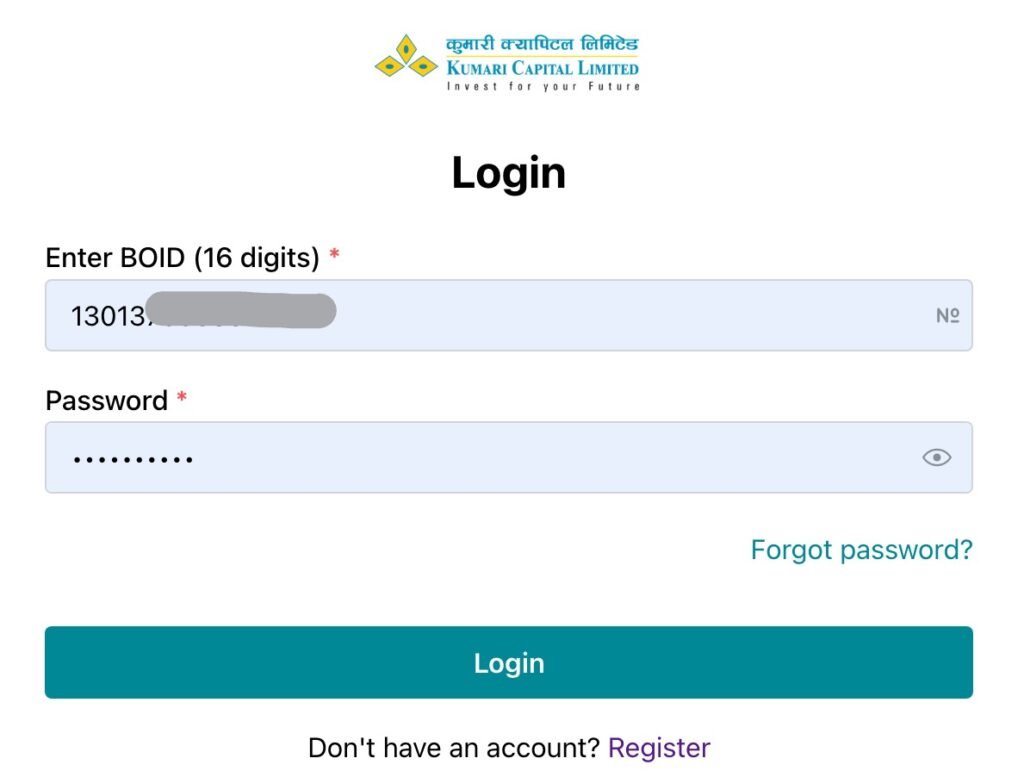
- Visit the mutual fund login page of Kumari Capital and log in with your BOID and Password Created.
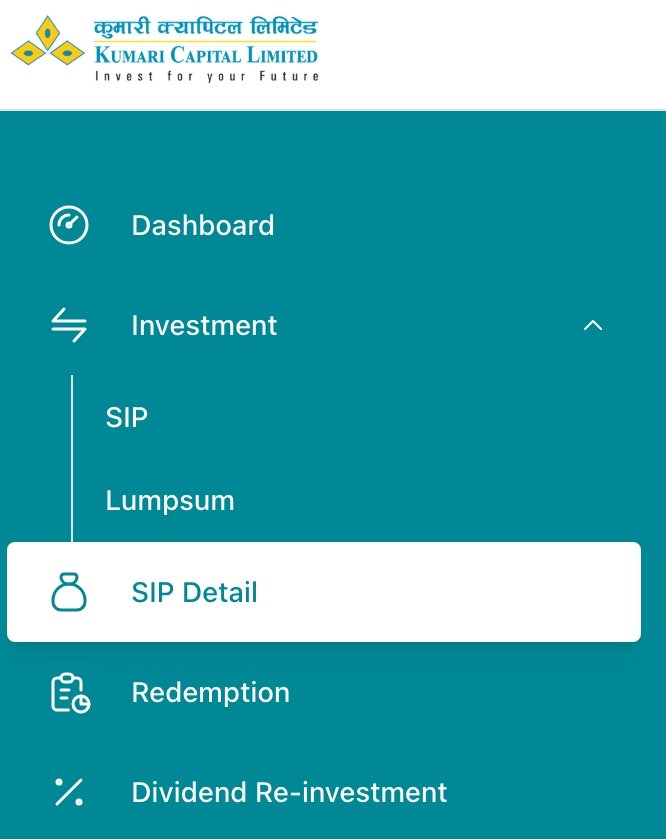
- After logging in, tap on Investment Dropdown>SIP.
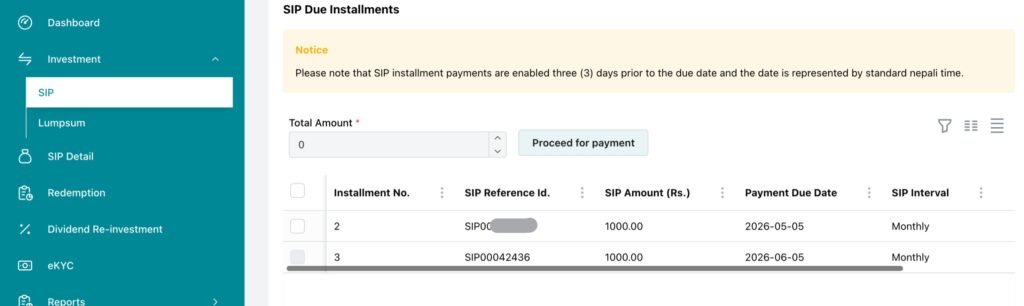
- Here you will see all pending SIP Installments.
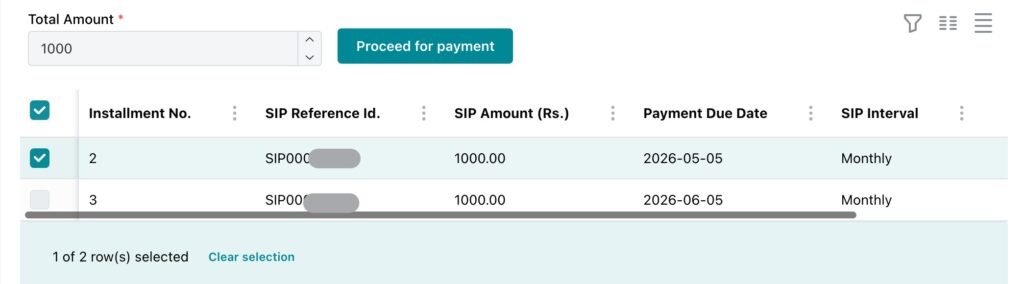
- Click the installments, it will show the total payable amount.
- Tap/Click on Proceed for Payment,
- Choose any payment method shown in the pop-up, then tap Proceed Now.
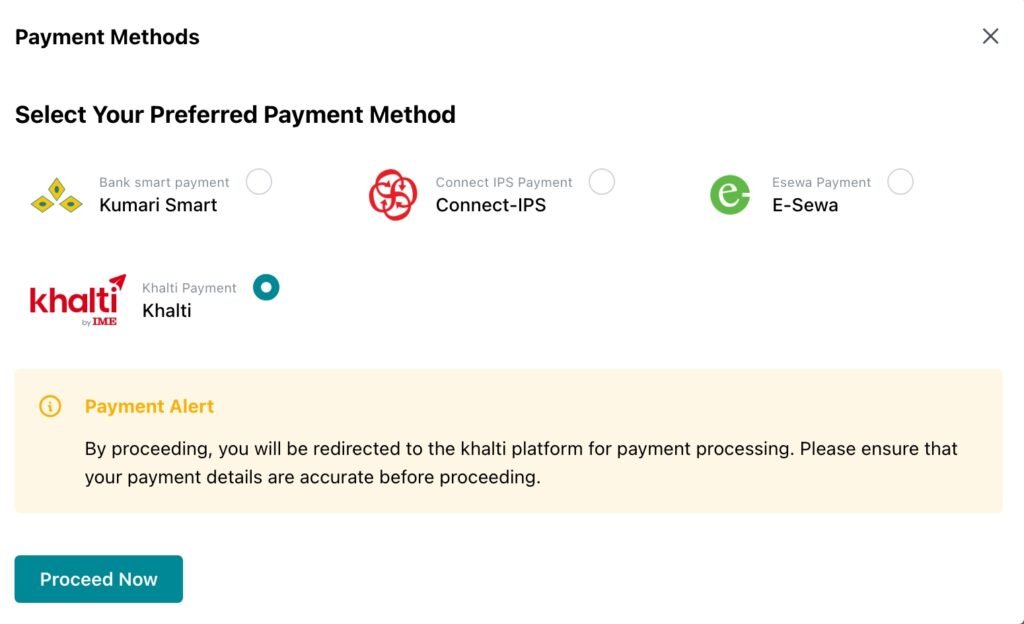
- Log in to your payment portal and confirm the Payment.
That’s all for the Kumari SIP Payment Online procedure. By following this, you can easily proceed with your SIP Installment payment in KSLY SIP from your home. After making a payment, you will receive an email from Kumari Capital confirming your Payment, and later, you will also receive the unit allocation Email. Additionally, you can make a direct payment for the Kumari SIP via eSewa.
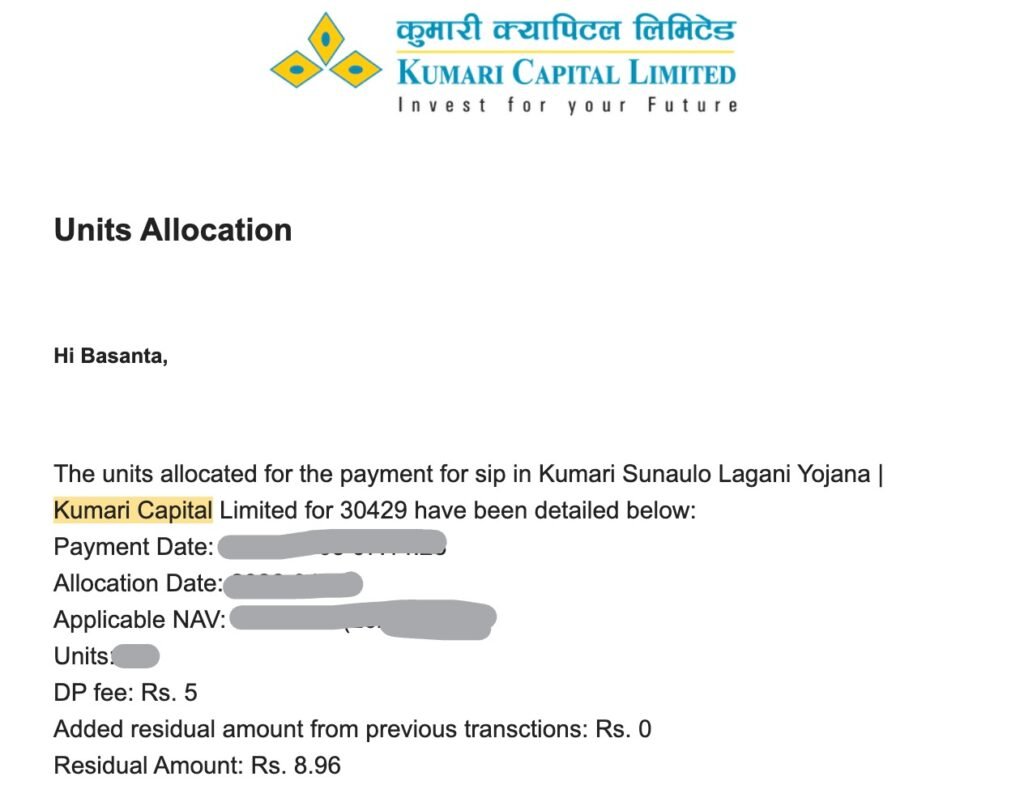
Note: If you have registered for the Kumari Sunaulo Lagani Yojana (KSLY) directly through eSewa, you can use the same login page for the Mutual Fund of Kumari Capital to reset your password by tapping Forget Password.
Siddhartha Capital — SIP Payment of Siddhartha Systematic Investment Scheme (SSIS)
Portal: Siddhartha Capital official site → [Click here]
Scheme: Siddhartha Systematic Investment Scheme (SSIS)
SIP Payment at Siddhartha Bank is the same as at NMB Capital and NIC Asia Capital. This is because the same developer also designs the payment platform for this Siddhartha SIP. So, you can follow the exact process above to pay for the Siddhartha Systematic Investment Scheme (SSIS).
Other Issue Manager Having Similar UI & Payment Process
Other new Issue Managers of SIPs, like Sanima Capital, Prabhu Capital, and Citizens Capital, follow the same steps as Kumari Capital. As I already said, the reason behind it. So, for the mentioned capital SIP Payment, you can follow the exact SIP Payment process as with Kumari Capital.
Sanima Capital — SIP Payment of Sanima Flexi Fund
Portal: Siddhartha Capital official site → [Click here]
Scheme: Sanima Flexi Fund
Prabhu Capital — SIP Payment of Prabhu Systematic Investment Scheme (PSIS)
Portal: Siddhartha Capital official site → [Click here]
Scheme: Prabhu Systematic Investment Scheme (PSIS)
SIP payment failed? Quick fixes
Sometimes, while processing the SIP Payment, it may fail due to various reasons. Here are the possible reasons to remember if such an issue arises.
- Wrong portal — NIBL vs NMB vs Nabil; Many investors get confused sometimes due to a similar name.
- SIP not active — If registration is pending, check email/SMS from your issue manager.
- Connect IPS timeout — Retry; check bank limit or balance in your linked bank account.
- Wrong month selected — Confirm the no. of installment periods on screen. If more pending installments, this may sometimes occur.
- Insufficient balance — Check your Wallet or bank account balance.
Still stuck? You can get in touch with your Issue manager by contacting them directly via support email or the provided contact number. You can find these contact details on their official website and social media.
How to Pay SIP Installment: eSewa, & Khalti
How to Pay SIP Through eSewa (Quick & Easy)
If you prefer the easiest way to pay your SIP Installment then eSewa offers that feature (but super limited). Here I mean, here you can see only a few capital manager participations. So, you can only make a payment of few SIP Schemes. Millions of people already use it daily for top-ups and utility bills. Thus, learning how to pay SIP through esewa feels incredibly familiar.
Step-by-Step Payment:
- Open the eSewa App on your phone/or eSewa web login, and get logged in.
- Search for ‘SIP’ in the search bar, and it will now show all available Capital Manager lists supported/provided by eSewa.
- Choose your SIP Capital Manager like NIC Capital SIP Payment to pay the SIP of ‘NIC Asia Dynamic Debt Fund’, Laxmi Capital SIP Payment to pay the SIP of ‘Subha Laxmi Kosh’,
- After tapping/clicking on as required, it will open that particular Capital Manager Dashboard, like we are doing for Subha Laxmi Kosh. So here we tap on Laxmi Capital SIP Payment.
- Under Investment Type, choose ‘SIP’ or ‘Unit Purchase’; by default, it will be ‘SIP’.
- Now select your Depository Participants from the dropdown, select the DP where you opened your DEMAT Account. For example, if you have opened the DEMAT in Nabil Bank, then it’s Nabil Investment Banking. If in Bangladesh Bank before Merger, then your DP is Nabil Bank.
- Enter your Client ID, it’s the last Eight Digit (8 Digit) of your DEMAT Account No.
- Tap on Proceed, here you will see the details of the the Installment to be paid.
- Tap Confirm & Pay, that’s it.
How to Pay SIP Through Khalti (Smooth & Simple)
Khalti is another massive player in the digital wallet space, heavily favored by younger investors for its smooth user interface and occasional cashback rewards. The process of figuring out how to pay sip through khalti is nearly identical to eSewa. Therefore, it is a breeze if you are already a Khalti user.
Step-by-Step Payment:
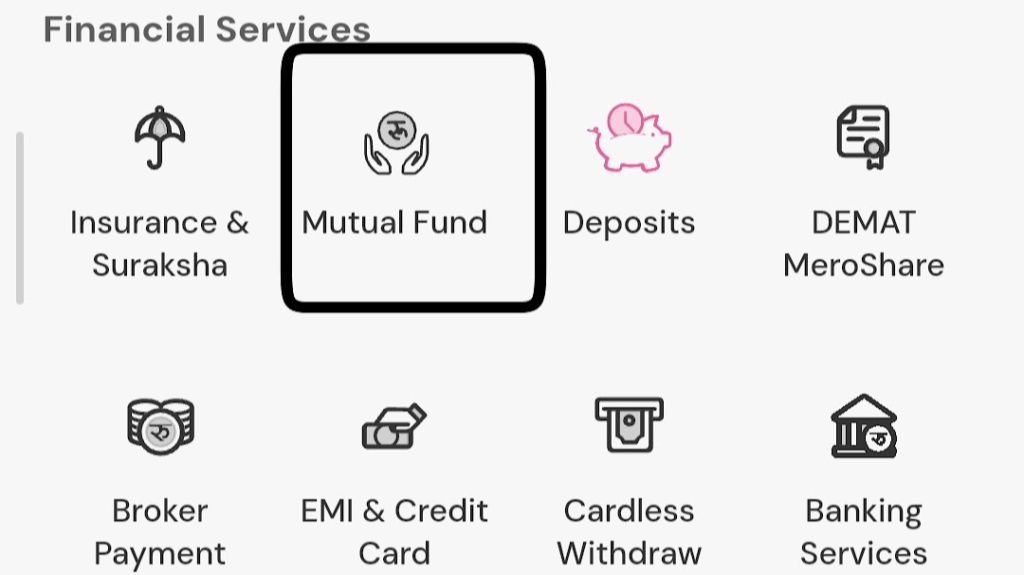
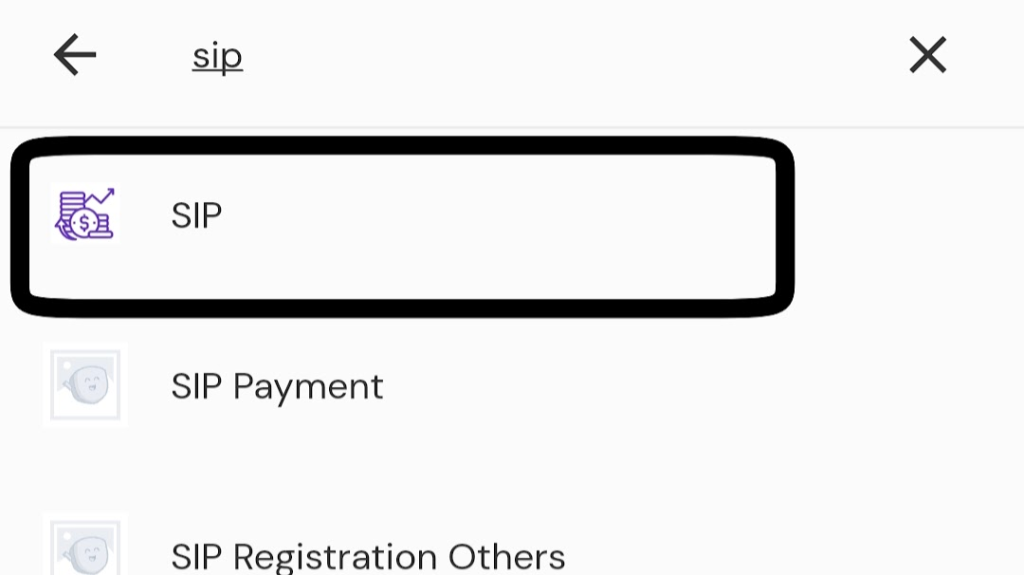
- Open the Khalti App and go to Financial Services and find the Mutual Fund widget there, or search ‘SIP’ in the Khalti Search Bar.
- Now choose the SIP Manager (Like for Siddhartha SIP, choose Siddhartha Capital or NIC Asia for NIC Asia Dynamic Debt Fund),
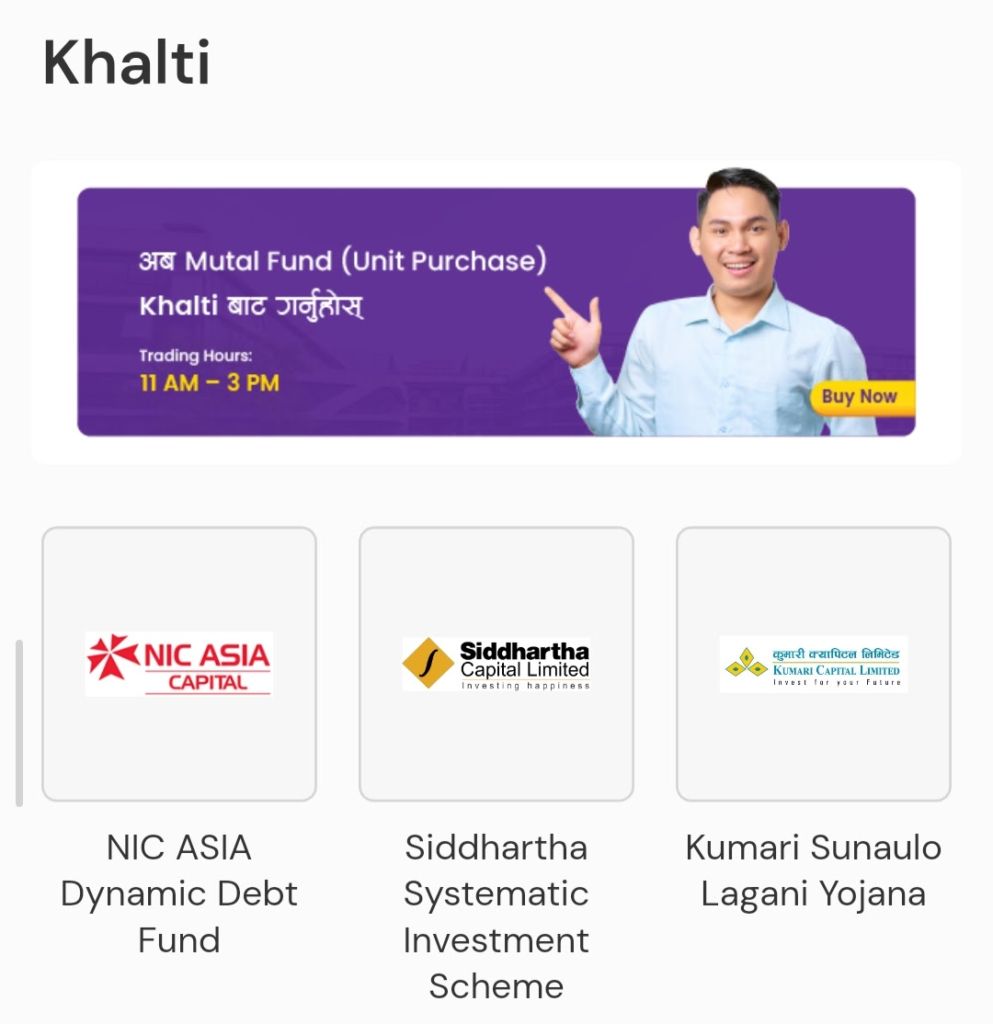
- Here we are choosing NIC Asia, now tap on ‘Please Select’ to open the dropdown menu and select “SIP Payment” there,
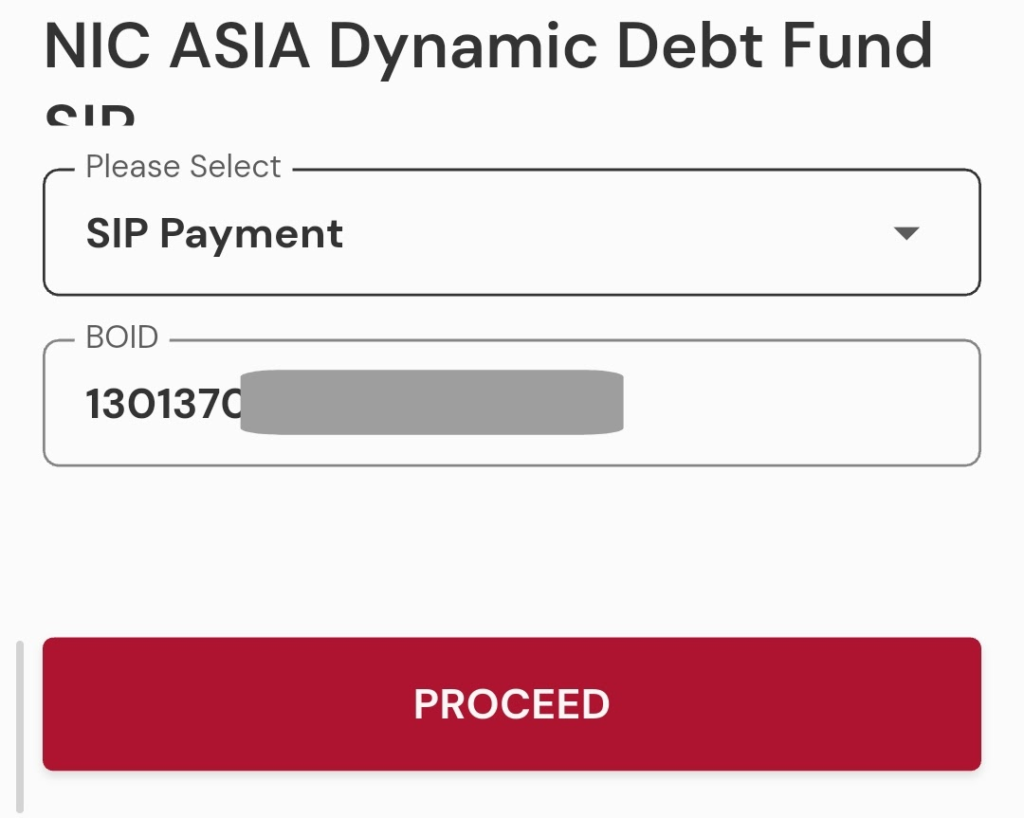
- Enter your BOID (Your 16 Digit Demat Account No.) and then tap on PROCEED.
- Here you will get all the SIP Details, including the Installments,
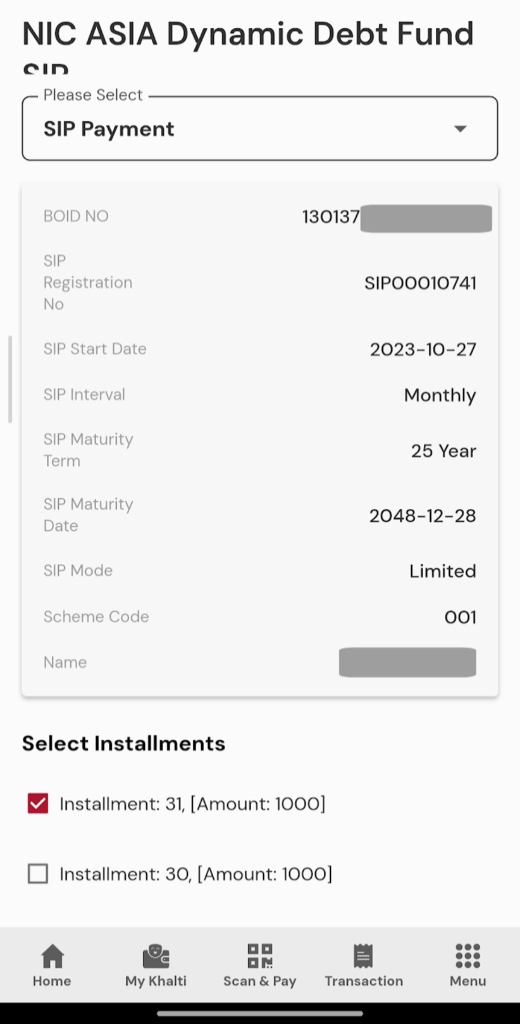
- So select the Installments one by one and go to down of the page and then tap on Next,
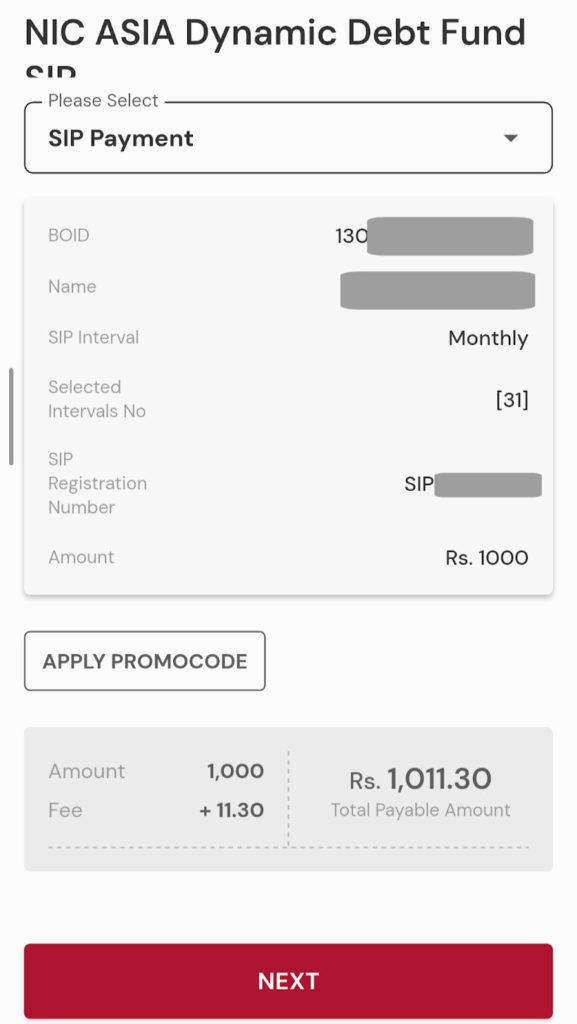
- Confirm the details and the paying amount there and then again tap on Next,
- Choose the payment method (Using Khalti or Linked Bank Account),
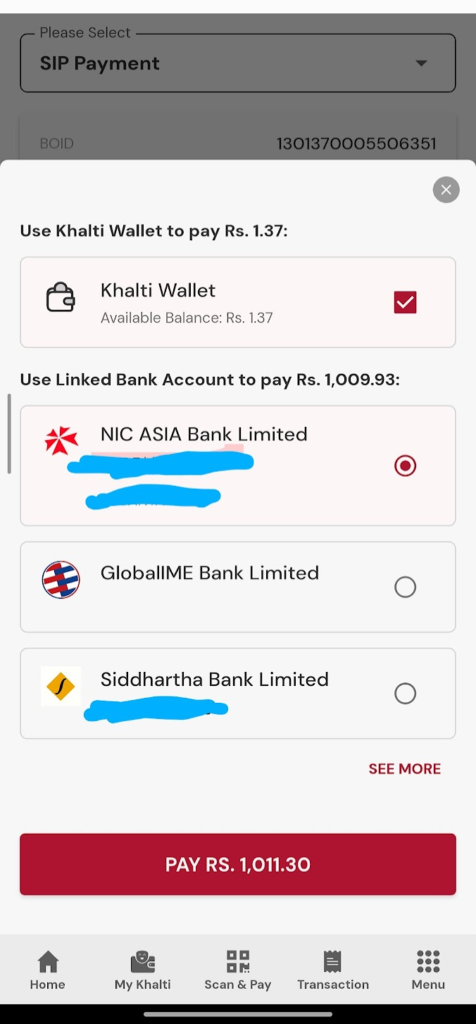
- That’s it.
Still Don’t Have Opened the SIP? Here’s the Complete Process to Open/Register/St
Frequently Asked Questions (FAQ)
SIP Payment is the periodic Payment or contribution to your registered open-ended mutual fund SIP through your issue manager channel.
Every Issue Manager (Capital Company) has their portal, where you can log in with the username and password you created. If you forget, you can reset your password to regain access to SIP Management.
Yes, if eSewa and Khalti are available as payment options, you can easily pay them. See How to Pay SIP in Nepal for wallet steps.
No. SIP payment goes to the issue manager, and your issue manager will purchase the applicable unit for you based on the current NAV of your mutual fund.
Often Rs 1,000/month across many schemes, but now the NIC Asia Equity Linked Scheme lets you start with Rs 500/month.
Conclusion
SIP payments become easier once you learn the process. Also, it will be easy for you if you bookmark the login or payment page of your issue manager. Also, you can keep on visiting our site for an easy process if you forget or need the direct payment link that we shared above. Use this page for Nabil, NIBL, NMB, NIC ASIA, Kumari, Siddhartha, and Laxmi schemes; use our SIP Calculator to plan amounts, and use SIP Dividend History to compare funds over time.
Mutual fund investments are subject to market risk. This guide is for education only, not personal financial advice.